---
title: Booking a Bonus Stay with points
description: Booking a Bonus Stay with points
---
[Skip to content](https://support.loyco.io/knowledgebase/booking-a-bonus-stay-with-points#main-content)
[](https://support.loyco.io/knowledgebase?hsLang=en)
- [Support](https://support.loyco.io/knowledgebase/contact-us)
Show submenu for Support
- [Book a meeting](https://support.loyco.io/knowledgebase/book-meeting)
- [Contact us](https://support.loyco.io/knowledgebase/contact-us)
- [Program settings](https://www.loyco.io/onboarding)
Open main navigation
Close main navigation
- [Support](https://support.loyco.io/knowledgebase/contact-us)
Show submenu for Support
- [Book a meeting](https://support.loyco.io/knowledgebase/book-meeting)
- [Contact us](https://support.loyco.io/knowledgebase/contact-us)
- [Program settings](https://www.loyco.io/onboarding)
- [Admin login](https://auth.loyco.io/Identity/Account/Login)
[Admin login](https://auth.loyco.io/Identity/Account/Login)
\_
- There are no suggestions because the search field is empty.
1. [Loyco](https://support.loyco.io/knowledgebase?hsLang=en)
2. [Member Portal](https://support.loyco.io/knowledgebase/member-portal?hsLang=en)
3. [Using the Member Portal](https://support.loyco.io/knowledgebase/member-portal?hsLang=en#using-the-member-portal)
# Booking a Bonus Stay with points
## Steps for a member to use bonus points to book a hotel stay.
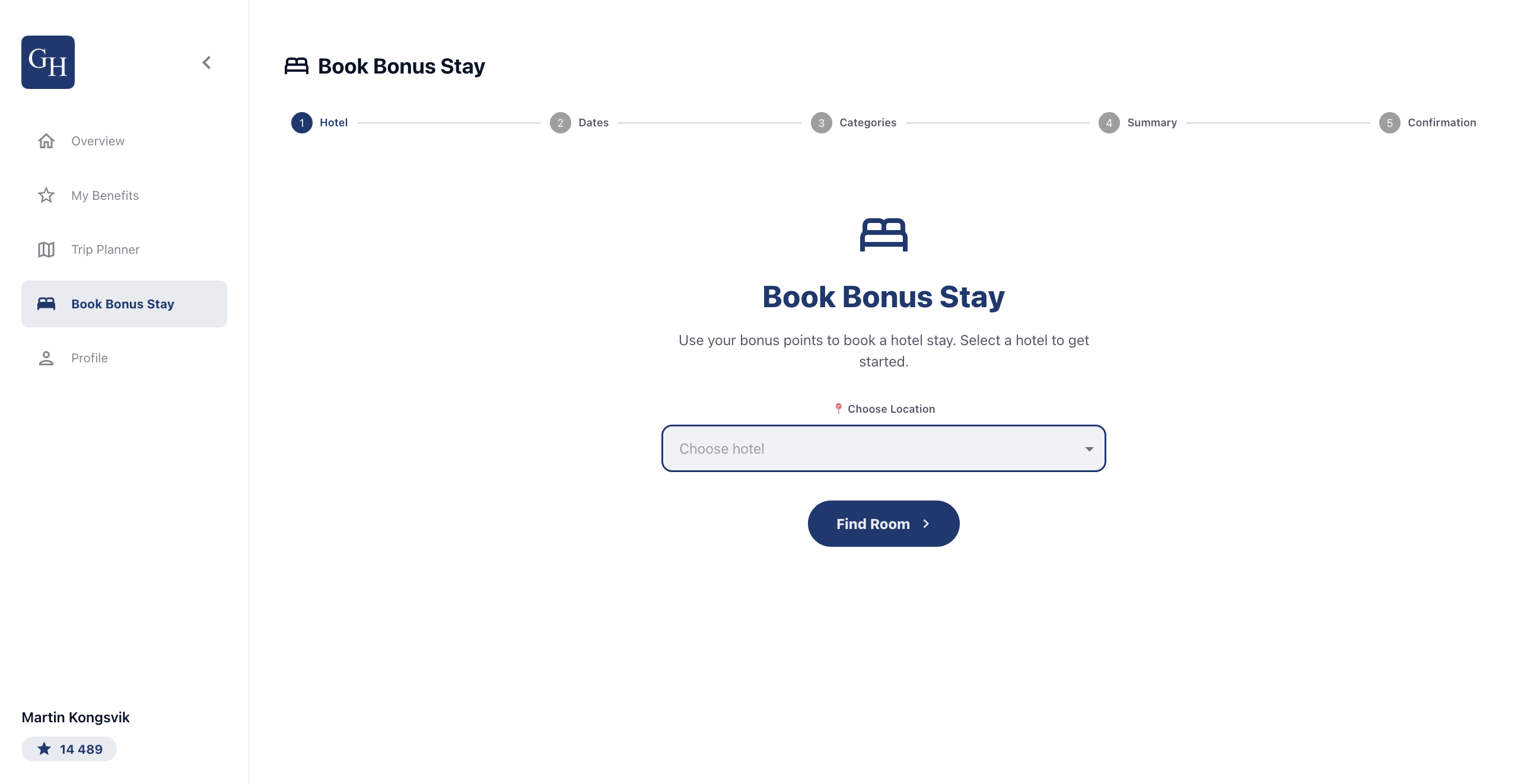
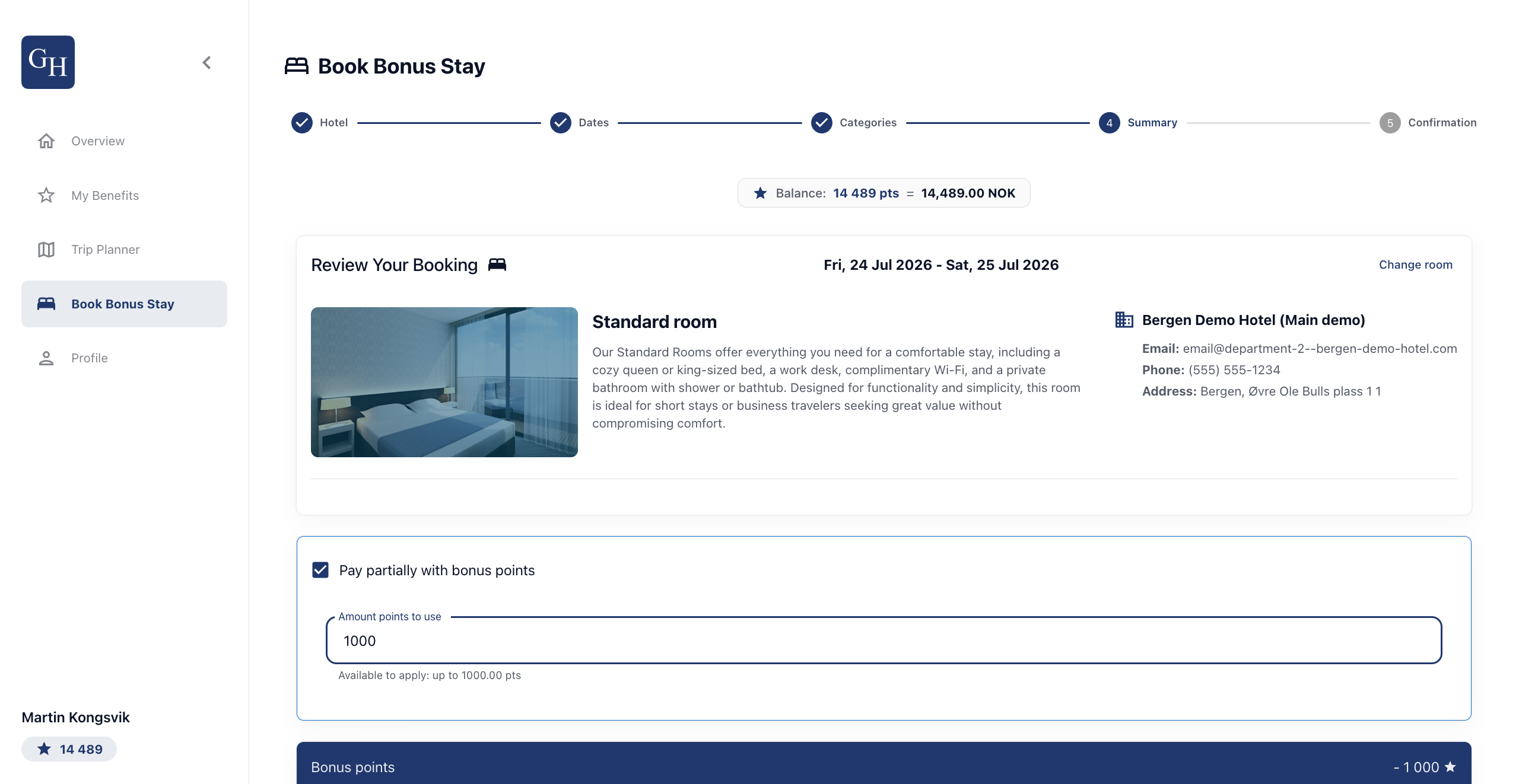
**Book Bonus Stay** lets a member turn points into a hotel booking. It runs as a five-step flow, shown by the progress bar at the top: **Hotel**, **Dates**, **Categories**, **Summary**, and **Confirmation**. The member's points balance and its value in currency stay visible along the way.
1\. Choose a hotel
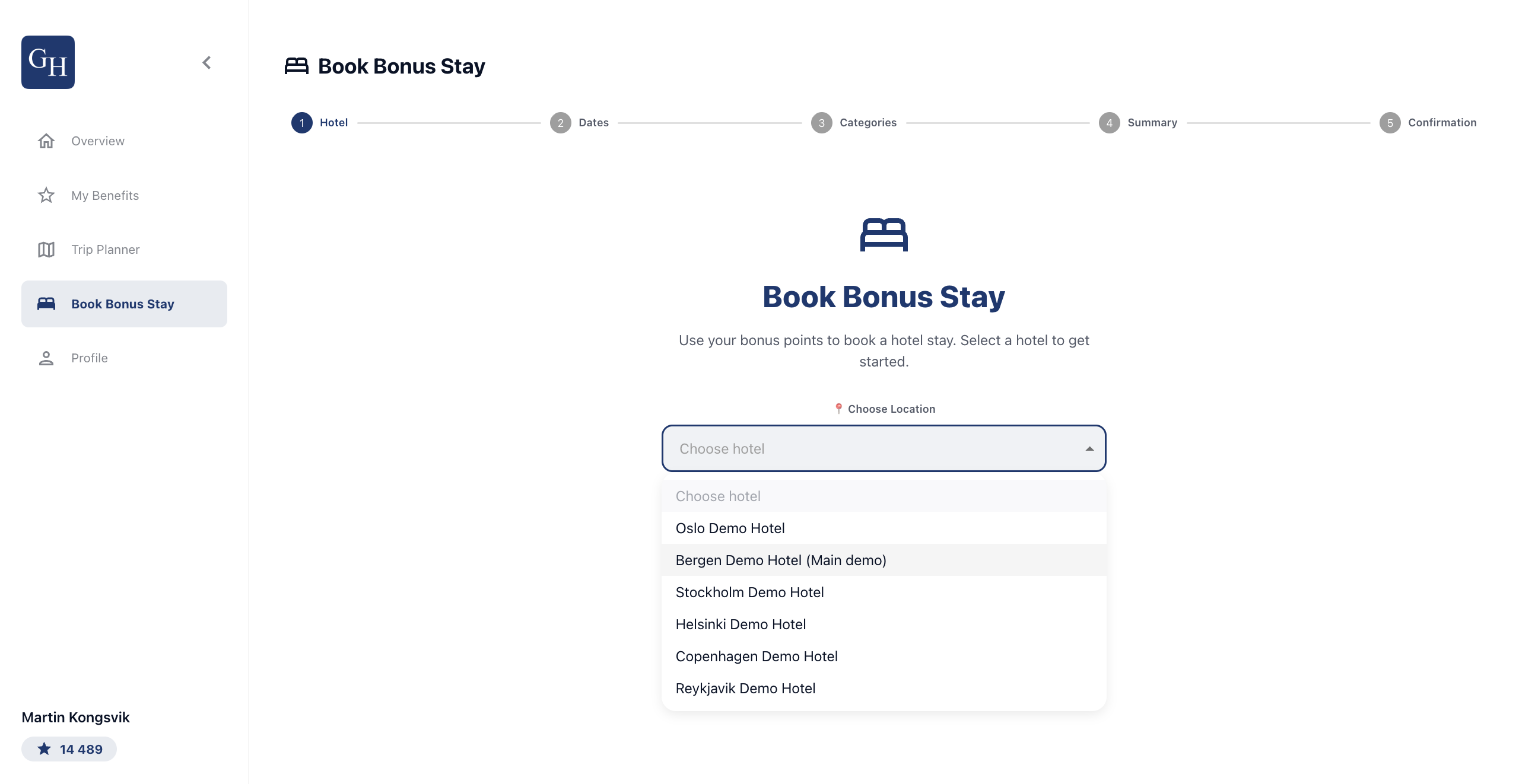
On the **Book Bonus Stay** tab, open the **Choose Location** dropdown and select a hotel from the list. Then select **Find Room** to continue.
2\. Set guests and dates
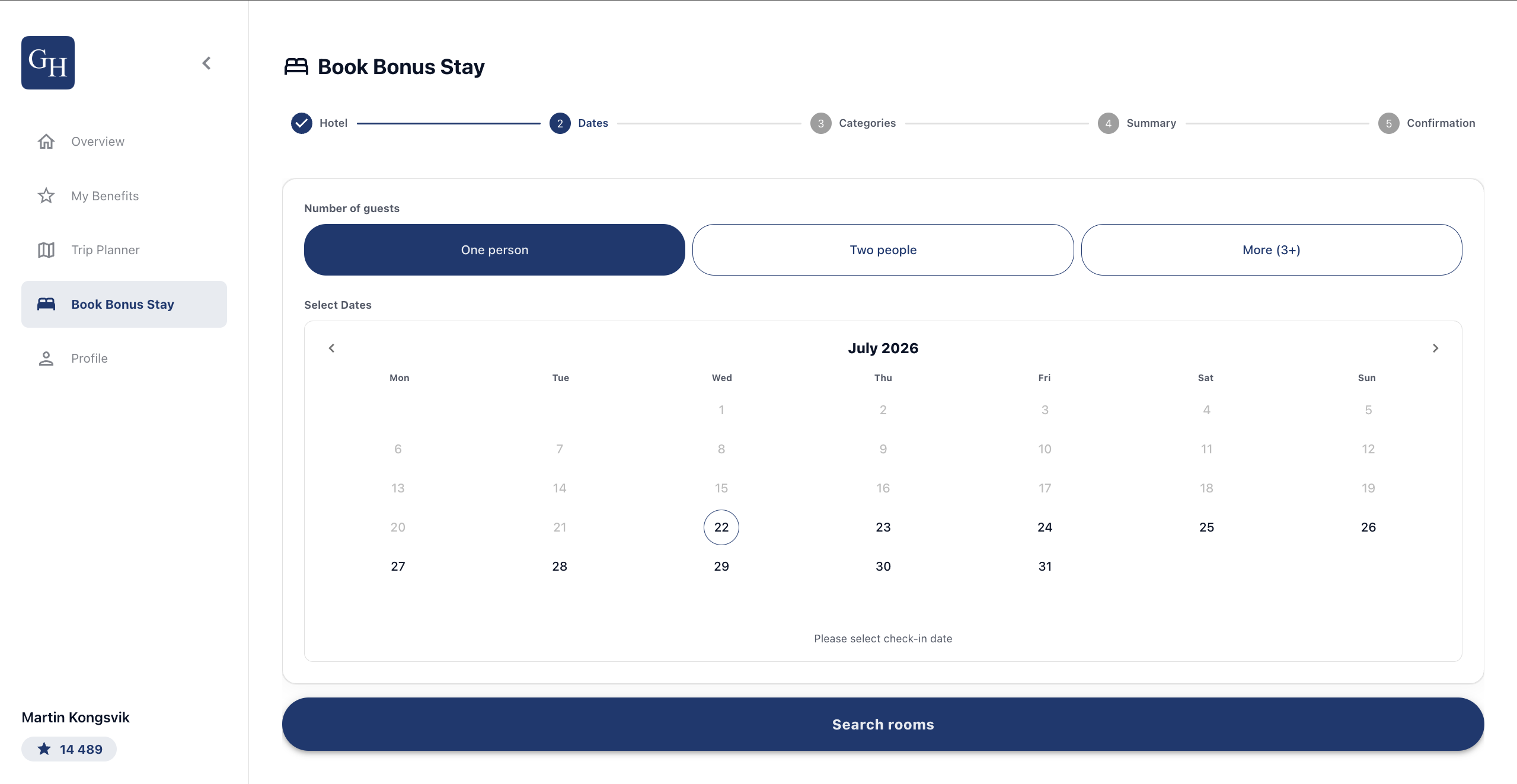
Choose the number of guests using **One person**, **Two people**, or **More (3+)**. Then pick the check-in and check-out dates on the calendar under **Select Dates**. Select **Search rooms** to see what is available.
3\. Pick a room category
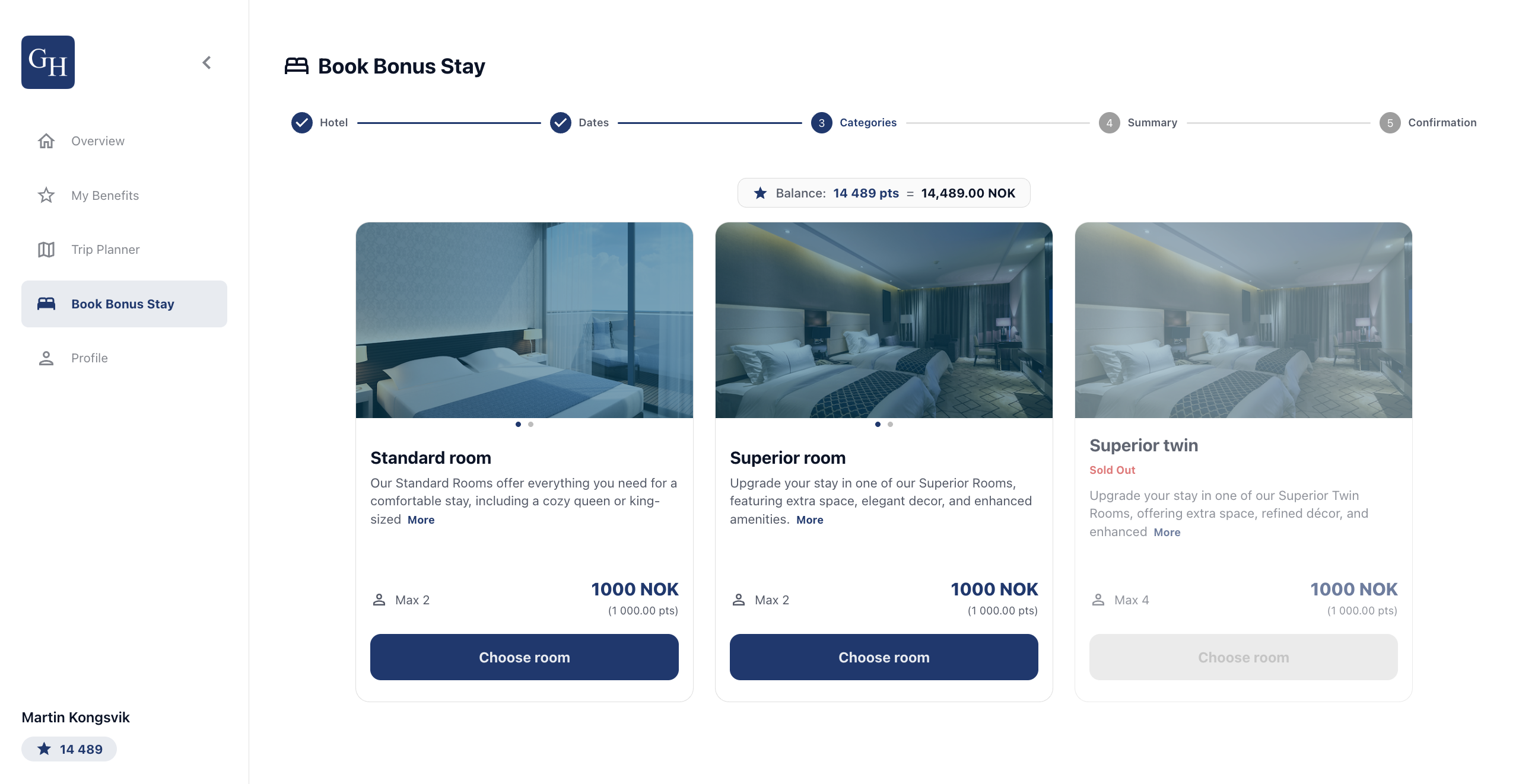
The available rooms appear as cards, each with a description, maximum occupancy, and the price in both **NOK** and points. The member's **Balance** shows at the top so they can see what they can afford. Select **Choose room** on the room you want. Rooms marked **Sold Out** cannot be selected.
4\. Review and pay
On the **Summary** step, check the booking details: room, dates, and hotel contact information. Use **Change room** if you need to go back.
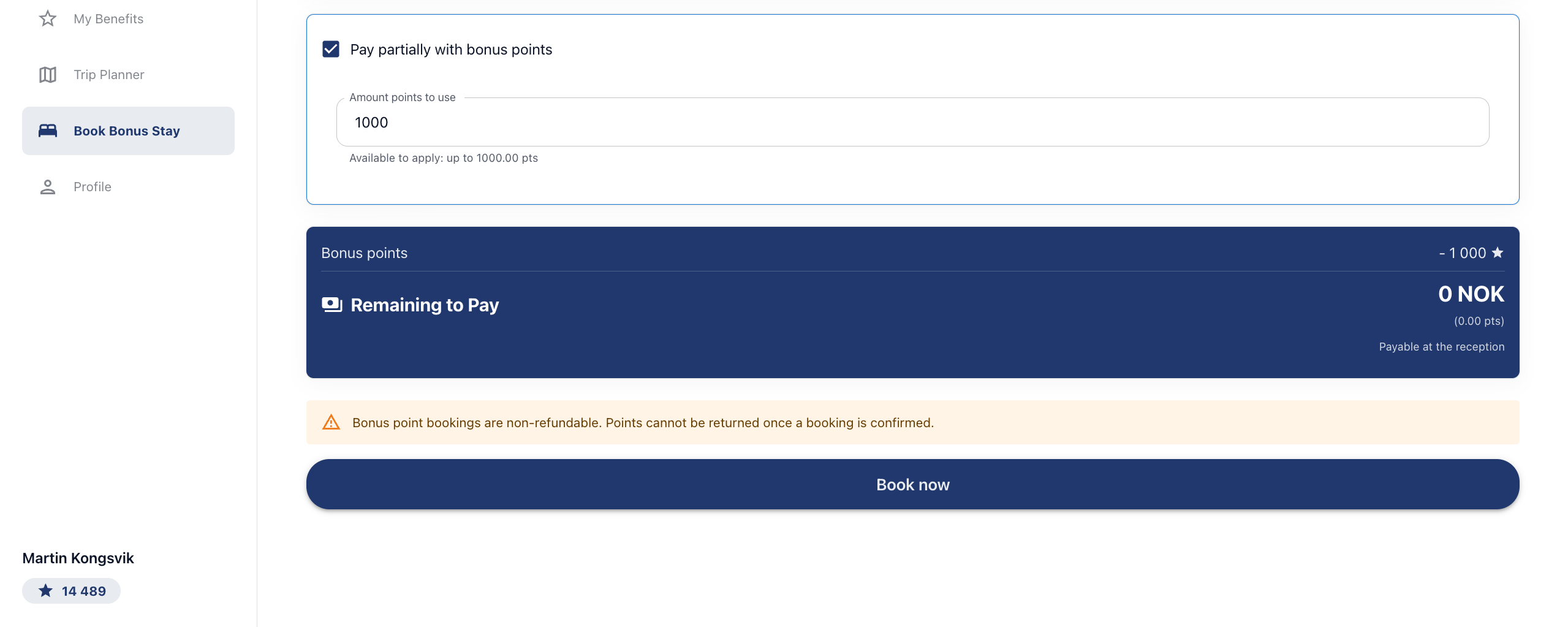
To pay with points, tick **Pay partially with bonus points** and enter a value in **Amount points to use**, up to the available maximum shown below the field. The summary updates to show the **Bonus points** applied and the **Remaining to Pay**. Any remaining amount is payable at the reception. If points cover the full price, the remaining amount shows as 0 NOK.
5\. Confirmation
After booking, you reach the **Confirmation** step, confirming the stay is booked. The booking then appears under your bookings on the Overview tab.
Good to know
- **Points and currency are 1:1.** One point equals one unit of the program currency, so 1,000 points covers 1,000 NOK of the price.
- **Payment can be partial or full.** Apply as many points as you like up to the maximum shown. Whatever points do not cover is payable at the reception.
- **Bonus point bookings are non-refundable.** Once a booking is confirmed, the points used cannot be returned. Check the dates and room before selecting Book now.
- **Sold out rooms cannot be selected.** A room marked Sold Out is disabled for the chosen dates.
- **Occupancy limits apply.** Each room shows its maximum number of guests, so match the guest count to the room.
- **Branding varies by hotel.** Each portal carries its own logo, background image, colours, and configuration. The hotels available and the room types are configured per program.
[](https://loyco.io)
[mailto:support@Loyco.no](mailto:support@Loyco.no)