---
title: Create voucher in Mews
description: Steps to create campaign vouchers in the Loyalty dashboard, configure booking engine links, and manage discounts for member communications.
---
[Skip to content](https://support.loyco.io/knowledgebase/create-voucher-in-mews#main-content)
[](https://support.loyco.io/knowledgebase?hsLang=en)
- [Support](https://support.loyco.io/knowledgebase/contact-us)
Show submenu for Support
- [Book a meeting](https://support.loyco.io/knowledgebase/book-meeting)
- [Contact us](https://support.loyco.io/knowledgebase/contact-us)
- [Program settings](https://www.loyco.io/onboarding)
Open main navigation
Close main navigation
- [Support](https://support.loyco.io/knowledgebase/contact-us)
Show submenu for Support
- [Book a meeting](https://support.loyco.io/knowledgebase/book-meeting)
- [Contact us](https://support.loyco.io/knowledgebase/contact-us)
- [Program settings](https://www.loyco.io/onboarding)
- [Admin login](https://auth.loyco.io/Identity/Account/Login)
[Admin login](https://auth.loyco.io/Identity/Account/Login)
\_
- There are no suggestions because the search field is empty.
1. [Loyco](https://support.loyco.io/knowledgebase?hsLang=en)
2. [Mews](https://support.loyco.io/knowledgebase/mews?hsLang=en)
3. [Setup & configuration](https://support.loyco.io/knowledgebase/mews?hsLang=en#setup-configuration)
# Create voucher in Mews
## Steps to create vouchers in the Loyalty dashboard and publish them to members as exclusive rates or campaign links.
Vouchers can be used in two ways: published to the member portal as an exclusive rate, visible to all members or only a specific member level, or sent directly to members as campaign links via email or SMS.
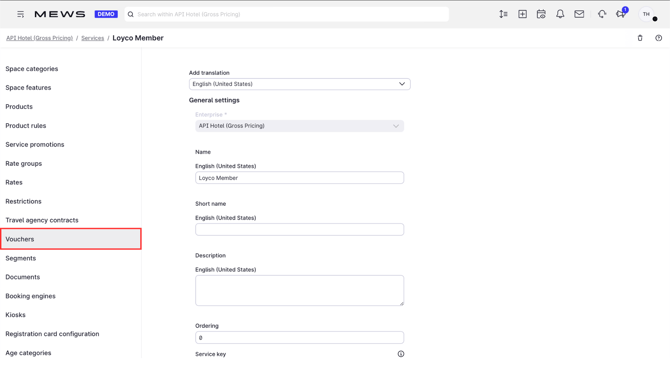
**1. Open Vouchers**
In the Loyalty dashboard, click **Vouchers**.
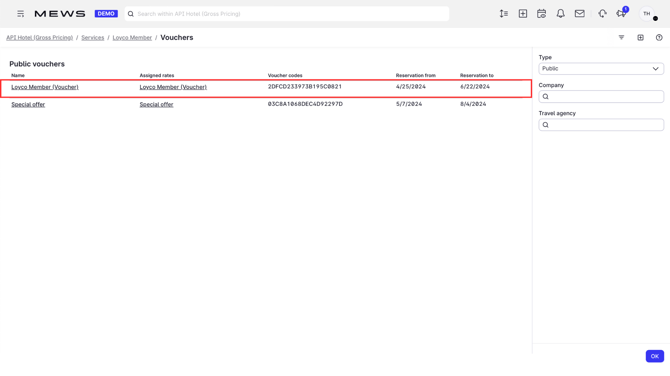
**2. Create a new voucher**
Click **+** to create a new voucher.
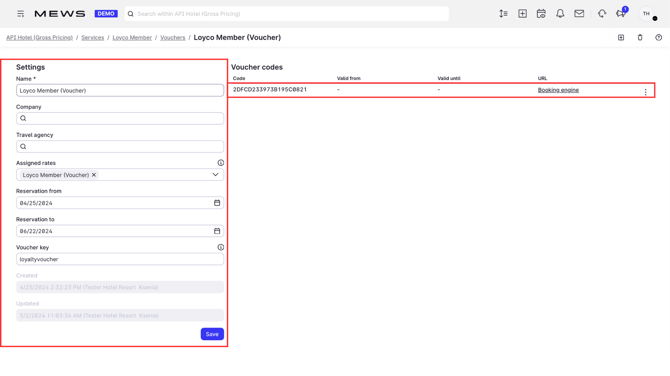
**3. Configure the voucher**
Choose the voucher period and a unique campaign key. Select the audience: publish to the member portal for all members or restrict it to a specific member level.
**4. Copy the booking engine link**
Click the **Booking engine** URL. The link comes preconfigured with the voucher code, ready to embed in loyalty emails, SMS, and other member communications.
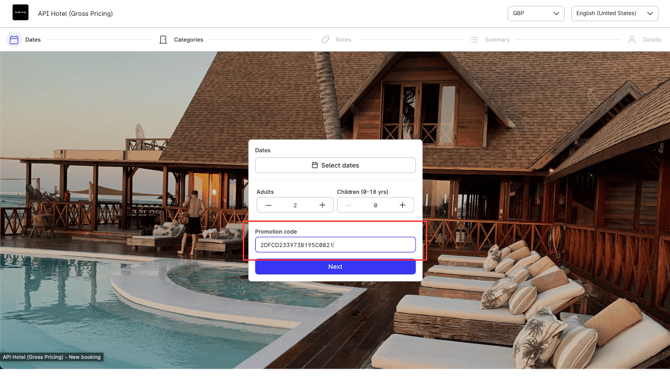
**5. Members book with the voucher**
Members open the offer from the member portal or the campaign link, choose a room, and see the voucher rate displayed in the booking engine.
**Good to know**
- Receptionists can see public vouchers directly from the PMS.
[](https://loyco.io)
[mailto:support@Loyco.no](mailto:support@Loyco.no)