---
title: Guest journey in Techotel Picasso
description: Guest jouney for techotel picasso with Loyco
---
[Skip to content](https://support.loyco.io/knowledgebase/guest-journey-in-techotel#main-content)
[](https://support.loyco.io/knowledgebase?hsLang=en)
- [Support](https://support.loyco.io/knowledgebase/contact-us)
Show submenu for Support
- [Book a meeting](https://support.loyco.io/knowledgebase/book-meeting)
- [Contact us](https://support.loyco.io/knowledgebase/contact-us)
- [Program settings](https://www.loyco.io/onboarding)
Open main navigation
Close main navigation
- [Support](https://support.loyco.io/knowledgebase/contact-us)
Show submenu for Support
- [Book a meeting](https://support.loyco.io/knowledgebase/book-meeting)
- [Contact us](https://support.loyco.io/knowledgebase/contact-us)
- [Program settings](https://www.loyco.io/onboarding)
- [Admin login](https://auth.loyco.io/Identity/Account/Login)
[Admin login](https://auth.loyco.io/Identity/Account/Login)
\_
- There are no suggestions because the search field is empty.
1. [Loyco](https://support.loyco.io/knowledgebase?hsLang=en)
2. [Techotel](https://support.loyco.io/knowledgebase/techotel?hsLang=en)
3. [Using Loyco in Techotel](https://support.loyco.io/knowledgebase/techotel?hsLang=en#using-loyco-in-techotel)
# Guest journey in Techotel Picasso
## This article explains how guests register as new members and earn bonus points directly through the Techotel Picasso booking engine.
**How it works**
When a guest completes a booking in the Techotel Picasso booking engine, they are automatically invited to join the loyalty programme via SMS. The guest's contact details and transaction information from the booking are linked to their member profile once they complete the registration. This means new members are enrolled with minimal friction — without needing to fill in their details again.
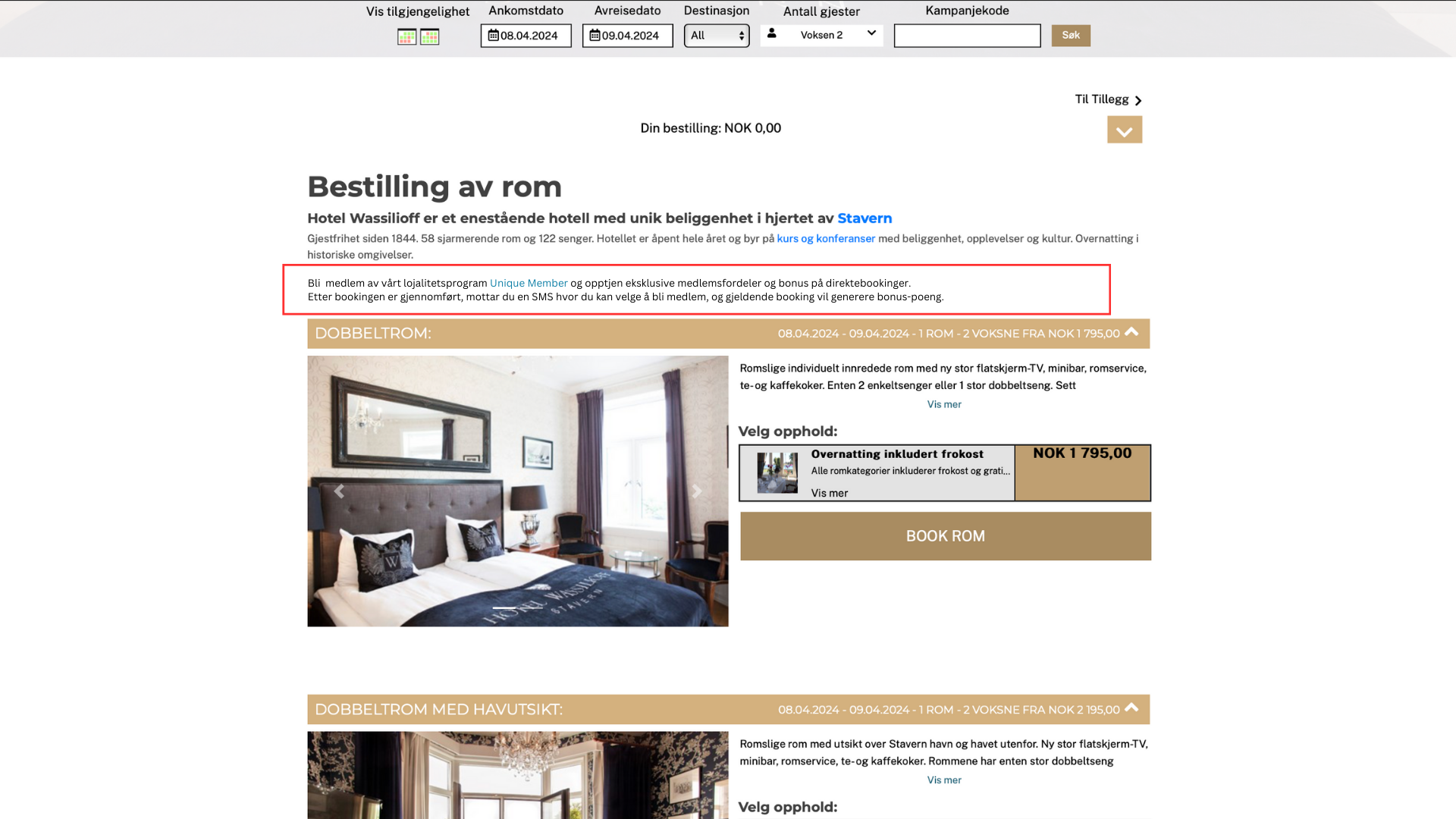
**1. Select dates and room**
The guest selects their check-in and check-out dates and chooses a room. On the room selection page, the guest sees a customisable description of the loyalty programme. This text is editable and can be tailored to reflect your hotel's loyalty programme name and benefits.
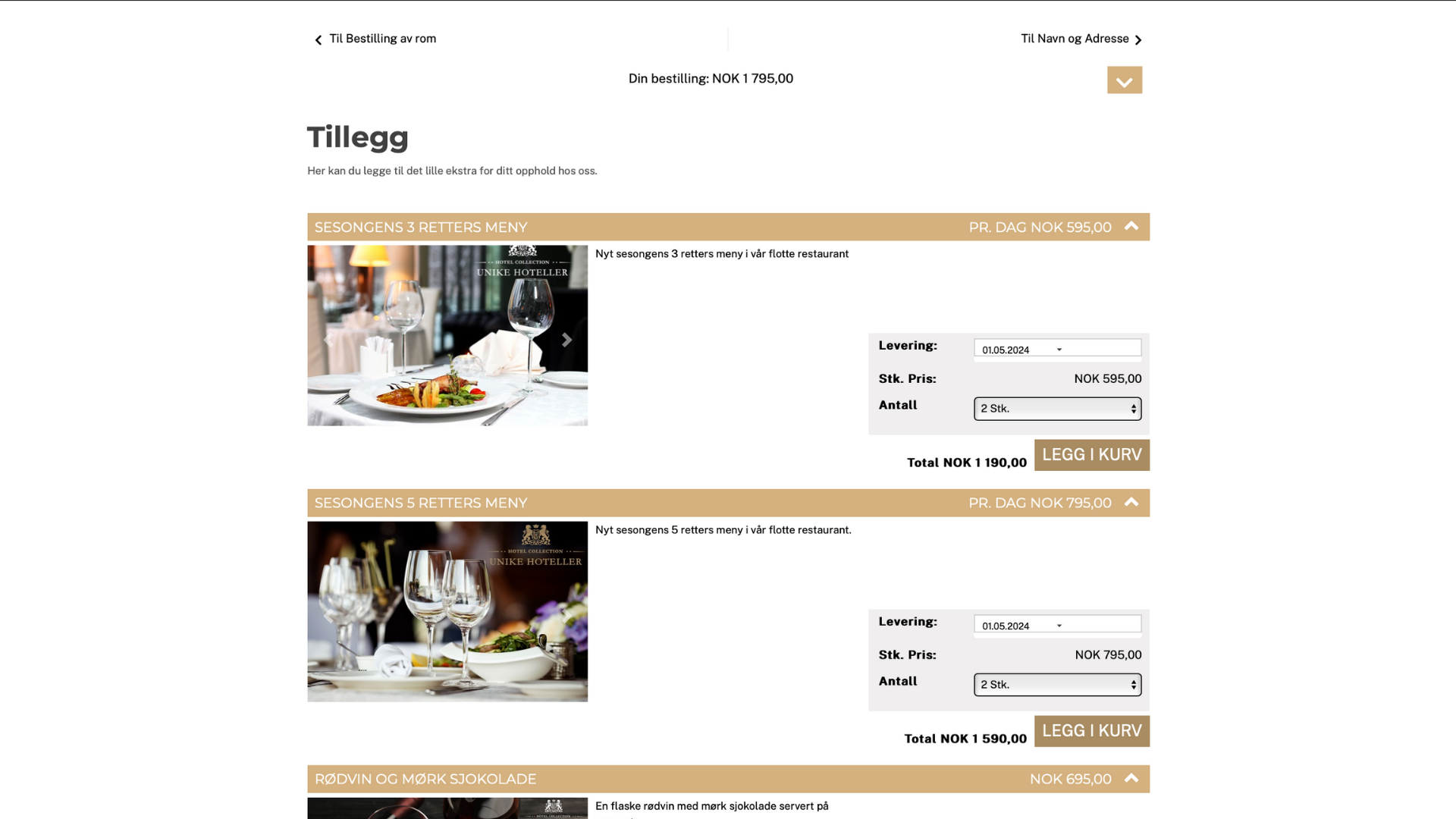
**2. Select additional services**
The guest selects any additional services they wish to add to their booking, such as breakfast, parking, or other add-ons available in Picasso.
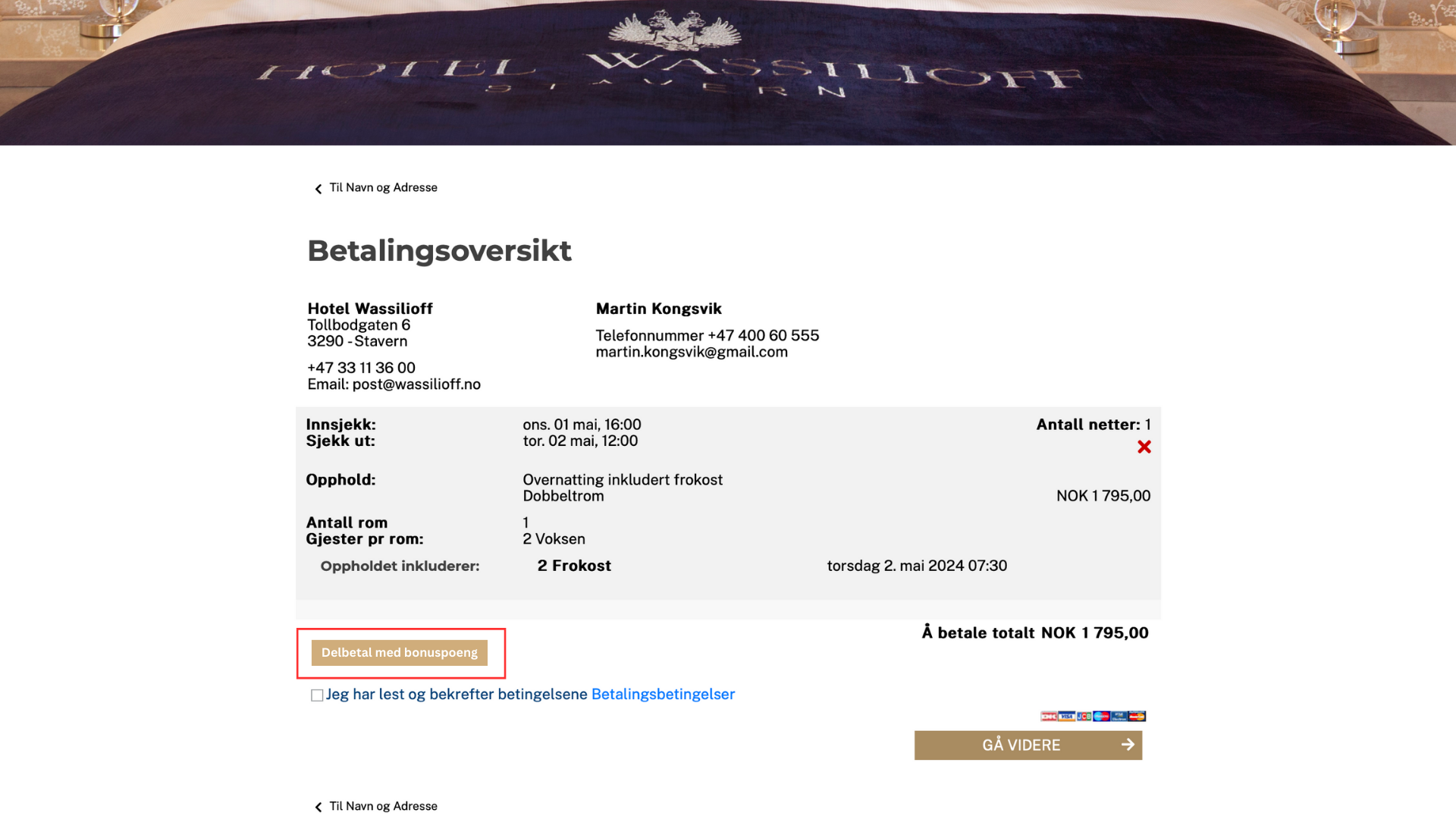
**3. Bonus as partial payment**
Guests get a overview of their booking and cost
Existing members can use their bonus points for partial payment by selecting "Pay Partially With Bonus Points."
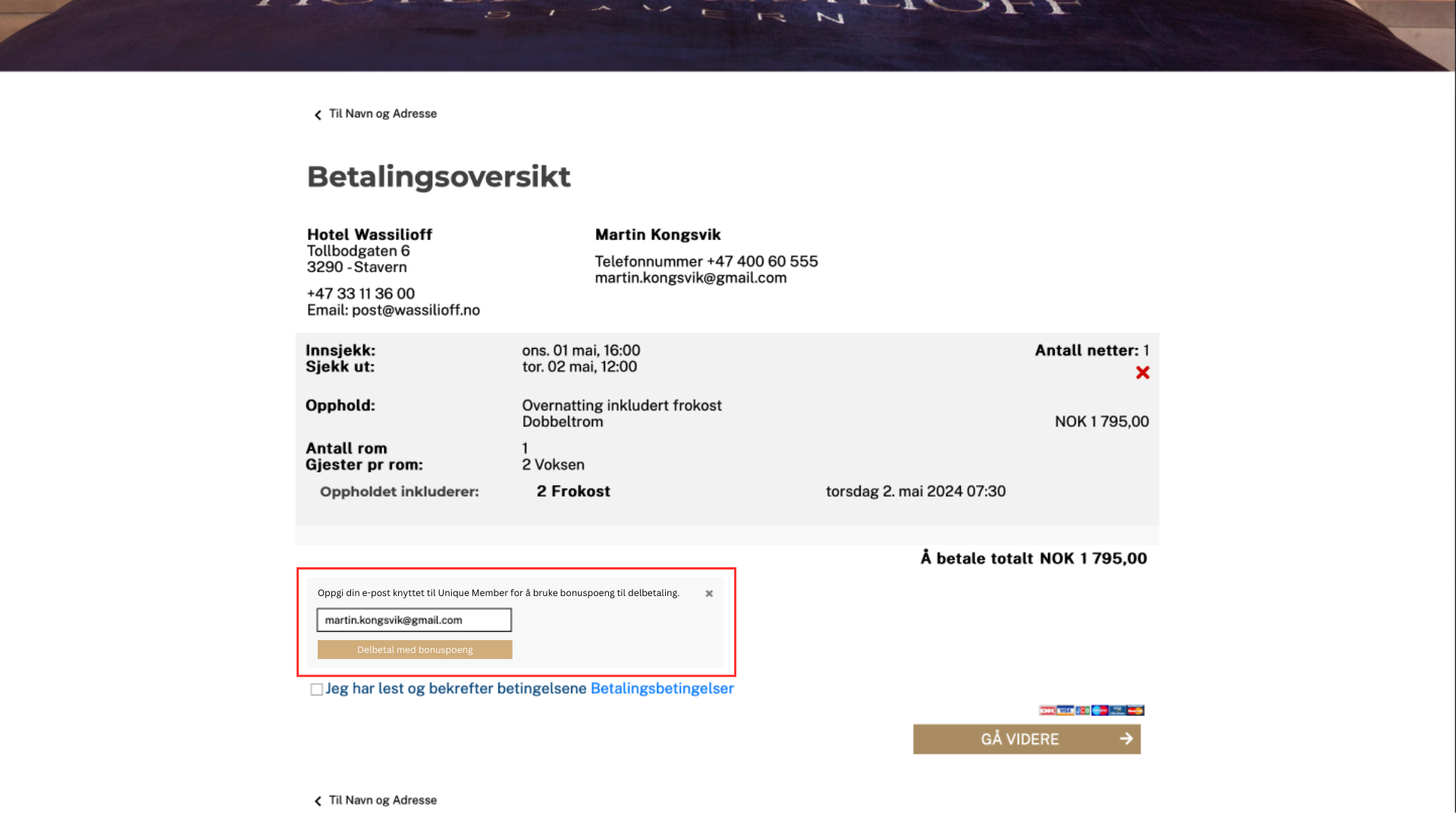
**4. Bonus as partial payment**
Guests can enter their e-mail address to check their bonus-balance and use bonus points as partial payment.
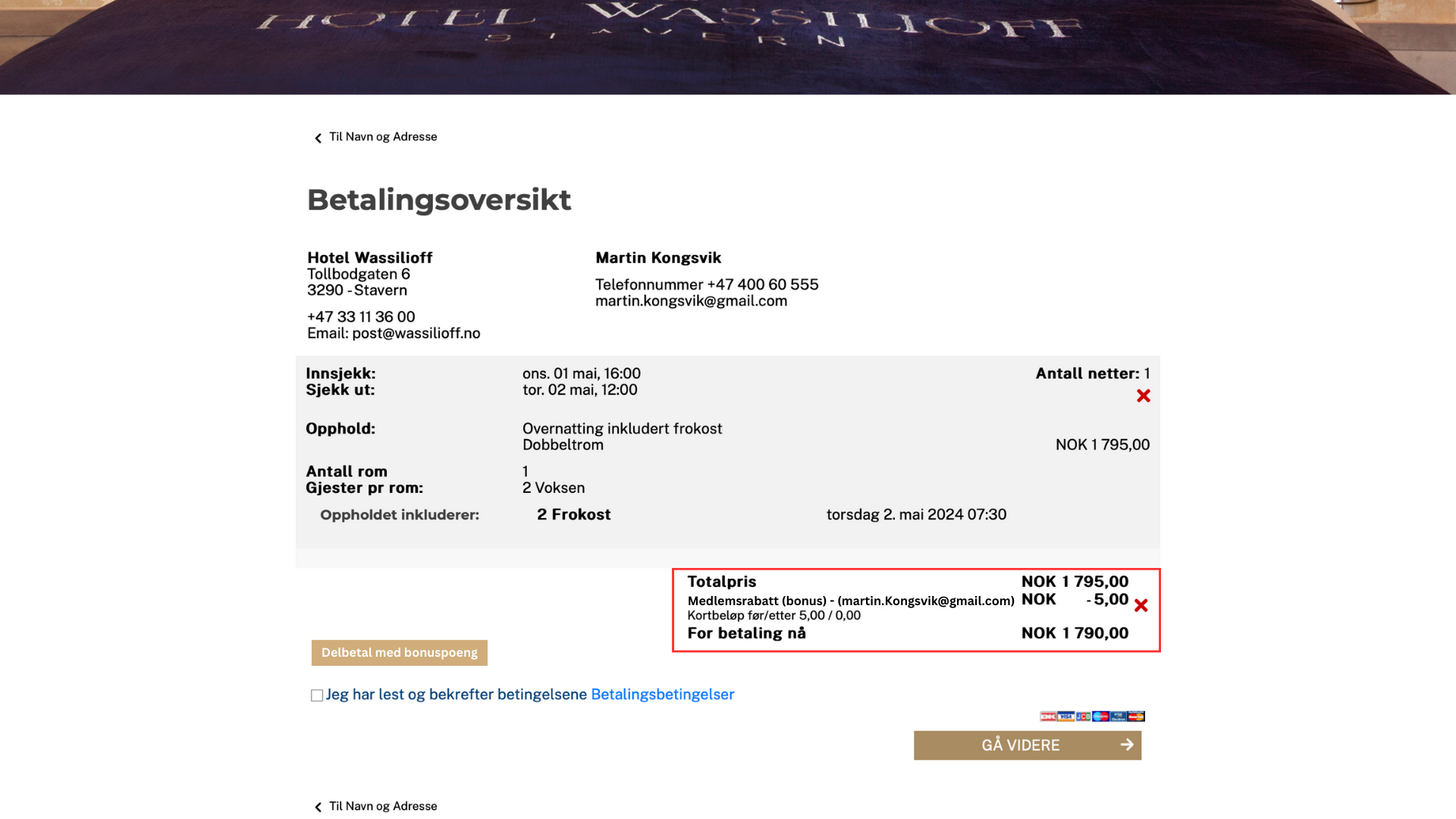
**5. Discounted payment overview**
Guests will view the updated subtotal reflecting the deducted bonus.
Guests can remove the bonus if necessary.
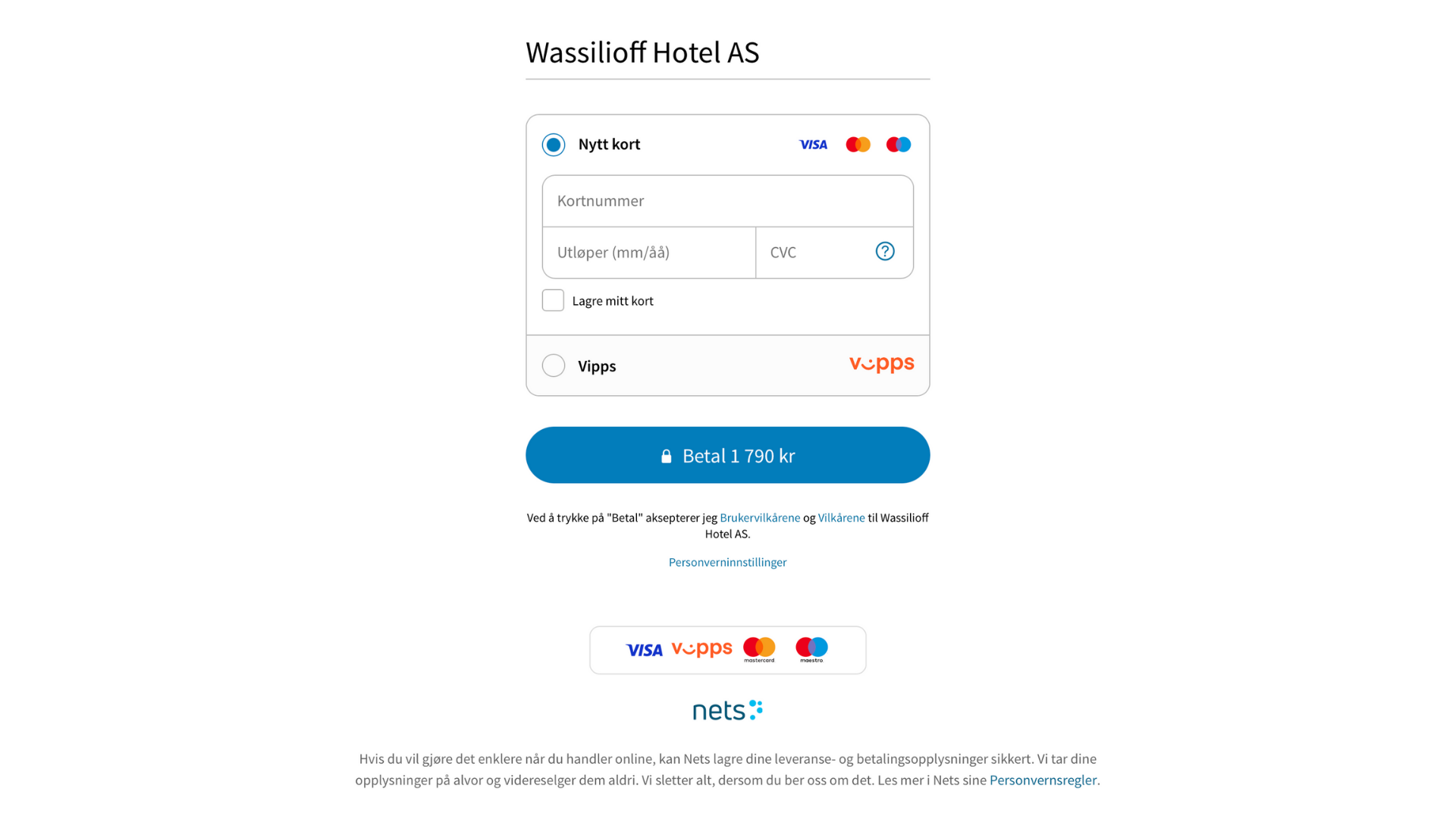
**5. Complete payment**
The guest completes payment for the booking. Once payment is confirmed, both new and existing members automatically earn bonus points on the amount paid, available for use on future bookings.
**Receive SMS invitation**
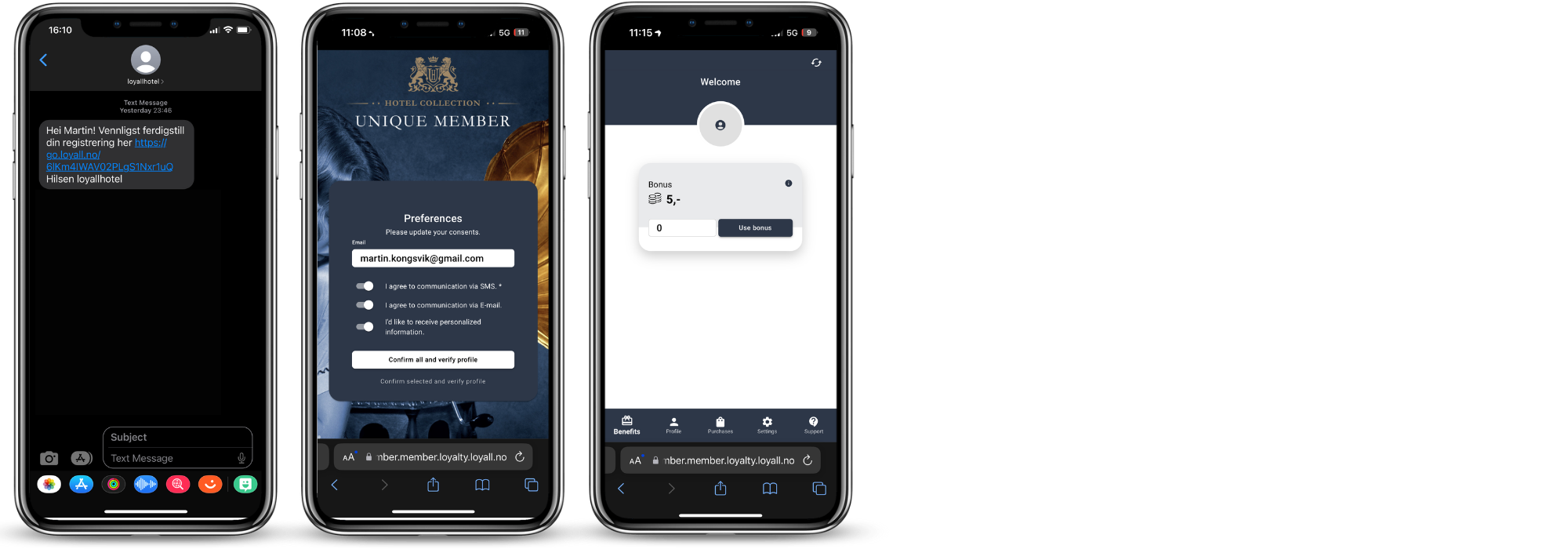
After the booking is completed, non-member guests receive an SMS inviting them to complete their member profile. When the guest accepts the invitation and completes their registration, their personal details from the booking and transaction information are automatically linked to their new member profile.
Once registered, members can access their profile to view available benefits, check their bonus balance, modify their profile settings, and contact member support.
**What happens after registration**
Once the guest has completed their member profile, the following happens automatically based on the loyalty programme settings:
- Bonus points from the completed booking are allocated to the member profile
- Member benefits are activated based on the programme configuration
- The member is available for segmentation in the Loyco dashboard
[](https://loyco.io)
[mailto:support@Loyco.no](mailto:support@Loyco.no)