
How it works
Registered members can unlock member pricing and redeem bonus points during checkout without re-registering. When a returning member enters their phone number in the booking flow, they are automatically identified, their member price is unlocked, and they are offered the option to apply any available bonus balance before confirming their booking. Follow the steps below for the full walkthrough.
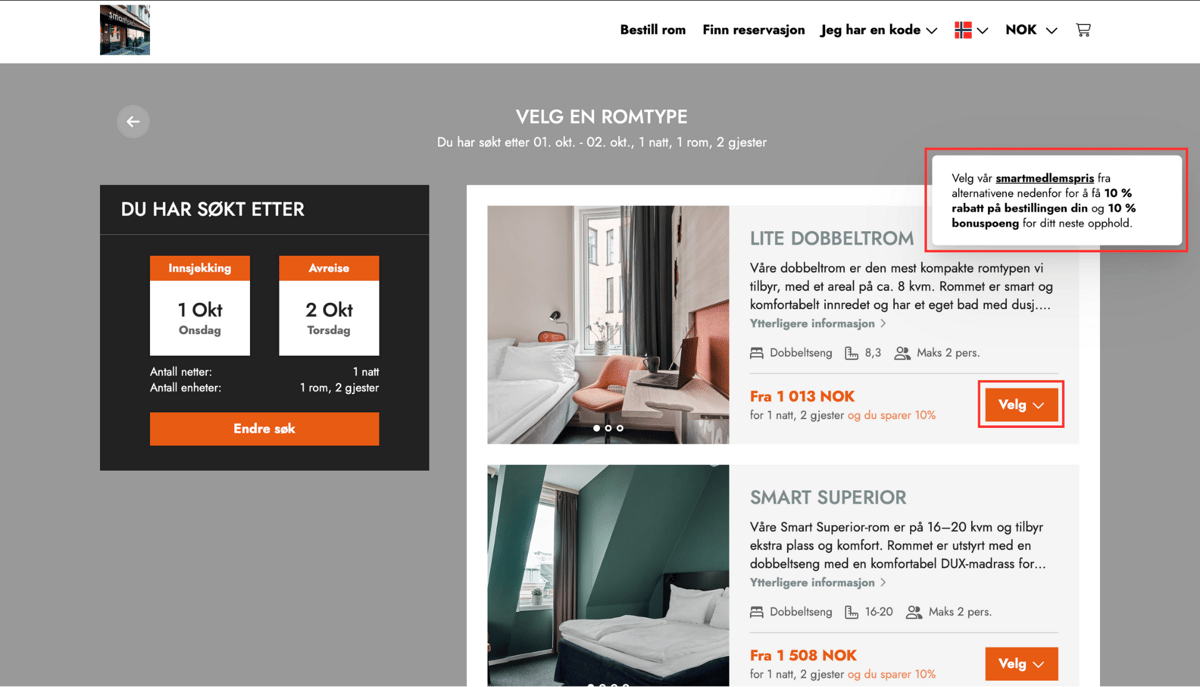
Step 1 — Select room and click Choose
The member begins by selecting a room type with available member pricing and clicking Choose to continue to the next step.
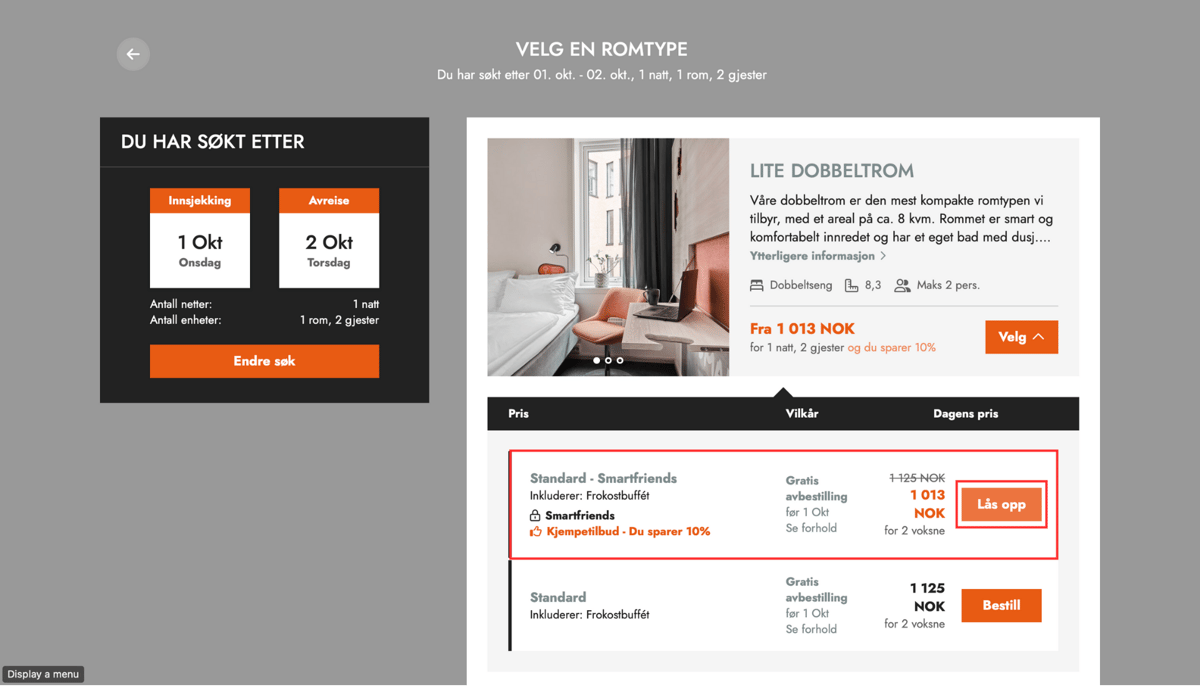
Step 2 — Unlock the member price
The member price is displayed as locked. The guest clicks Unlock to access the exclusive member rate.
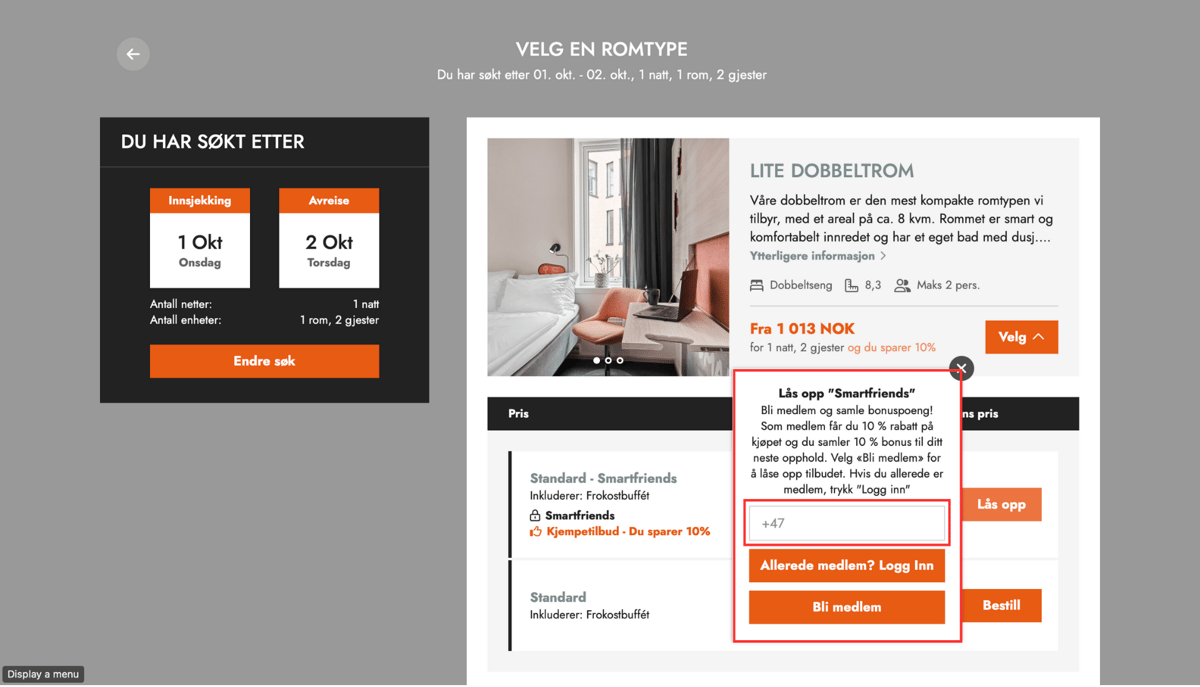
Step 3 — Enter phone number and log in
A popup prompts the guest to enter their phone number. The guest enters their number and clicks Already a member? Log in to access their profile and benefits.
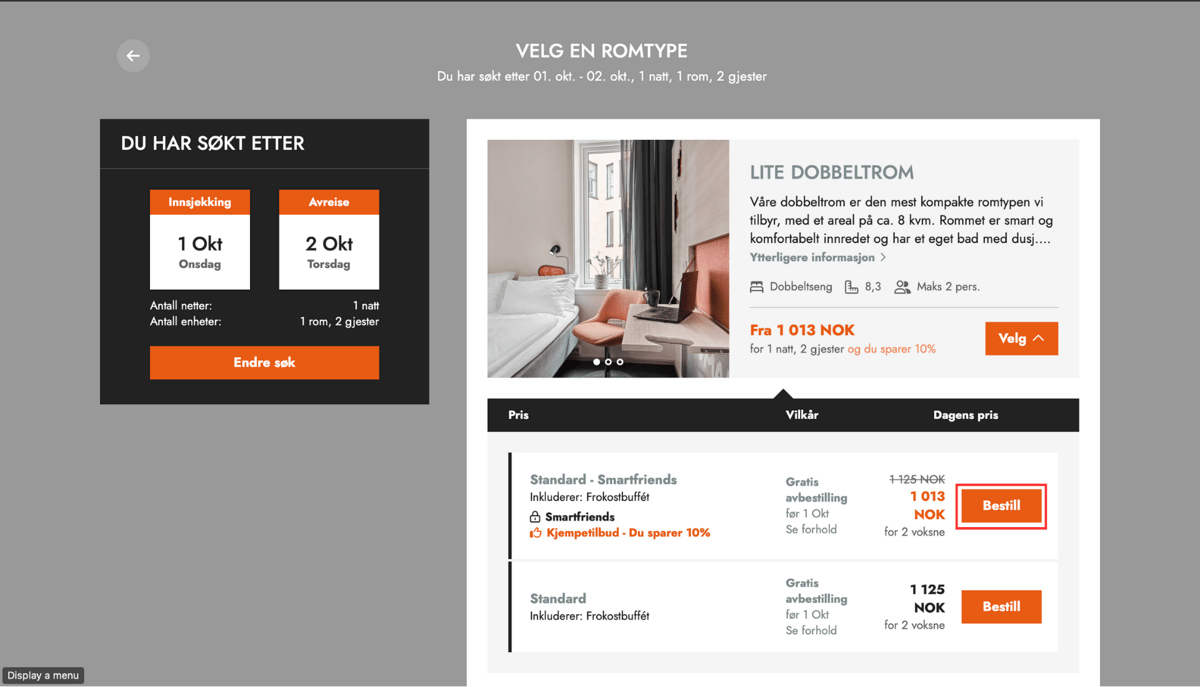
Step 4 — Member price becomes available
After logging in, the member price is unlocked and ready for booking. The guest proceeds by clicking Book.
Step 5 — Bonus redemption option appears at checkout
At the checkout screen, the guest is welcomed back by name and offered the option to redeem bonus points. The available bonus balance is displayed.
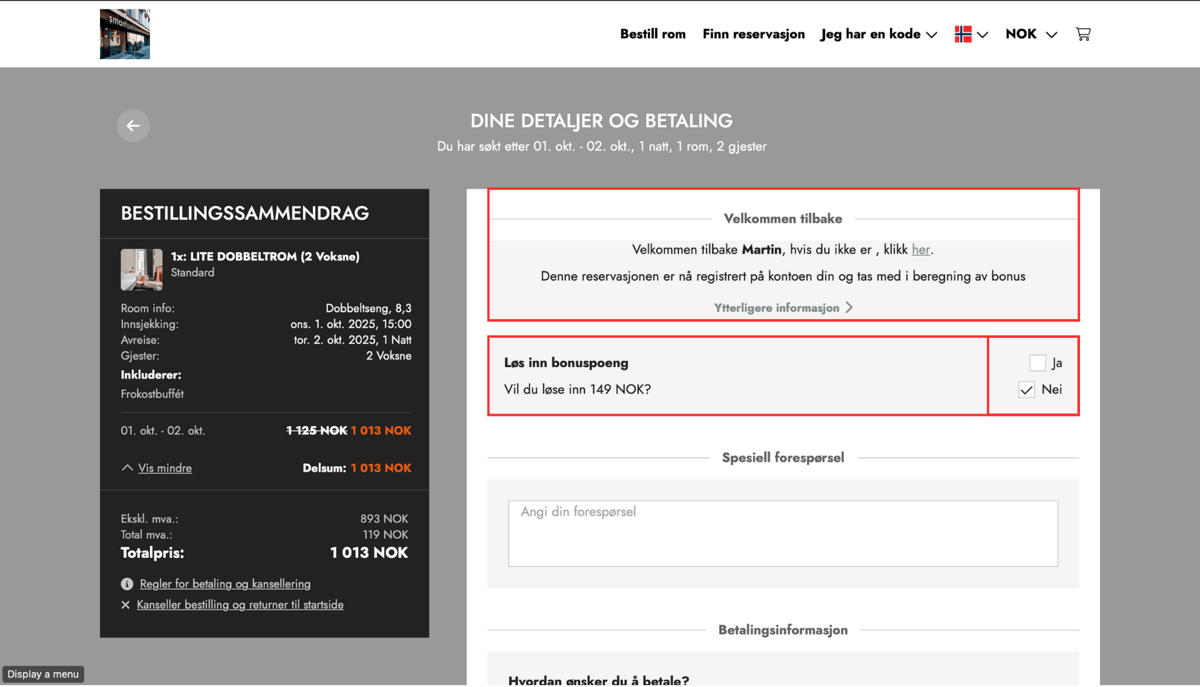
Step 6 — Apply bonus and confirm
The guest selects Yes to redeem bonus points. The bonus is automatically deducted from the total price and shown as a Bonus discount in the order summary. The updated total is displayed before the guest completes the booking.
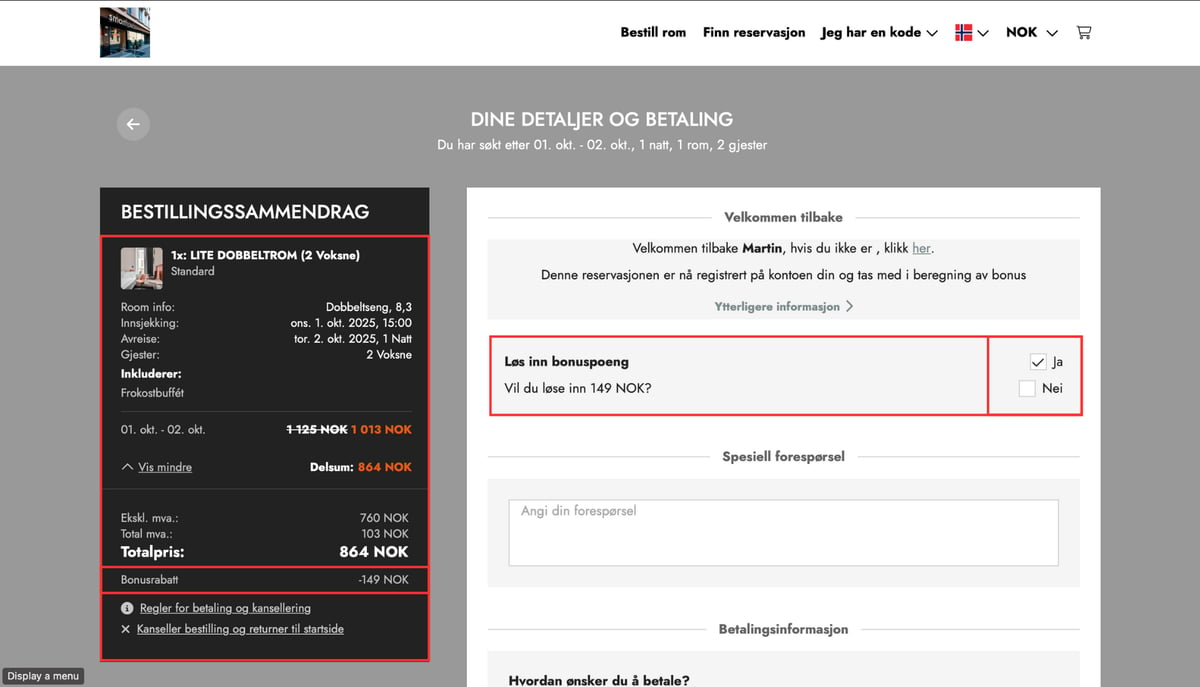
Frequently asked questions
- Bonus points can only be redeemed if the guest has an available balance. The balance is displayed at checkout before the guest confirms redemption
Do existing members need to register again to access member pricing?
No. The member price is available automatically to existing members — they do not need to register again, only log in with their phone number to access their member benefits.
- If the guest does not see the bonus redemption option at checkout, verify that they are logged in and that their membership is active
Where can guests find additional programme information?
Additional programme information is available via a popup on the Unlock screen (Step 2), where guests can learn more about membership benefits and the value of direct booking before logging in.