
How it works
When a customer wants to use their gift card in-store, they open the gift card link from the SMS they received and show the code on their phone screen. The sales associate scans the code at the point of sale, and the gift card value is automatically deducted from the total. If the full gift card value is used, the gift card resets to zero. If only part of the value is used, the remaining balance is carried over and displayed on the gift card for future use.
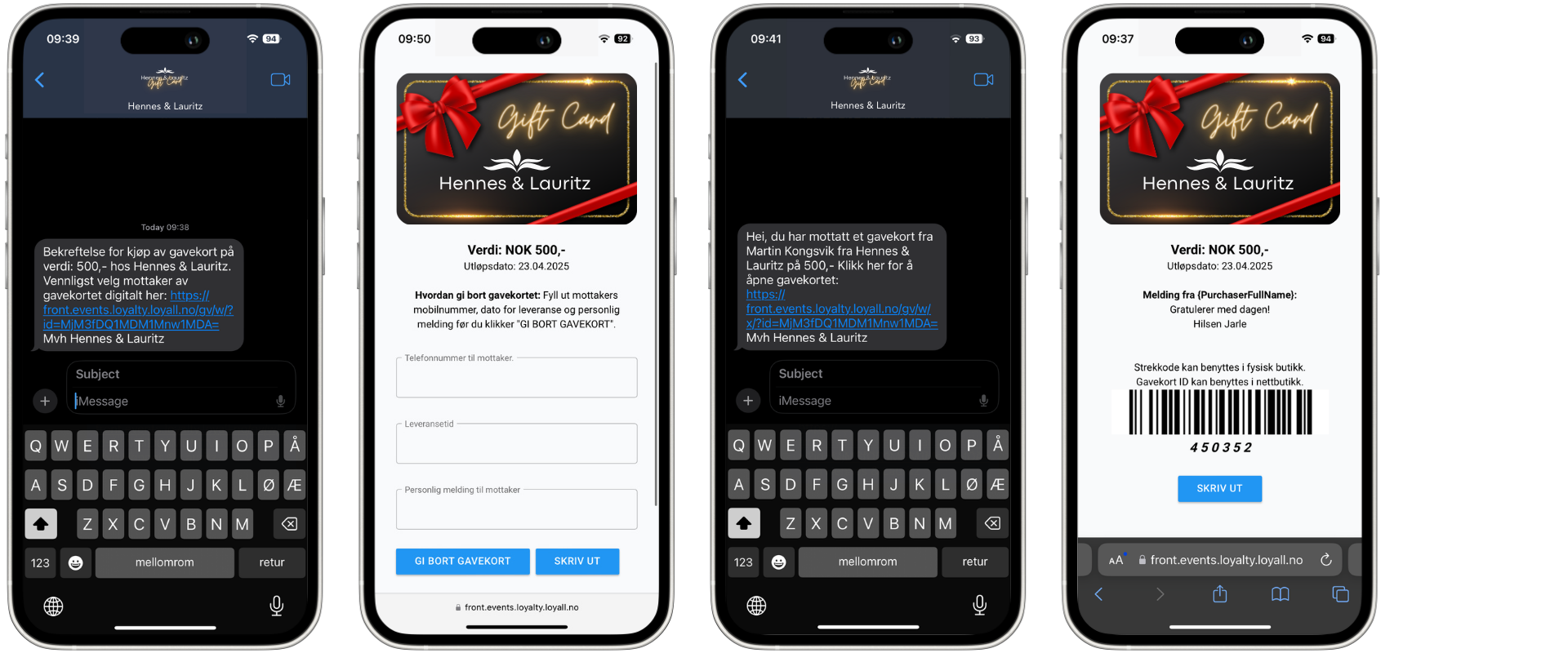
Step 1 — Customer opens the gift card
The customer opens the SMS received after the gift card was purchased and clicks the link to open the gift card. The gift card is displayed on the customer's phone screen with a scannable code.
Step 2 — Select the gift card
Select the correct gift card from the search results. Click on the product to add it to the sale.
Step 3 — Select inventory
Click on the inventory option labelled Gift card onesize to select the gift card variant.
Step 4 — Connect the gift card to a customer
This step is important. Connect the gift card to the customer's profile before proceeding. This ensures the gift card is delivered via SMS to the correct phone number.
Customers do not need to be loyalty members to purchase a gift card, but they must have a registered phone number in the system to receive the gift card via SMS.
Step 5 — Adjust the gift card amount
If the customer wants a specific amount that differs from the default product price, use the discount feature to adjust the value.
Click New price and enter the customer's preferred amount. The gift card amount is now updated and will reflect the new value when delivered to the customer.
Step 6 — Choose payment method
Select the customer's preferred payment method and complete the transaction as normal.
Step 7 — Gift card is delivered via SMS
Once the purchase is completed, the gift card is automatically delivered via SMS to the phone number linked to the customer's profile. The SMS contains the gift card information and a link the customer can open to view and use the gift card.
The customer can use the gift card themselves or forward it as a gift to someone else with a personalised message.
Things to note
- The customer must have the gift card link accessible on their phone at the time of redemption — the sales associate scans the code directly from the screen
- Gift cards can be used as partial payment — the customer pays any remaining balance after the gift card deduction using another payment method
- If the scanner does not read the code correctly, ask the customer to increase the screen brightness on their phone
- If the gift card balance is not updating correctly after redemption, contact support@loyco.no