---
title: How to sell gift cards in Front Systems
description: Step-by-step guide for selling Loyco digital gift cards in Front POS — from searching for the product to adjusting the amount and delivering via SMS.
---
[Skip to content](https://support.loyco.io/knowledgebase/how-to-sell-gift-cards-in-front-systems#main-content)
[](https://support.loyco.io/knowledgebase?hsLang=en)
- [Support](https://support.loyco.io/knowledgebase/contact-us)
Show submenu for Support
- [Book a meeting](https://support.loyco.io/knowledgebase/book-meeting)
- [Contact us](https://support.loyco.io/knowledgebase/contact-us)
- [Program settings](https://www.loyco.io/onboarding)
Open main navigation
Close main navigation
- [Support](https://support.loyco.io/knowledgebase/contact-us)
Show submenu for Support
- [Book a meeting](https://support.loyco.io/knowledgebase/book-meeting)
- [Contact us](https://support.loyco.io/knowledgebase/contact-us)
- [Program settings](https://www.loyco.io/onboarding)
- [Admin login](https://auth.loyco.io/Identity/Account/Login)
[Admin login](https://auth.loyco.io/Identity/Account/Login)
\_
- There are no suggestions because the search field is empty.
1. [Loyco](https://support.loyco.io/knowledgebase?hsLang=en)
2. [Gift card (retail)](https://support.loyco.io/knowledgebase/gift-card-retail?hsLang=en)
3. [Using digital gift cards with Loyco](https://support.loyco.io/knowledgebase/gift-card-retail?hsLang=en#using-digital-gift-cards-with-loyco)
# How to sell gift cards in Front Systems
## This article explains how to sell a Loyco digital gift card to a customer directly from the Front POS system in your physical store.
**How it works**
In Front Systems, the gift card is set up as a product that can be searched for and sold at the point of sale. The gift card amount can be adjusted to the customer's preferred value using the discount feature. Once the purchase is completed, the gift card is automatically delivered to the customer via SMS.
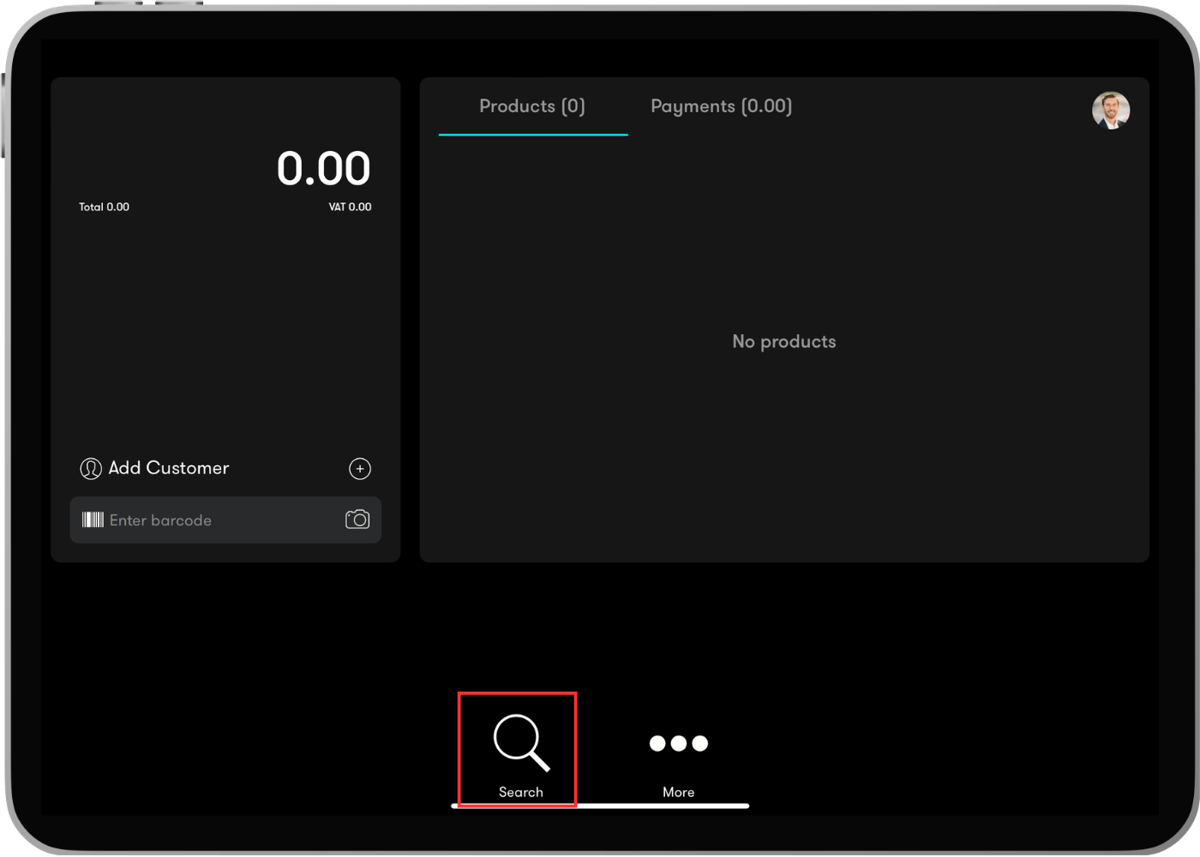
**Step 1 — Search for the gift card**
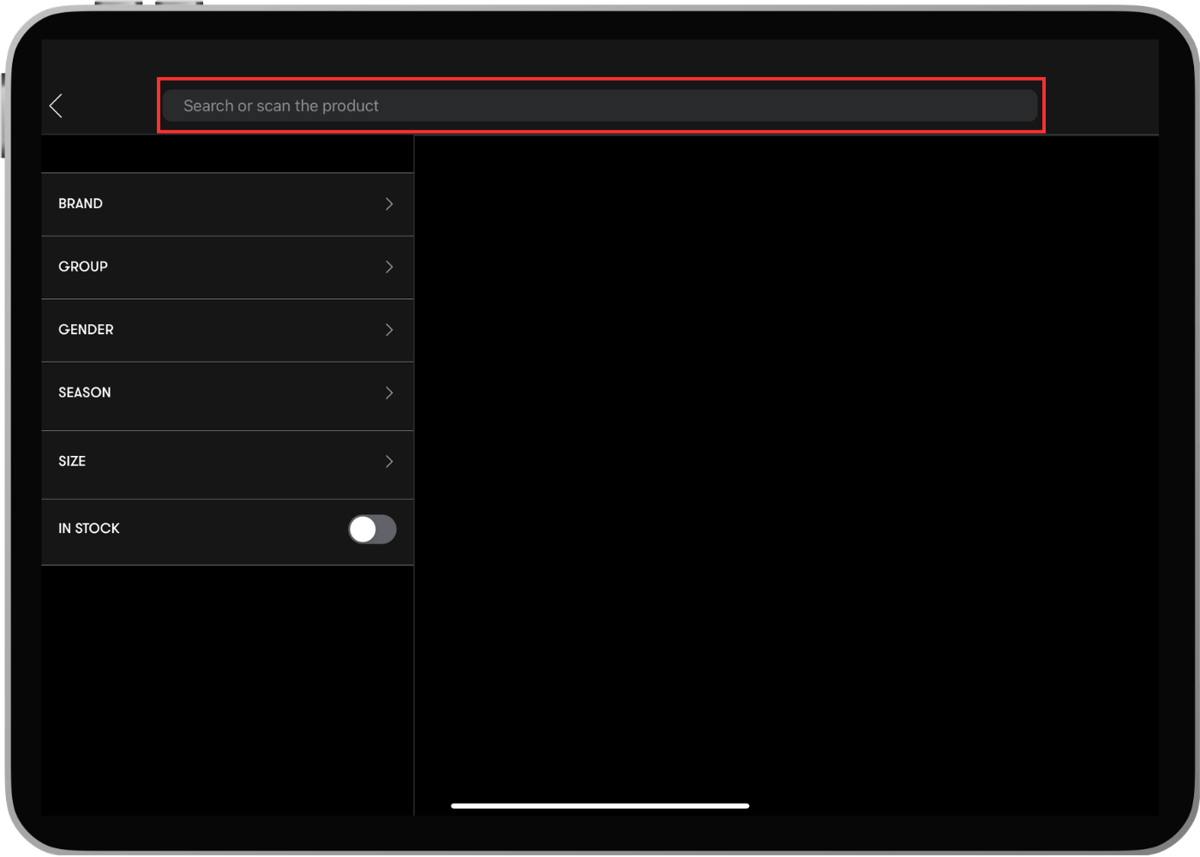
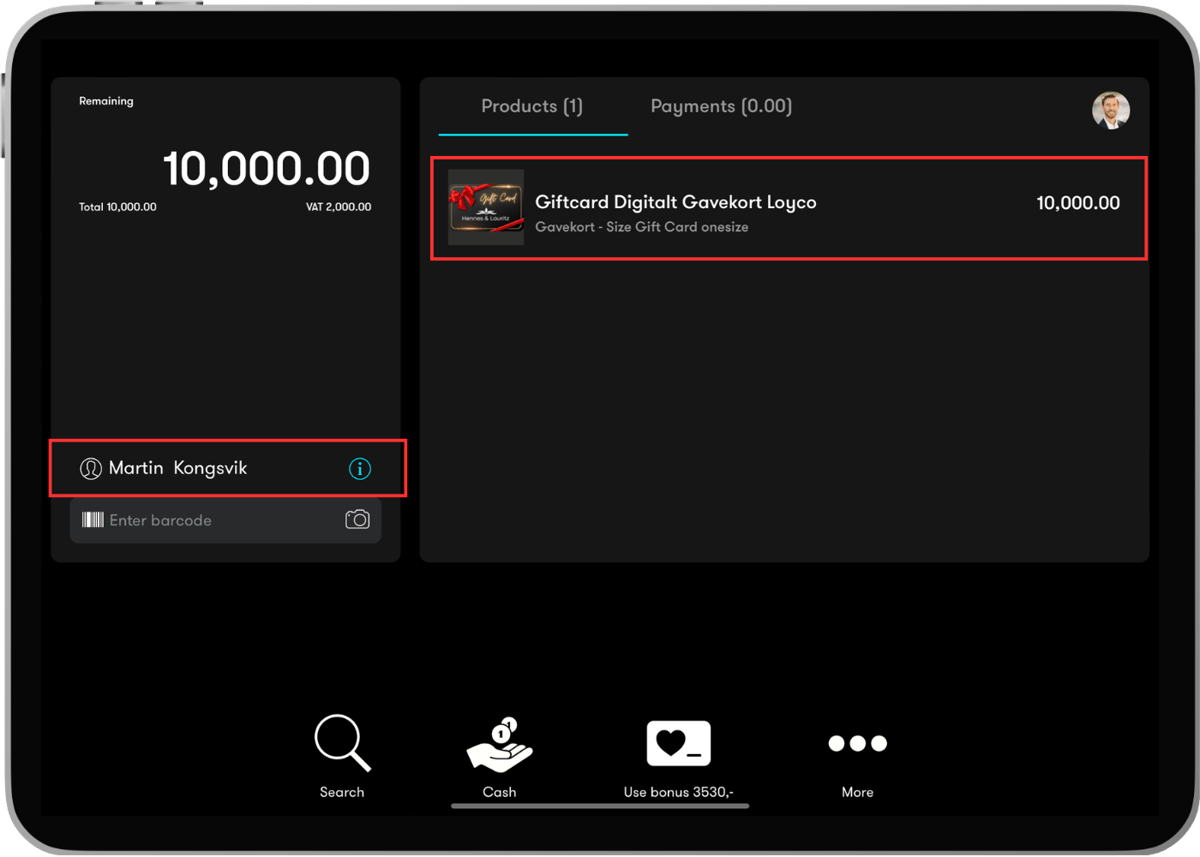
Open a new sale in Front POS and search for the gift card product by scanning the gift card barcode or by typing the gift card name in the search field.
**Step 2 — Select the gift card**
Select the correct gift card from the search results. Click on the product to add it to the sale.
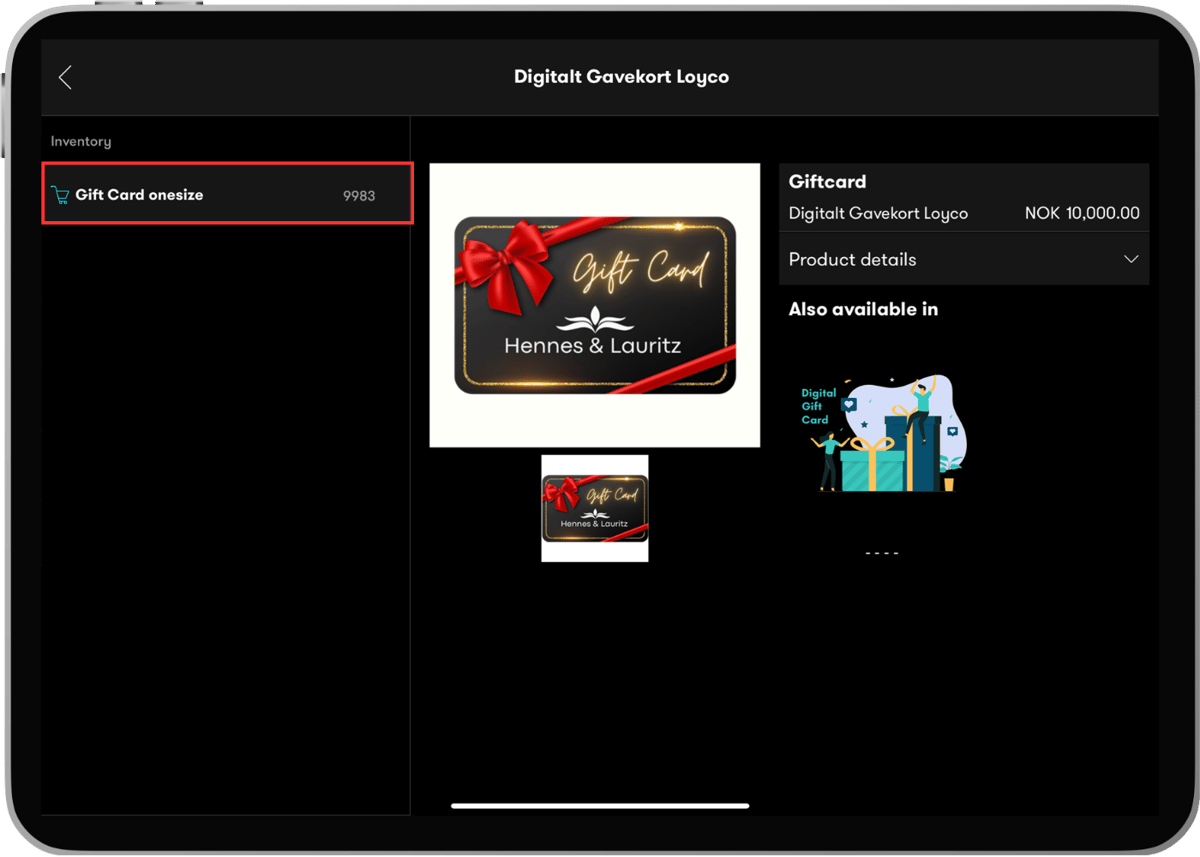
**Step 3 — Select inventory**
Click on the inventory option labelled Gift card onesize to select the gift card variant.
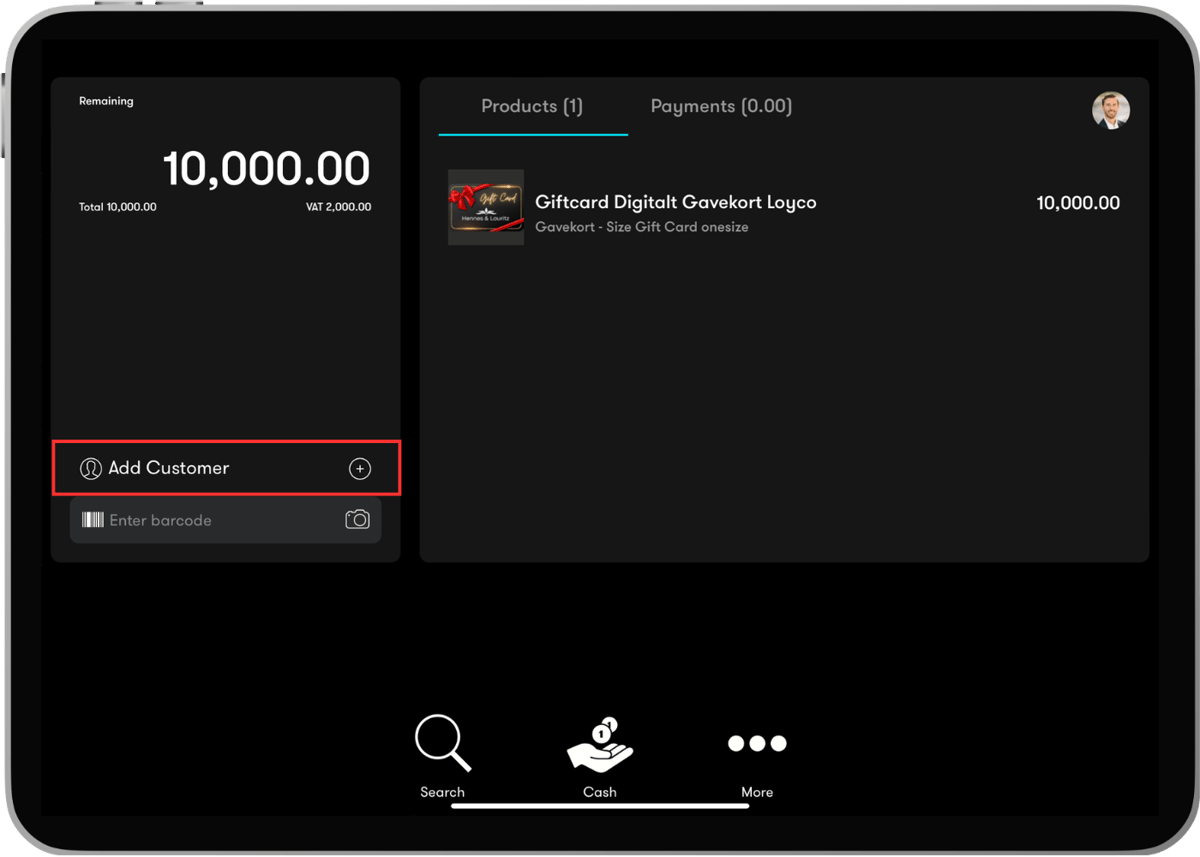
**Step 4 — Connect the gift card to a customer**
This step is important. Connect the gift card to the customer's profile before proceeding. This ensures the gift card is delivered via SMS to the correct phone number.
Customers do not need to be loyalty members to purchase a gift card, but they must have a registered phone number in the system to receive the gift card via SMS.
**Step 5 — Adjust the gift card amount**
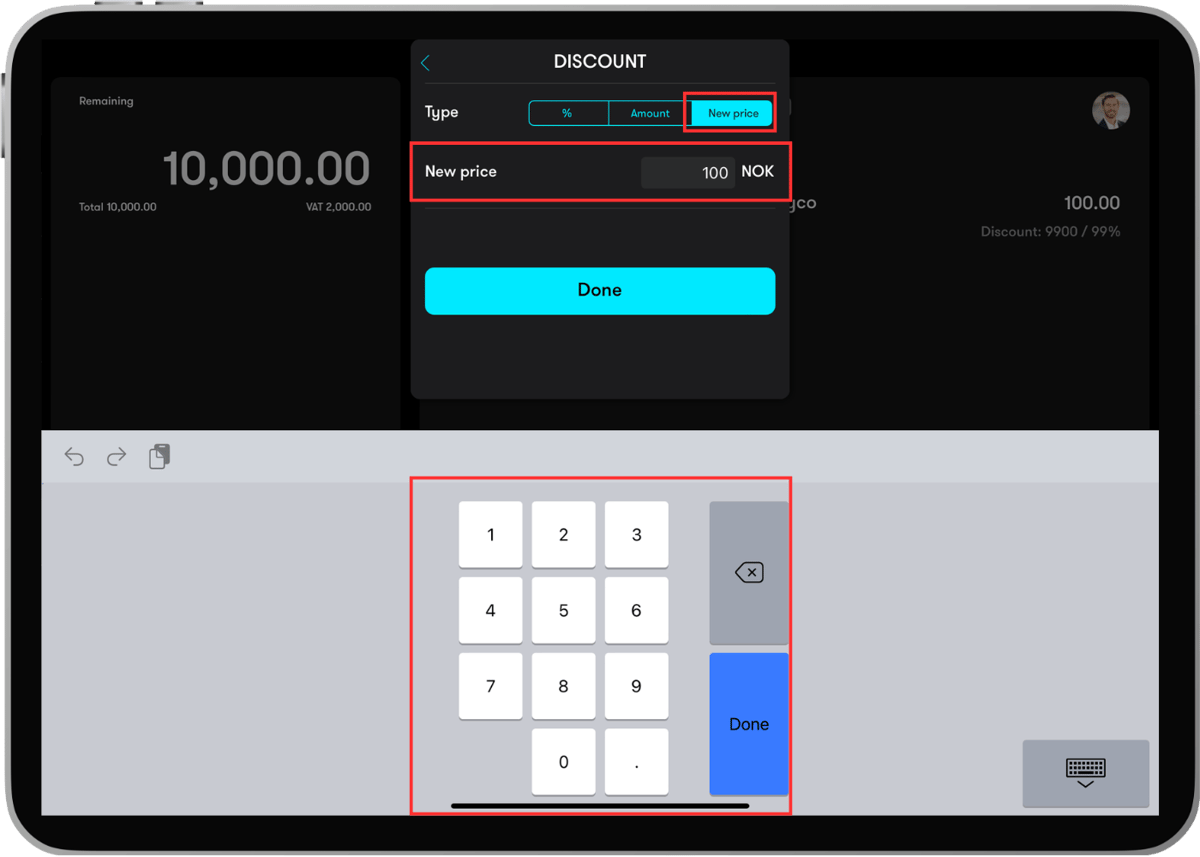
If the customer wants a specific amount that differs from the default product price, use the discount feature to adjust the value.
Click New price and enter the customer's preferred amount. The gift card amount is now updated and will reflect the new value when delivered to the customer.
**Step 6 — Choose payment method**
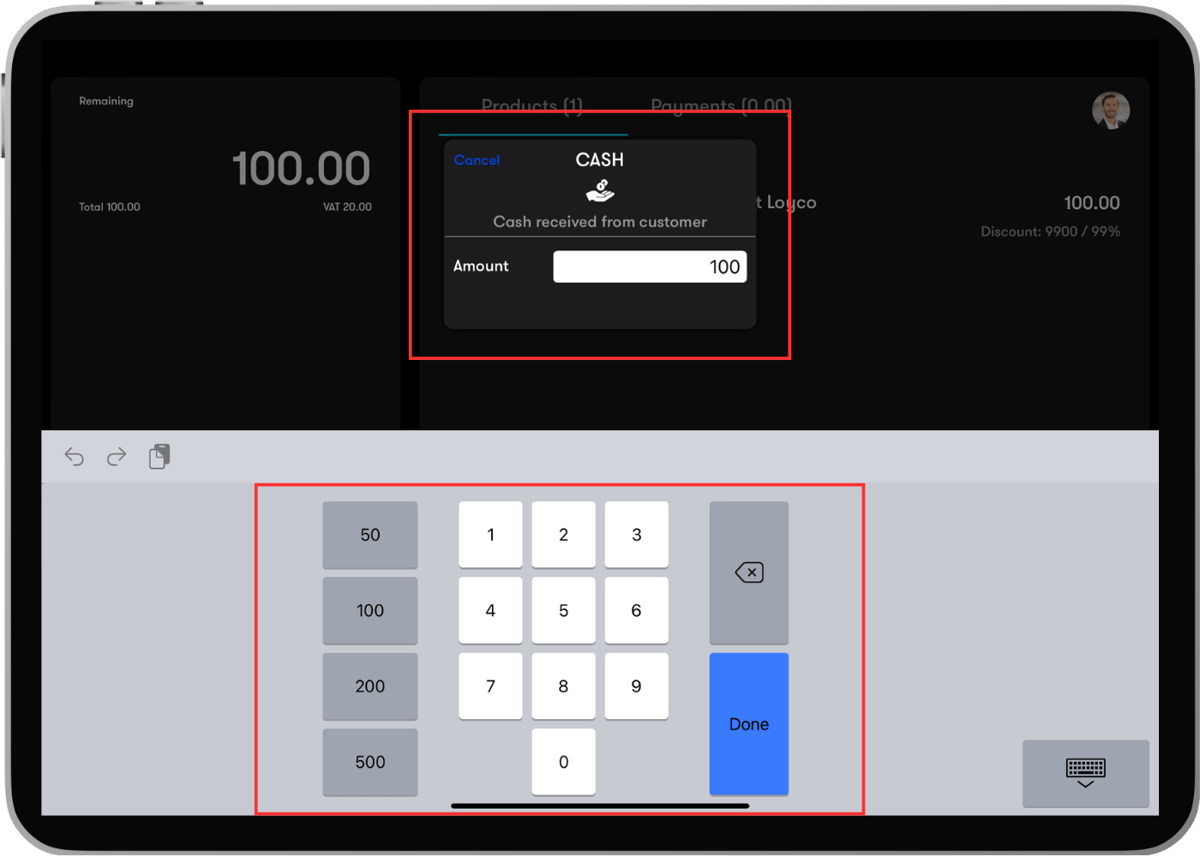
Select the customer's preferred payment method and complete the transaction as normal.
**Step 7 — Gift card is delivered via SMS**
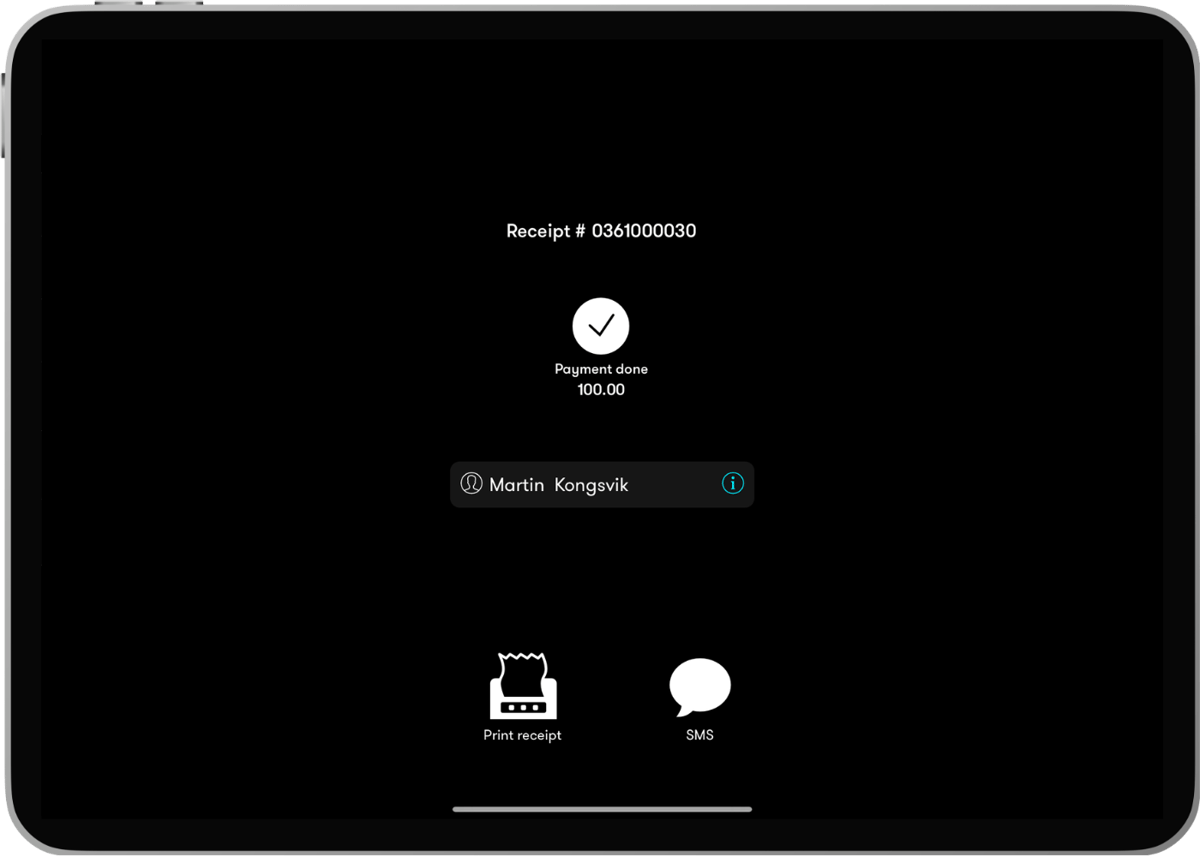
Once the purchase is completed, the gift card is automatically delivered via SMS to the phone number linked to the customer's profile. The SMS contains the gift card information and a link the customer can open to view and use the gift card.
The customer can use the gift card themselves or forward it as a gift to someone else with a personalised message.
**What the customer receives**
After purchase, the customer receives an SMS with the gift card information. From the SMS, the customer can:
- Use the gift card themselves in-store or online
- Forward the gift card as a gift with a personalised message
- Choose a scheduled delivery time for the recipient
[](https://loyco.io)
[mailto:support@Loyco.no](mailto:support@Loyco.no)