
How it works
When a guest has a phone number in Stayntouch that matches a Loyco membership, Stayntouch automatically displays their member status through several visual indicators in the guest profile and Stay Card. No manual lookup is needed.
Checking member status in the Stay Card
Open the guest's Stay Card in Stayntouch. A guest is a member when the following indicators are visible:
1. Guest is a member when the VIP icon is visible on the profile image.
The VIP icon on the guest's profile image is the first indicator that the guest is a member.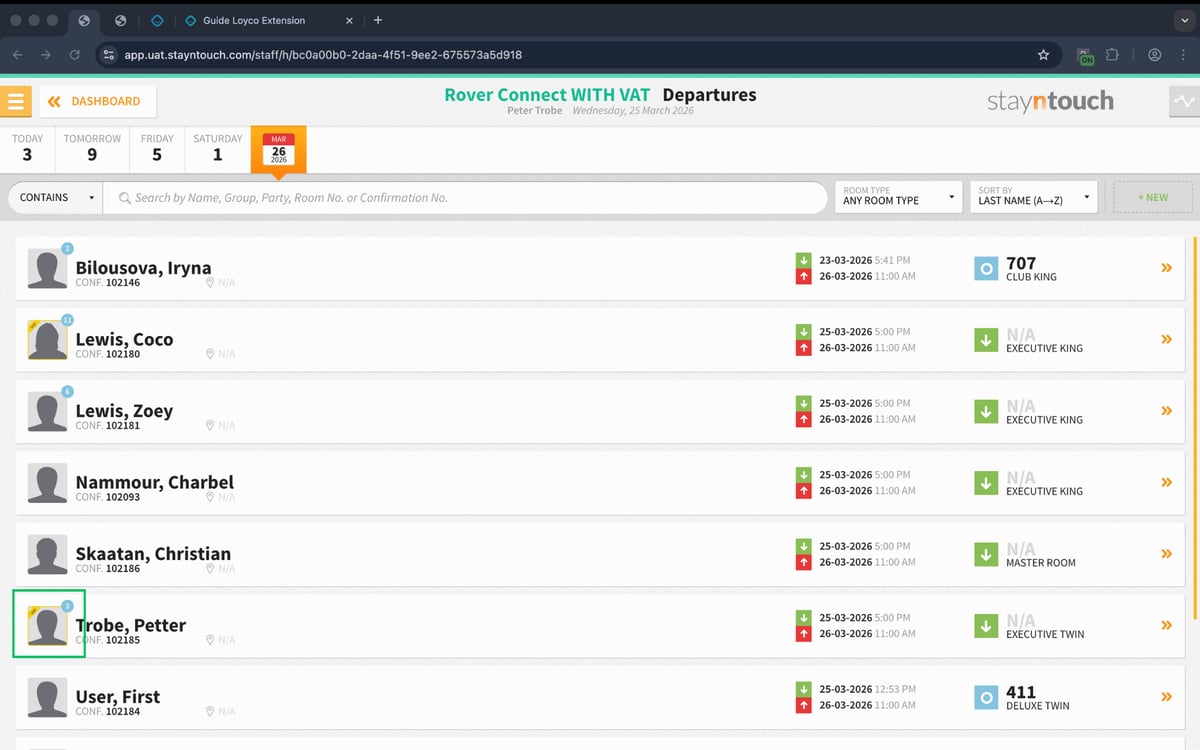
2. Membership level is also shown in the Stay Card.
When opening the guest profile, the membership level is displayed at the top, for example BLACK. This confirms that the guest is a member. 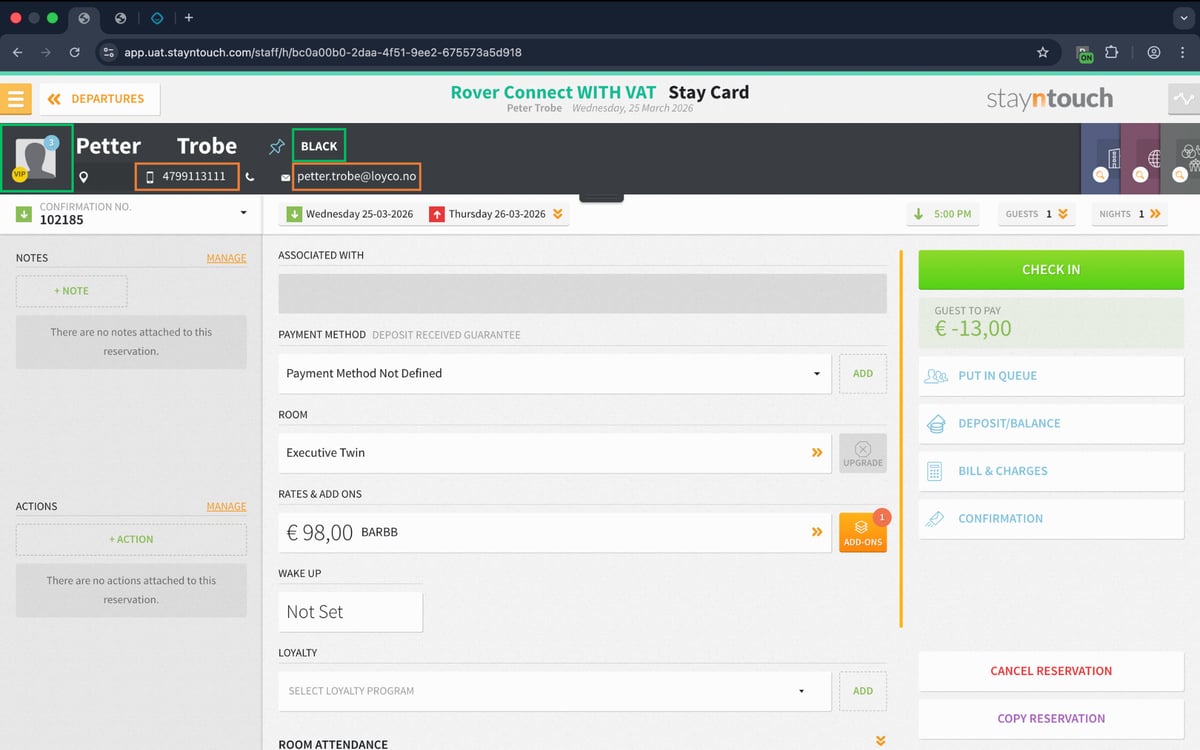
3. Phone number and email are linked to the membership.
The orange fields are linked to the membership and can be clicked. The phone number is always the member's unique identifier.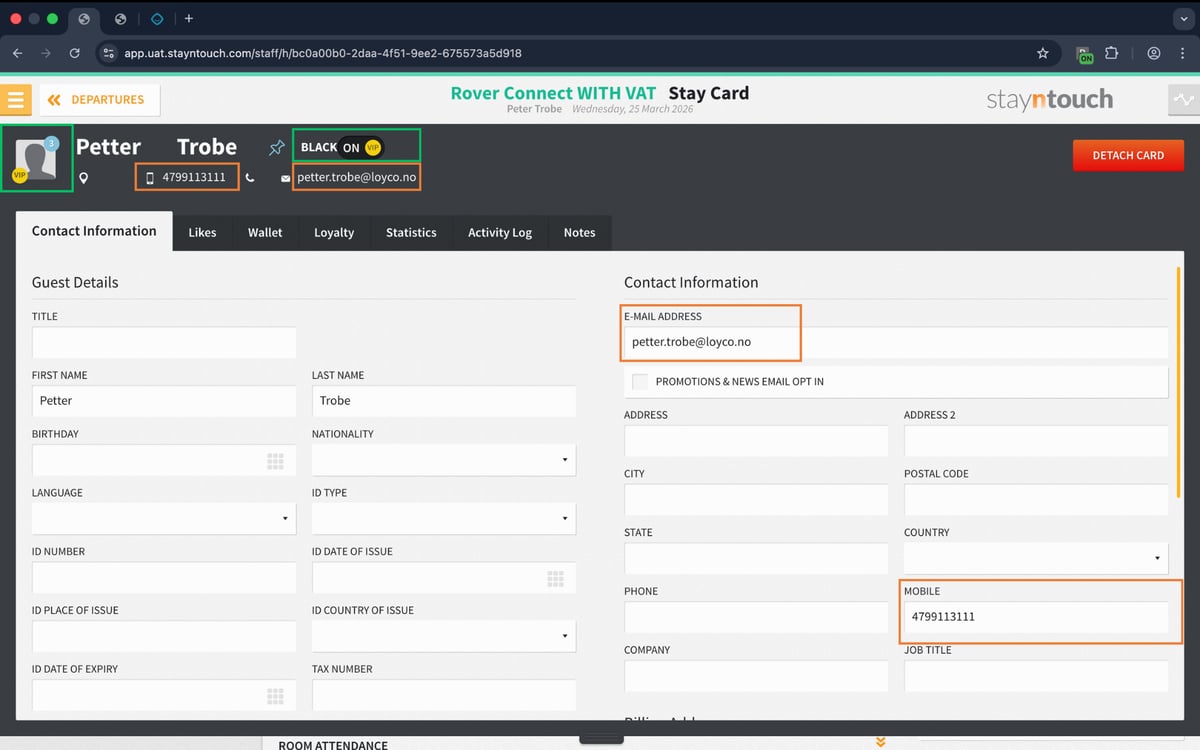
Useful links
- Loyco Admin Portal: portal.loyco.io
- Loyco Help Center: support.loyco.io
- Book a meeting: support.loyco.io/knowledgebase/book-meeting