Invite guests to the loyalty program
How automatic invitations work, and how to manually invite guests or remind those who booked a member rate without confirming their membership.
The program automatically sends personalized invitations to join the membership program, converting both OTA and direct bookings into memberships.
If a guest hasn't received an automatic invitation, or has booked a member rate without confirming their membership, the receptionist can send an invitation manually:
1. Open the "Reservation report" and click the guest's name.
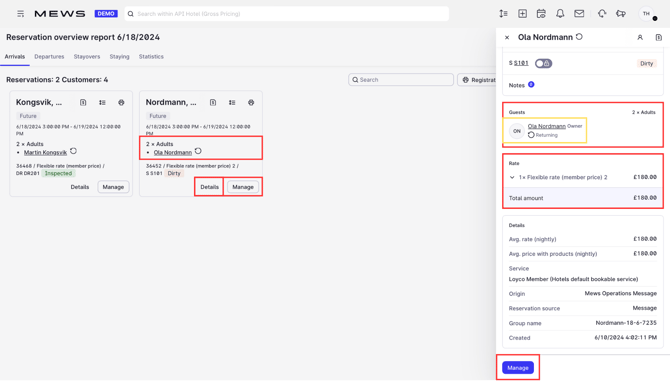
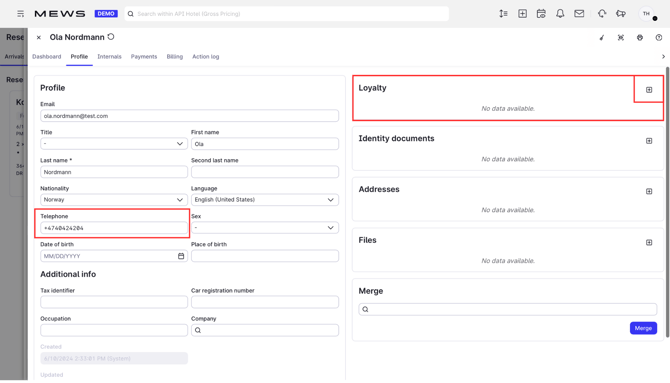
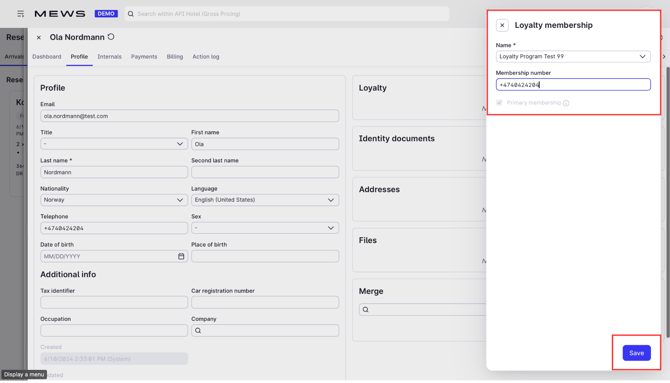
2. Copy the guest's phone number and click the "+" icon shown in the image.

3. Paste the phone number into the "Membership number" field.

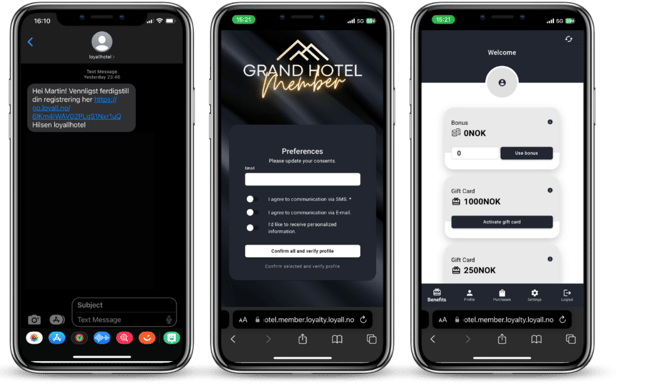
4. The guest receives an SMS to verify their profile and consent to membership and marketing. (Grand Hotel Member is a demo location; the SMS, consent page, and member profile are customized for each hotel.)

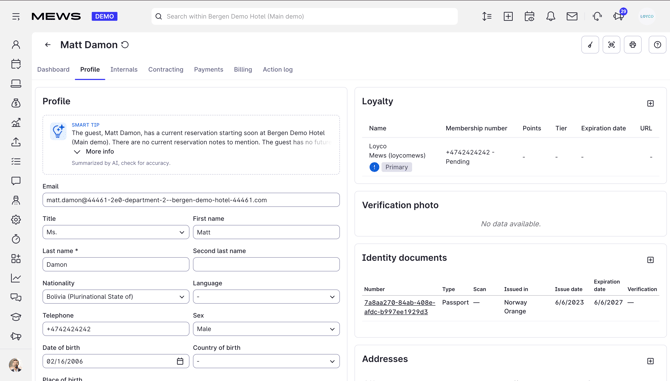
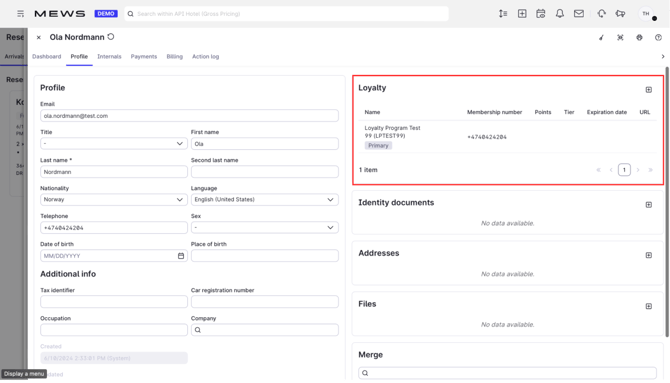
5. Until the guest has confirmed via SMS, the membership is shown as "Pending" in the Loyalty section of the guest profile. Once confirmed, the status updates and the member's points, tier, and profile URL become available.

6. The guest profile is updated with the membership. Personal information entered in Mews is transferred automatically to the member profile, where members can view their profile, gift cards, offers, bonus points, and benefits.