---
title: Invite non-members to join the loyalty program
description: Find out how reception can send a branded SMS membership invitation to non-member guests directly from the customer card or booking page in VisBook.
---
[Skip to content](https://support.loyco.io/knowledgebase/invite-non-members-to-join-the-loyalty-program#main-content)
[](https://support.loyco.io/knowledgebase?hsLang=en)
- [Support](https://support.loyco.io/knowledgebase/contact-us)
Show submenu for Support
- [Book a meeting](https://support.loyco.io/knowledgebase/book-meeting)
- [Contact us](https://support.loyco.io/knowledgebase/contact-us)
- [Program settings](https://www.loyco.io/onboarding)
Open main navigation
Close main navigation
- [Support](https://support.loyco.io/knowledgebase/contact-us)
Show submenu for Support
- [Book a meeting](https://support.loyco.io/knowledgebase/book-meeting)
- [Contact us](https://support.loyco.io/knowledgebase/contact-us)
- [Program settings](https://www.loyco.io/onboarding)
- [Admin login](https://auth.loyco.io/Identity/Account/Login)
[Admin login](https://auth.loyco.io/Identity/Account/Login)
\_
- There are no suggestions because the search field is empty.
1. [Loyco](https://support.loyco.io/knowledgebase?hsLang=en)
2. [VisBook](https://support.loyco.io/knowledgebase/visbook?hsLang=en)
3. [Using Loyco in VisBook](https://support.loyco.io/knowledgebase/visbook?hsLang=en#using-loyco-in-visbook)
# Invite non-members to join the loyalty program
## This article explains how your reception team can send a membership invitation to guests who are not yet registered in the loyalty programme, directly from VisBook PMS.
**How it works**
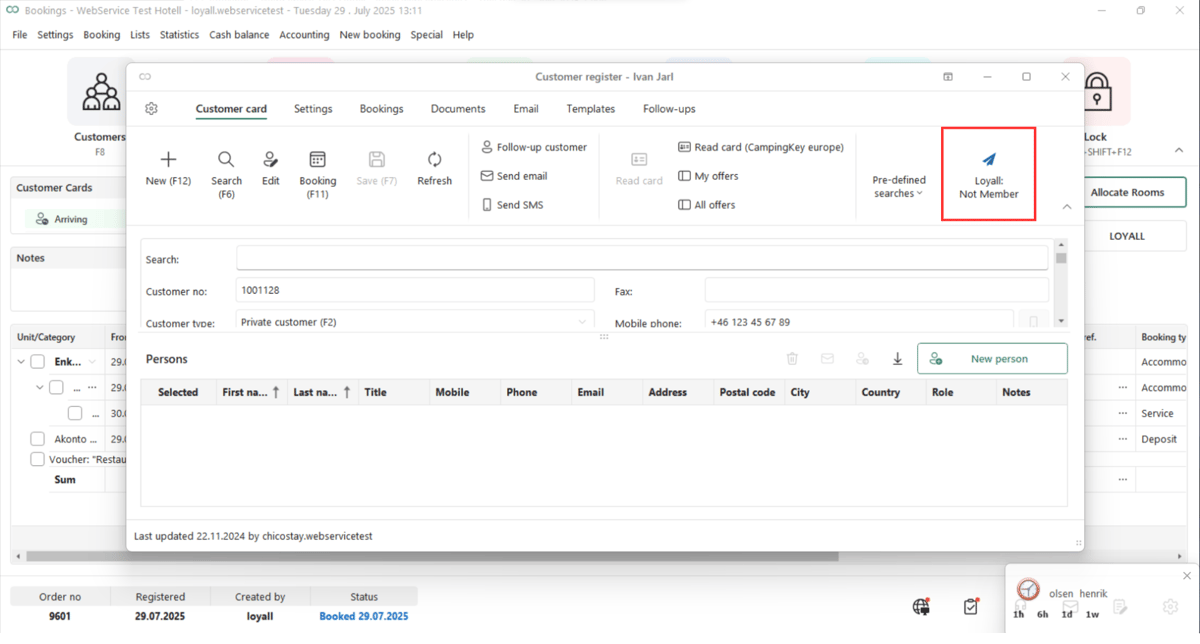
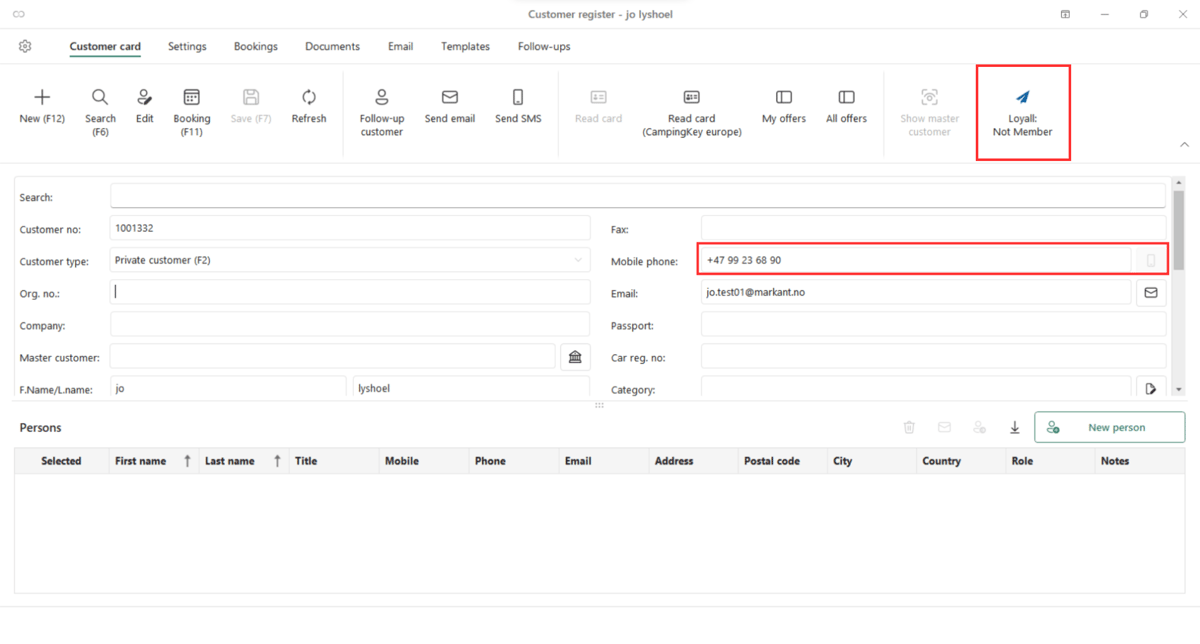
If a guest is not a member, a "Not a member" button appears in the customer card and booking page instead of the clickable Loyall button. The receptionist can click this button to send a branded SMS invitation to the guest. The guest registers via the link in the SMS and is taken directly to their member profile with access to all benefits.
1\. Guest's who aren't members will see a "Not member" button, which the receptionist can click to send an SMS invitation with a custom registration link to join the loyalty program.
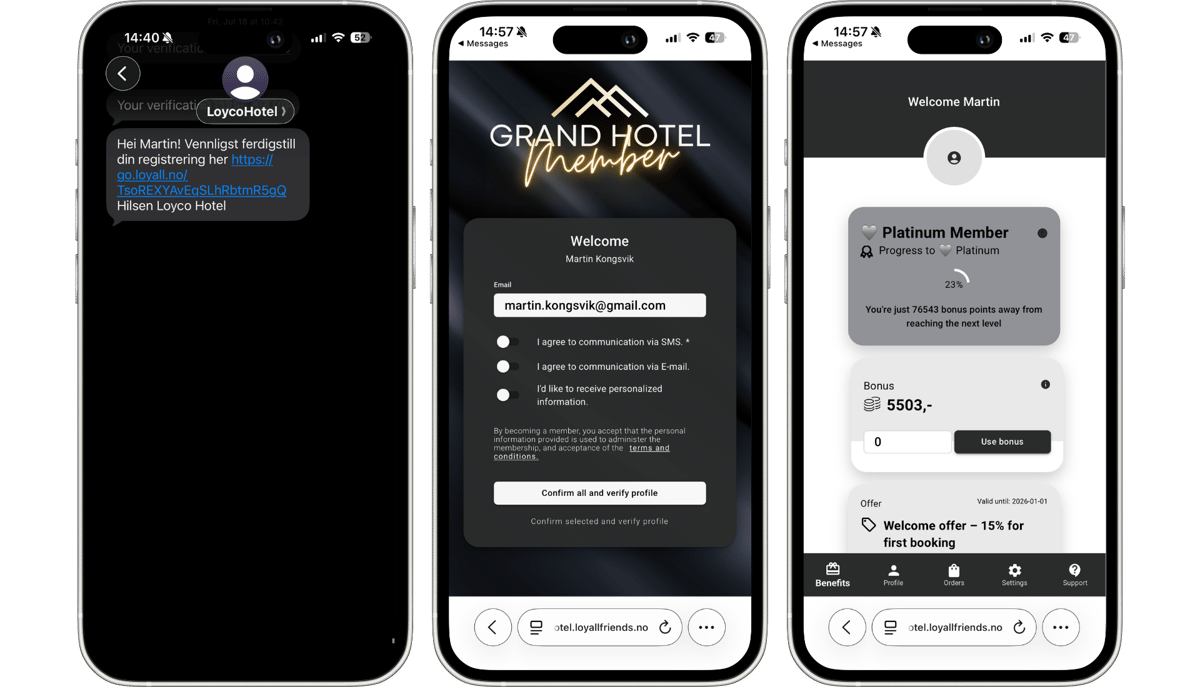
2\. The SMS is sent from the hotel's name, branded with the loyalty program's visual identity, and includes a quick-join link. Guests are taken directly to their member portal, where they can view the same benefits visible to the receptionist in VisBook.
**Useful links**
- Loyco Admin Portal: portal.loyco.io
- Loyco Help Center: support.loyco.io
- Book a meeting: [support.loyco.io/knowledgebase/book-meeting](https://support.loyco.io/knowledgebase/book-meeting?hsLang=en)
[](https://loyco.io)
[mailto:support@Loyco.no](mailto:support@Loyco.no)