---
title: Invite non-members to join the loyalty program
description: Find out how reception can create a membership and send a branded SMS invitation to non-member guests directly from Stayntouch using Member Insight.
---
[Skip to content](https://support.loyco.io/knowledgebase/invite-non-members-to-join-the-loyalty-program-for-stayntouch#main-content)
[](https://support.loyco.io/knowledgebase?hsLang=en)
- [Support](https://support.loyco.io/knowledgebase/contact-us)
Show submenu for Support
- [Book a meeting](https://support.loyco.io/knowledgebase/book-meeting)
- [Contact us](https://support.loyco.io/knowledgebase/contact-us)
- [Program settings](https://www.loyco.io/onboarding)
Open main navigation
Close main navigation
- [Support](https://support.loyco.io/knowledgebase/contact-us)
Show submenu for Support
- [Book a meeting](https://support.loyco.io/knowledgebase/book-meeting)
- [Contact us](https://support.loyco.io/knowledgebase/contact-us)
- [Program settings](https://www.loyco.io/onboarding)
- [Admin login](https://auth.loyco.io/Identity/Account/Login)
[Admin login](https://auth.loyco.io/Identity/Account/Login)
\_
- There are no suggestions because the search field is empty.
1. [Loyco](https://support.loyco.io/knowledgebase?hsLang=en)
2. [Stayntouch](https://support.loyco.io/knowledgebase/stayntouch?hsLang=en)
3. [Using Loyco in Stayntouch](https://support.loyco.io/knowledgebase/stayntouch?hsLang=en#using-loyco-in-stayntouch)
# Invite non-members to join the loyalty program
## This article explains how your reception team can create a membership and send an SMS invitation to guests who are not yet registered in the loyalty programme, directly from Stayntouch PMS using Loyco Member Insight.
**How it works**
If a guest is not a member, no VIP icon, membership level, or FM-field is visible in the Stay Card. Reception can open Member Insight from the guest profile, create a new membership, and send a branded SMS invitation to the guest. The guest completes their profile via the link in the SMS and is activated as a member automatically.
**Step 1 — Open the guest Stay Card**
Open the guest's Stay Card in Stayntouch. Confirm that the guest is not a member — no VIP icon, membership level, or FM-field should be visible.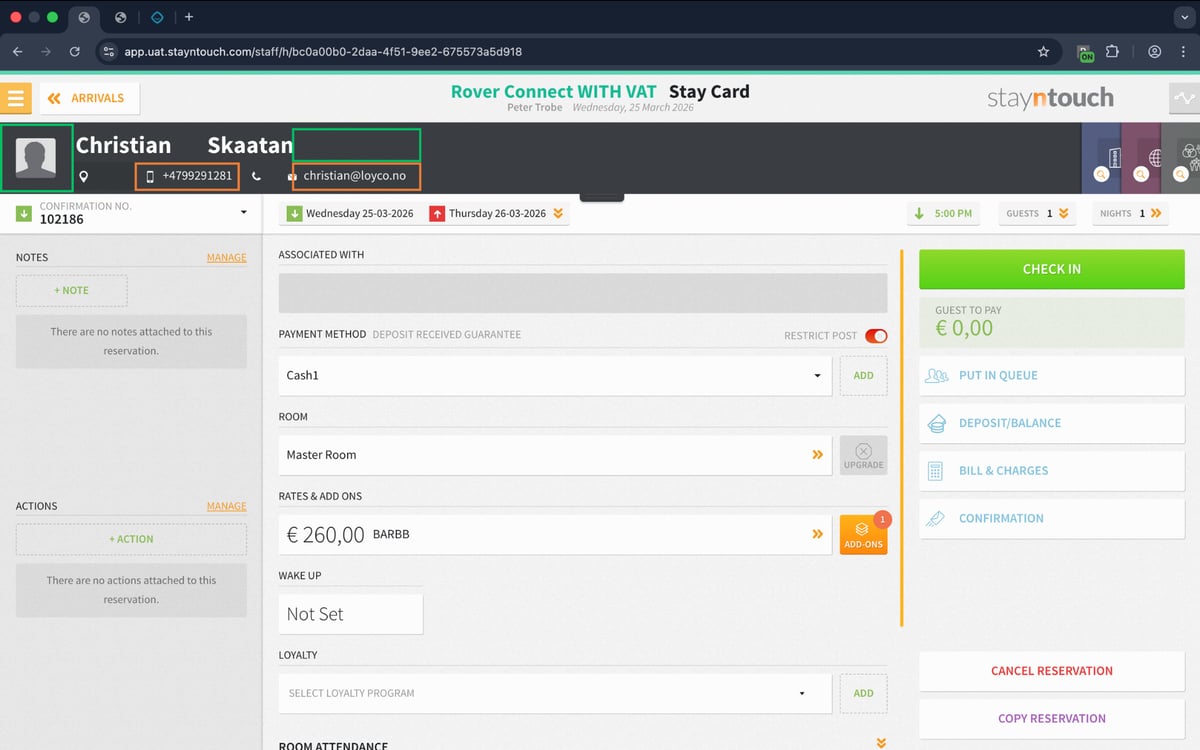
**Step 2 — Open Member Insight**
Right-click the guest's phone number in the Stay Card and select Open in Loyco Member Insight. Member Insight opens with the phone number pre-filled and confirms that the guest is not a member.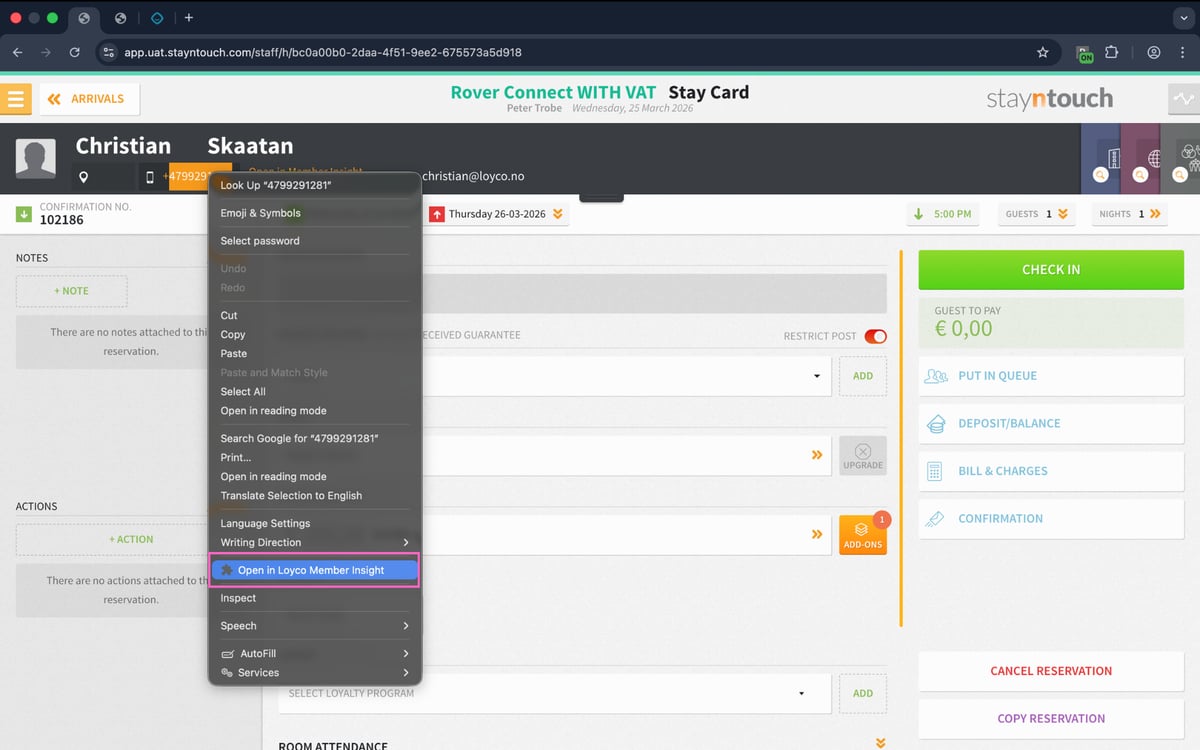
**Step 3 — Create a new membership**
In Member Insight, click Create Member to register the guest as a new member. A branded SMS is automatically sent to the guest's phone number with a link to complete their membership profile.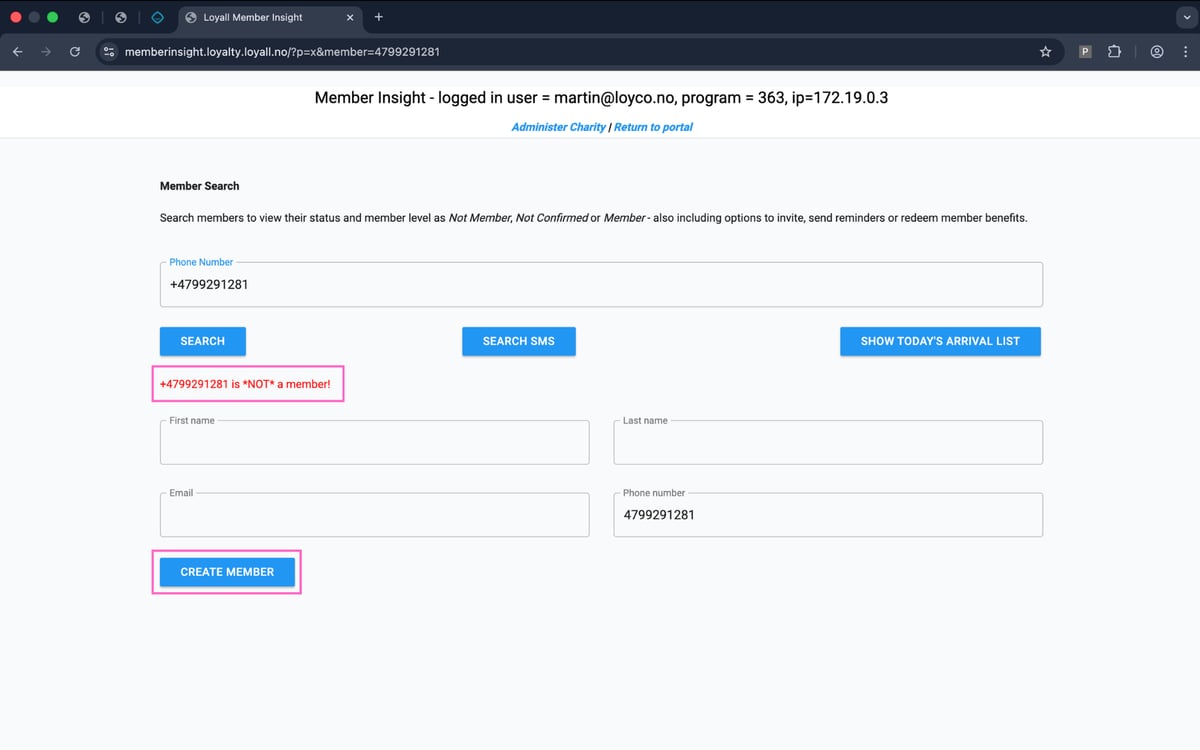
**Step 4 — Guest completes registration**
The guest receives the SMS and clicks the link to complete their membership profile. They confirm their consents and verify their details. Once confirmed, the guest is activated as a member.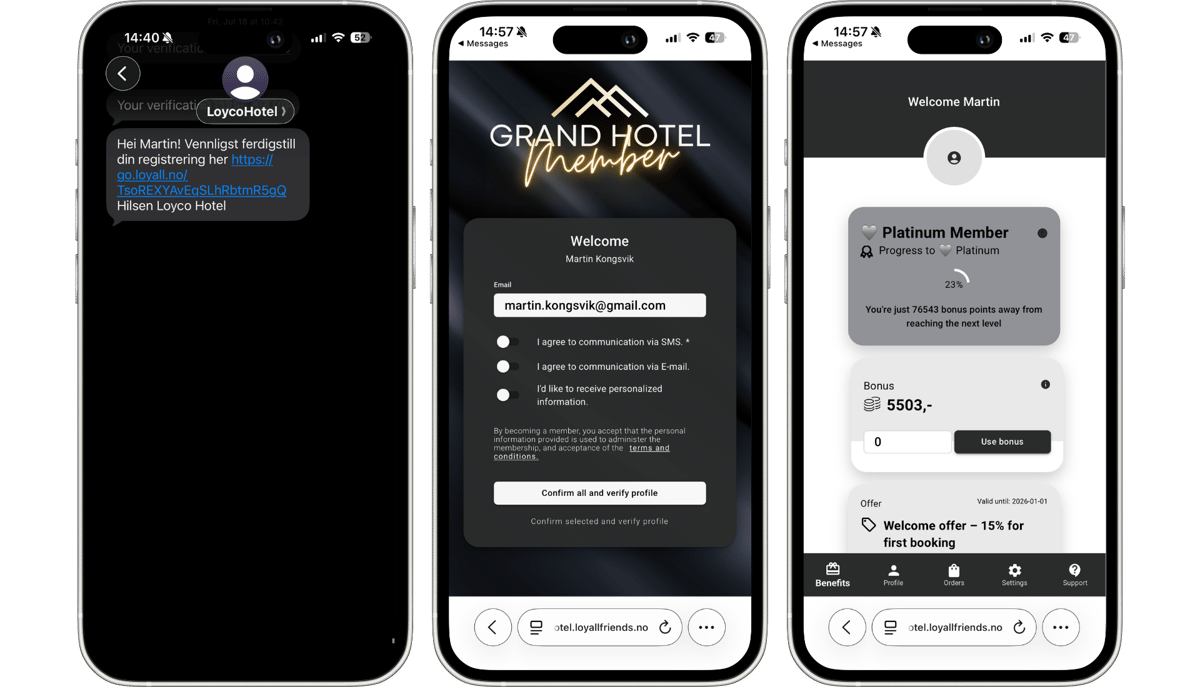
**Step 5 — Verify member status in Stayntouch**
Return to the guest's Stay Card in Stayntouch. Once the guest has completed their registration, the VIP icon and membership level will appear automatically. Note that Stayntouch updates member status on an hourly basis, so there may be a short delay before the indicators appear.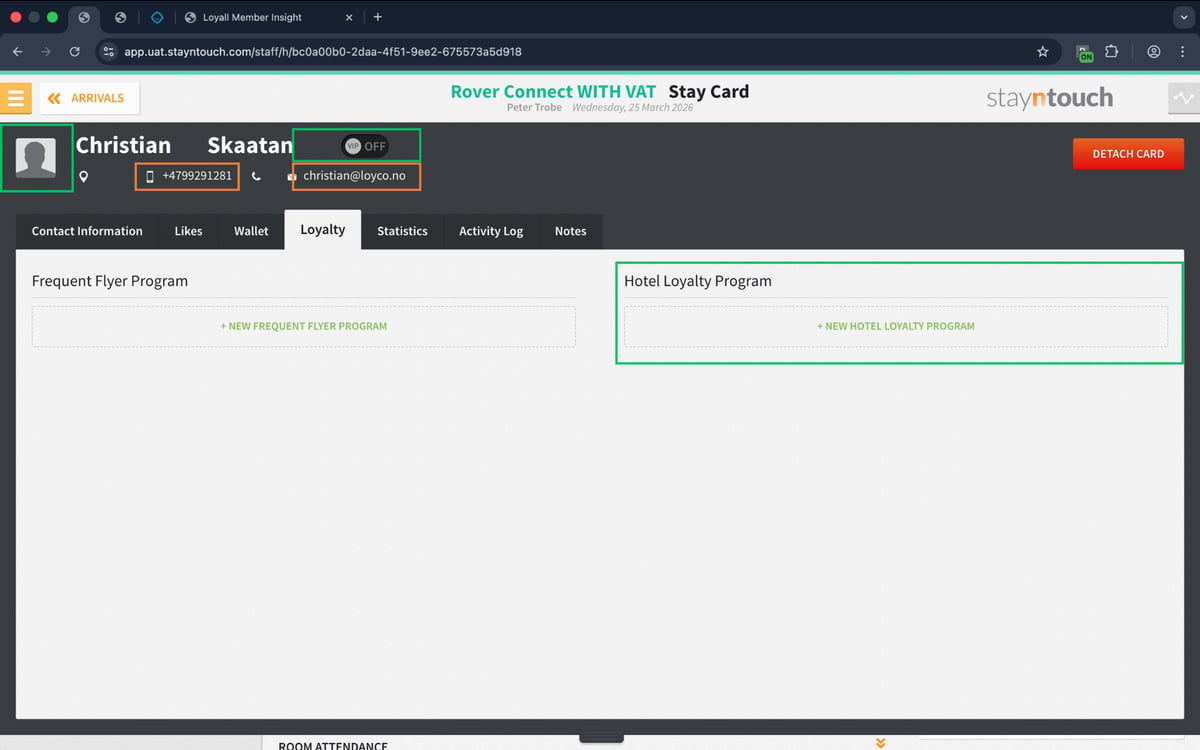
**Things to note**
- The guest must complete and verify their profile before they are activated as a member — sending the invitation does not activate the membership immediately
- If the guest does not receive the SMS, verify that the phone number in the guest profile is correct and includes the correct country dialling code
- Member status in Stayntouch updates automatically on an hourly basis — if the VIP icon does not appear immediately after the guest confirms their registration, check again after an hour
- A personal invitation from reception is often more effective than an automated invite — mentioning the benefits directly to the guest before sending increases the likelihood of sign-up
[](https://loyco.io)
[mailto:support@Loyco.no](mailto:support@Loyco.no)