---
title: "My Benefits: tier, coupons, and perks"
description: "My Benefits: tier, coupons, and perks"
---
[Skip to content](https://support.loyco.io/knowledgebase/my-benefits-tier-coupons-and-perks#main-content)
[](https://support.loyco.io/knowledgebase?hsLang=en)
- [Support](https://support.loyco.io/knowledgebase/contact-us)
Show submenu for Support
- [Book a meeting](https://support.loyco.io/knowledgebase/book-meeting)
- [Contact us](https://support.loyco.io/knowledgebase/contact-us)
- [Program settings](https://www.loyco.io/onboarding)
Open main navigation
Close main navigation
- [Support](https://support.loyco.io/knowledgebase/contact-us)
Show submenu for Support
- [Book a meeting](https://support.loyco.io/knowledgebase/book-meeting)
- [Contact us](https://support.loyco.io/knowledgebase/contact-us)
- [Program settings](https://www.loyco.io/onboarding)
- [Admin login](https://auth.loyco.io/Identity/Account/Login)
[Admin login](https://auth.loyco.io/Identity/Account/Login)
\_
- There are no suggestions because the search field is empty.
1. [Loyco](https://support.loyco.io/knowledgebase?hsLang=en)
2. [Member Portal](https://support.loyco.io/knowledgebase/member-portal?hsLang=en)
3. [Using the Member Portal](https://support.loyco.io/knowledgebase/member-portal?hsLang=en#using-the-member-portal)
# My Benefits: tier, coupons, and perks
## Steps for a member to check their tier and progress, view coupons, and see the perks that update automatically.
The **My Benefits** tab shows where the member stands in the program: their current tier and how far they are from the next one, the coupons available to them, the complimentary perks their tier unlocks, and the ways they can spend points. The tier and its perks update on their own as the member earns points, so this screen always reflects their current status.
My Points and tier
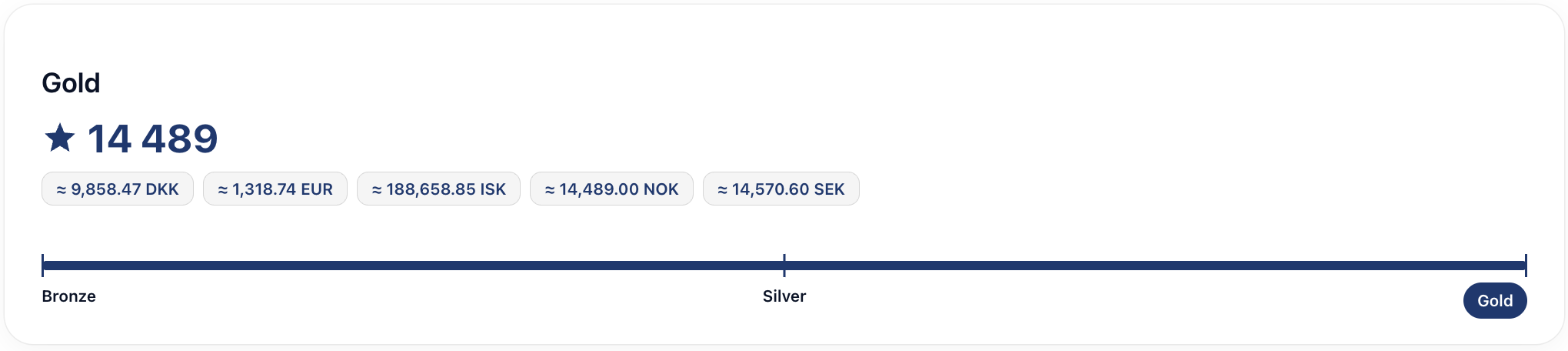
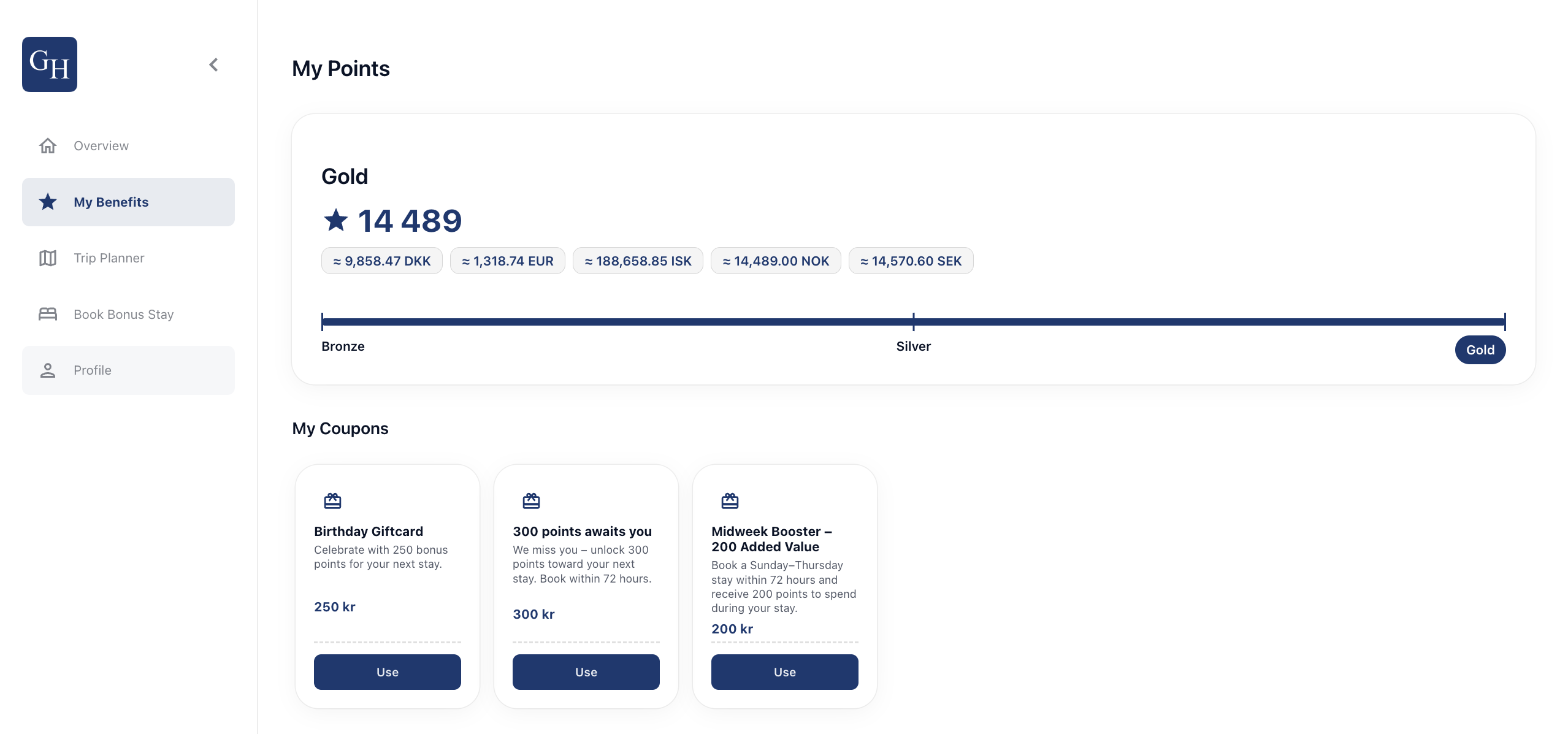
The **My Points** section shows the member's current tier, for example **Gold**, alongside their points balance and its value converted into several currencies.
Below the balance, a progress bar marks the tiers, for example **Bronze**, **Silver**, and **Gold**, and shows how far the member has climbed. This makes it easy to see the current level and how much further there is to reach the next tier. A member at the top tier sees the bar filled to the end.
My Coupons
The **My Coupons** section shows targeted offers the member can redeem. Each coupon has a short description, a value, and a **Use** button. Examples include a Birthday Giftcard, a re-engagement offer that unlocks points when booked within a set window, and a midweek booster for Sunday to Thursday stays.
Select **Use** on a coupon to apply it. Some coupons are time-limited, so the conditions on each card are worth reading before booking.
My benefits
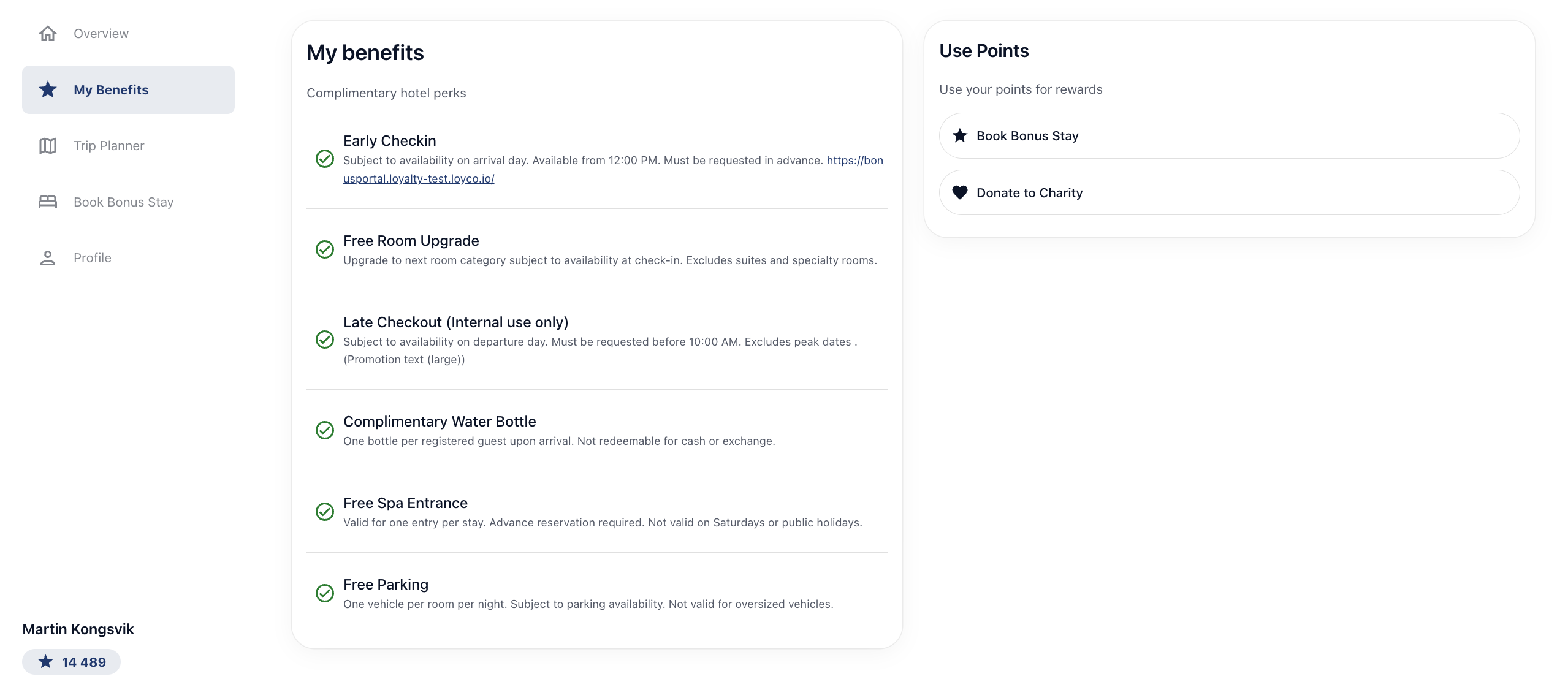
The **My benefits** section lists the complimentary perks tied to the member's tier, for example early check-in, free room upgrade, late checkout, a complimentary water bottle, free spa entrance, and free parking. Each perk includes its own conditions, such as subject to availability, advance request required, or excluded dates.
This list updates automatically with the member's tier. There is no action to take: as the member climbs to a higher tier, the perks they qualify for appear here, and the screen always shows exactly what applies to them now.
*\[Screenshot: My benefits section listing the tier's complimentary perks with their conditions\]*
Use Points
The **Use Points** panel lets the member spend points on rewards. From here they can select **Book Bonus Stay** to put points toward a stay, or **Donate to Charity** to give points to a good cause.
Good to know
- **Tier updates automatically.** The member's level reflects their points and activity, and moves up on its own. There is no request to submit.
- **Benefits follow the tier.** The perks shown always match the current tier. When the member reaches a new tier, the relevant perks appear here automatically.
- **The progress bar shows the gap.** It marks the member's position across the tiers so they can see how close they are to the next level.
- **Coupons can be time-limited.** Offers such as the re-engagement or midweek coupons may require booking within a set window. Check each card's conditions.
- **Perks carry conditions.** Availability, advance requests, and excluded dates apply to many perks. The condition text on each perk is the source of truth.
- **Branding varies by hotel.** Each portal carries its own logo, background image, colours, and configuration. Tiers, perks, and coupons are configured per program, so the exact list differs between hotels.
[](https://loyco.io)
[mailto:support@Loyco.no](mailto:support@Loyco.no)