---
title: New member registration
description: Learn how guests register as new members and unlock the exclusive member price directly in the BookVisit booking engine, step by step.
---
[Skip to content](https://support.loyco.io/knowledgebase/new-member-registration#main-content)
[](https://support.loyco.io/knowledgebase?hsLang=en)
- [Support](https://support.loyco.io/knowledgebase/contact-us)
Show submenu for Support
- [Book a meeting](https://support.loyco.io/knowledgebase/book-meeting)
- [Contact us](https://support.loyco.io/knowledgebase/contact-us)
- [Program settings](https://www.loyco.io/onboarding)
Open main navigation
Close main navigation
- [Support](https://support.loyco.io/knowledgebase/contact-us)
Show submenu for Support
- [Book a meeting](https://support.loyco.io/knowledgebase/book-meeting)
- [Contact us](https://support.loyco.io/knowledgebase/contact-us)
- [Program settings](https://www.loyco.io/onboarding)
- [Admin login](https://auth.loyco.io/Identity/Account/Login)
[Admin login](https://auth.loyco.io/Identity/Account/Login)
\_
- There are no suggestions because the search field is empty.
1. [Loyco](https://support.loyco.io/knowledgebase?hsLang=en)
2. [Bookvisit](https://support.loyco.io/knowledgebase/bookvisit?hsLang=en)
3. [Setup & configuration](https://support.loyco.io/knowledgebase/bookvisit?hsLang=en#setup-configuration)
# New member registration
## Guests become members by unlocking an exclusive member price during the booking flow. When a guest chooses to unlock the member price, they enter their phone number to register. After completing the booking, they receive an SMS with a link to complete their membership profile and start earning rewards right away.
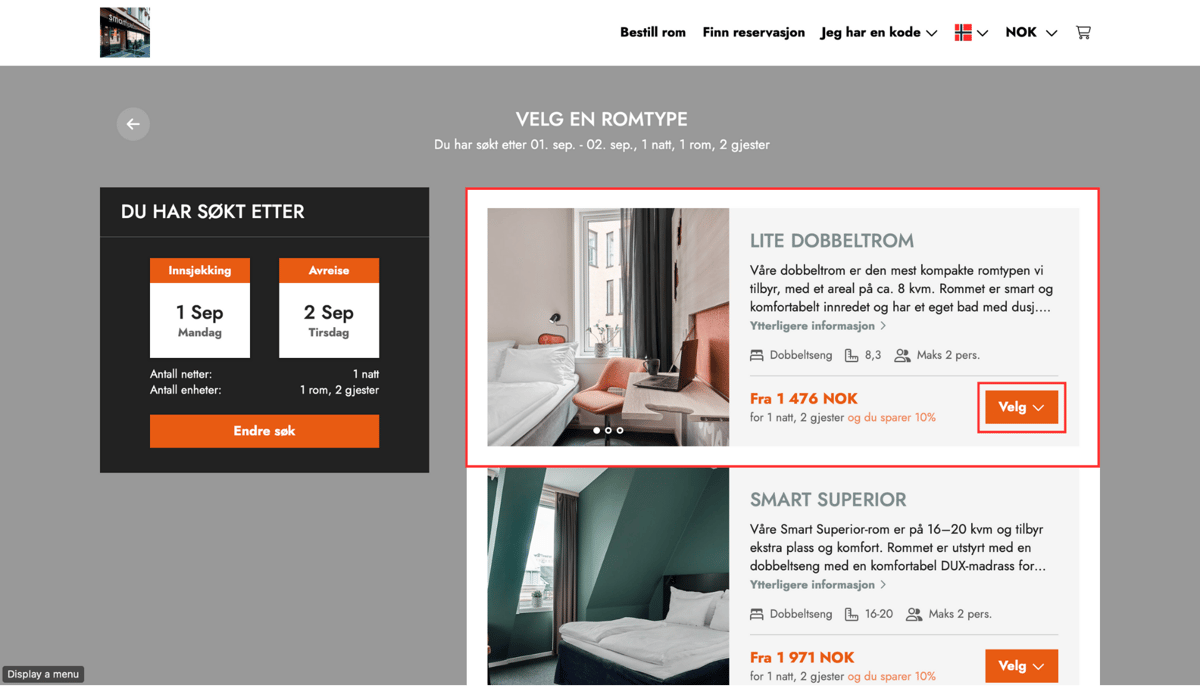
**Step 1 — Select dates and search**
The guest chooses check-in and check-out dates, number of rooms, and number of guests, then clicks Search to see available rooms and rates.
---
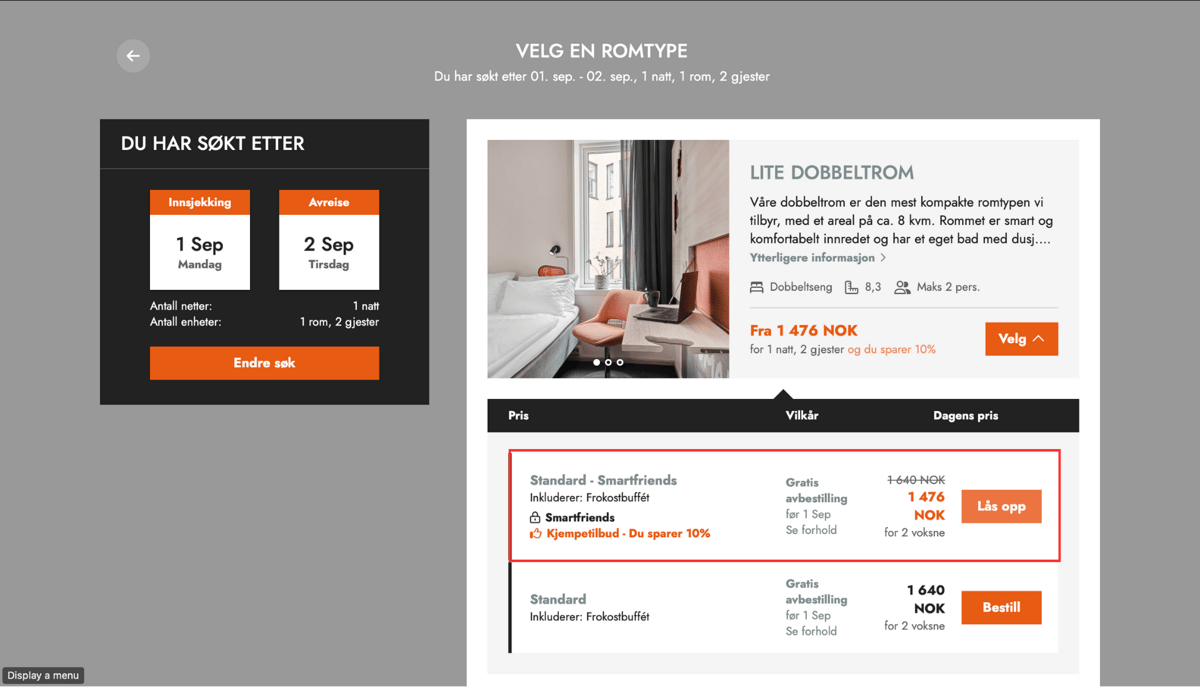
**Step 2 — Unlock the member price**
Two pricing options are displayed — a standard price and a member price. The member price is locked and can only be accessed by signing up or logging in. The guest clicks Unlock to proceed.
---
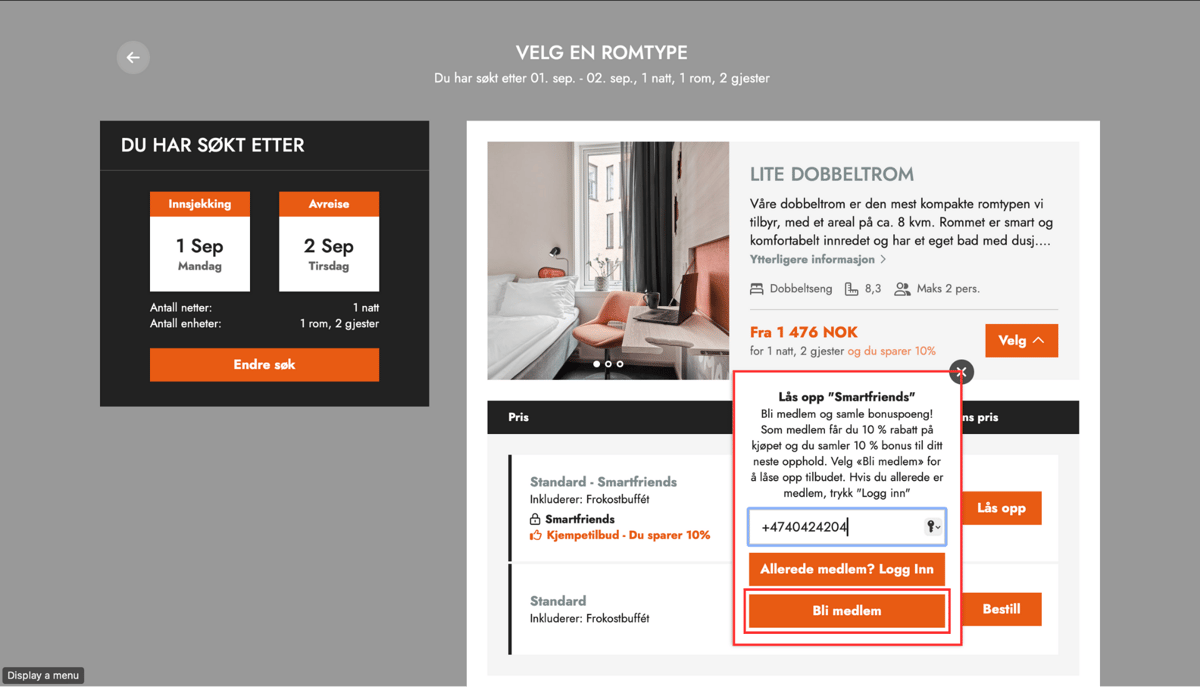
**Step 3 — Enter phone number and become a member**
A popup appears prompting the guest to enter their phone number. The guest enters their number and clicks Become a member. If the guest is already a member, they can choose Log in instead.
---
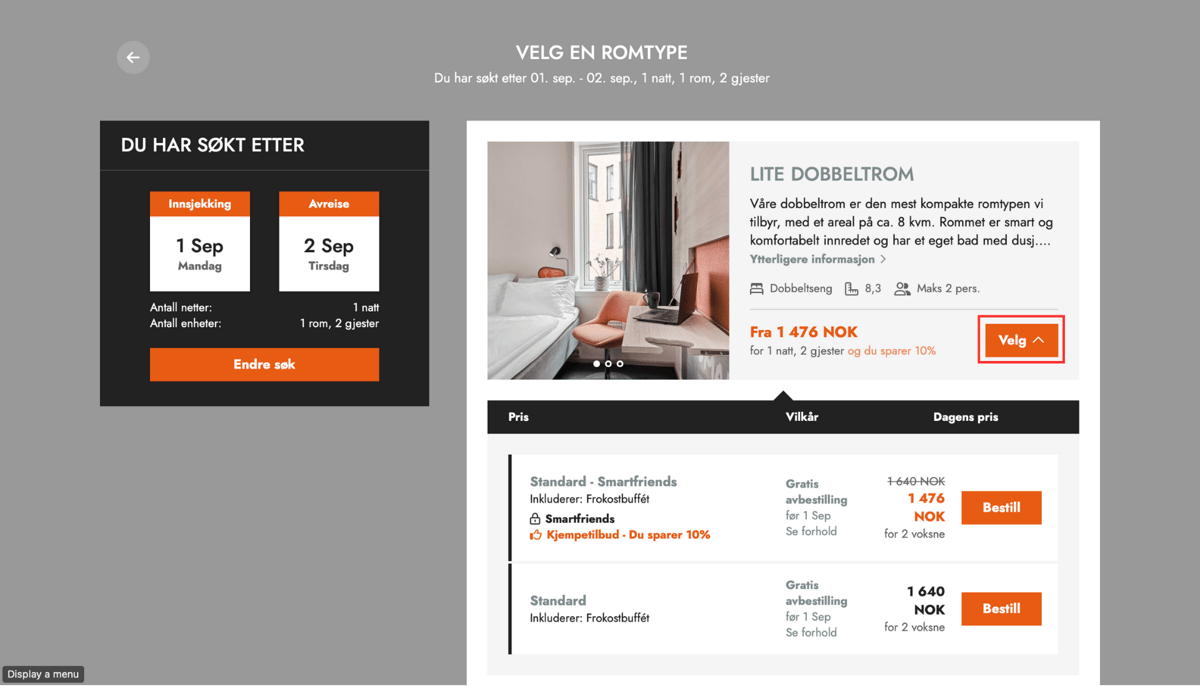
**Step 4 — Member price is unlocked**
After entering their phone number and signing up, the member price becomes available. The guest can now click Book to proceed with the discounted rate.
---
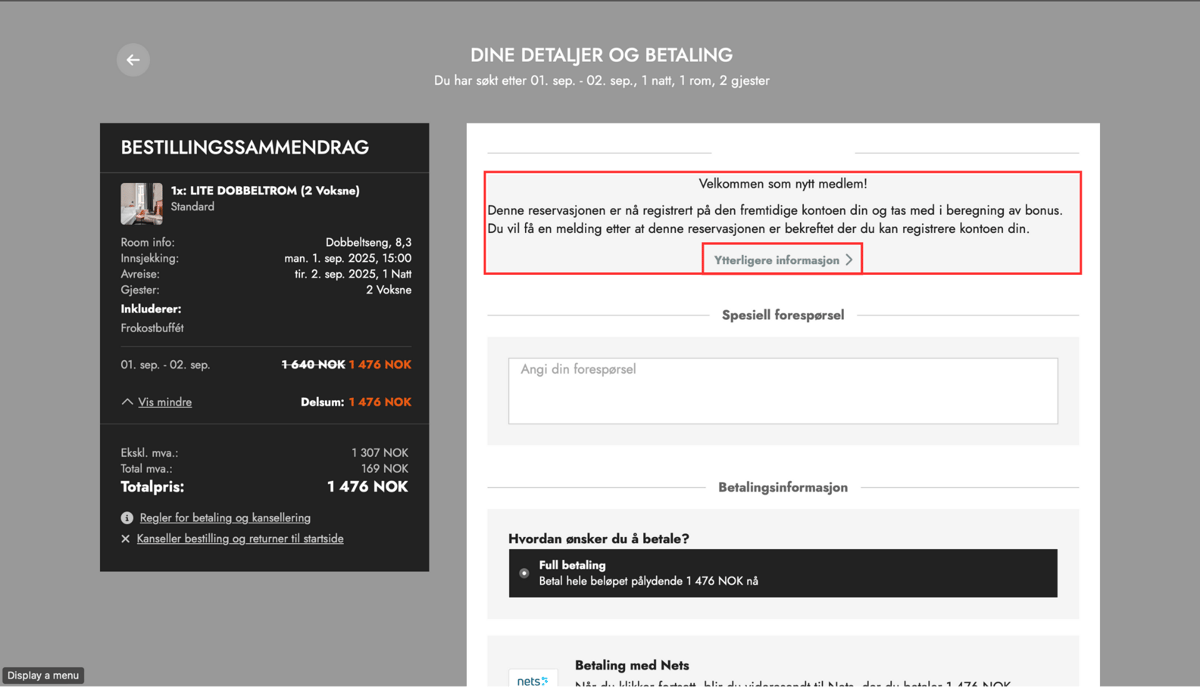
**Step 5 — Loyalty programme details are displayed**
The guest sees a summary of what the loyalty programme offers — such as bonus points, gift cards, or exclusive perks. The guest can click More info to learn about the full benefits before completing the booking.
---
**Step 6 — Complete the booking**
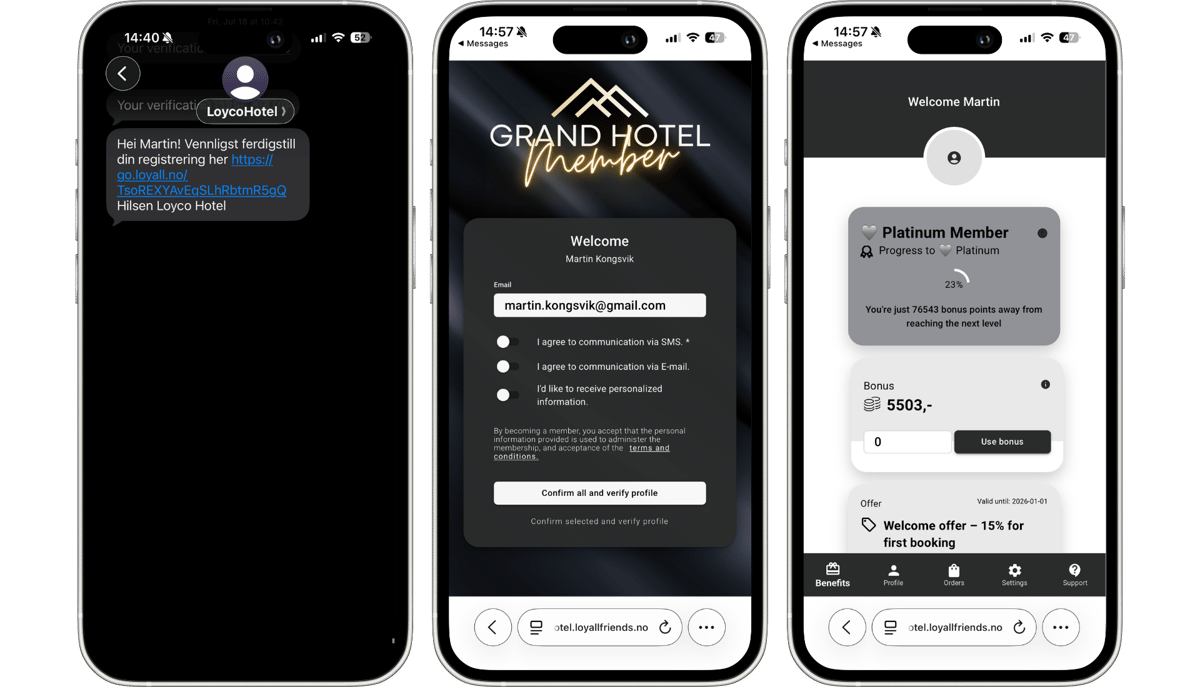
The guest completes the booking as normal. Once the booking is confirmed, the guest receives an SMS with a link to complete their membership profile. This ensures their stay is connected to their new member profile and that they start earning rewards right away.
[](https://loyco.io)
[mailto:support@Loyco.no](mailto:support@Loyco.no)