---
title: Reception view — identifying members in Techotel
description: reception view for using loyco in techotel
---
[Skip to content](https://support.loyco.io/knowledgebase/reception-view-in-techotel#main-content)
[](https://support.loyco.io/knowledgebase?hsLang=en)
- [Support](https://support.loyco.io/knowledgebase/contact-us)
Show submenu for Support
- [Book a meeting](https://support.loyco.io/knowledgebase/book-meeting)
- [Contact us](https://support.loyco.io/knowledgebase/contact-us)
- [Program settings](https://www.loyco.io/onboarding)
Open main navigation
Close main navigation
- [Support](https://support.loyco.io/knowledgebase/contact-us)
Show submenu for Support
- [Book a meeting](https://support.loyco.io/knowledgebase/book-meeting)
- [Contact us](https://support.loyco.io/knowledgebase/contact-us)
- [Program settings](https://www.loyco.io/onboarding)
- [Admin login](https://auth.loyco.io/Identity/Account/Login)
[Admin login](https://auth.loyco.io/Identity/Account/Login)
\_
- There are no suggestions because the search field is empty.
1. [Loyco](https://support.loyco.io/knowledgebase?hsLang=en)
2. [Techotel](https://support.loyco.io/knowledgebase/techotel?hsLang=en)
3. [Using Loyco in Techotel](https://support.loyco.io/knowledgebase/techotel?hsLang=en#using-loyco-in-techotel)
# Reception view — identifying members in Techotel
## This article explains how your reception team can identify members directly from Techotel Picasso PMS.
**How it works**
The Loyco integration with Techotel Picasso makes member status visible in three places in the PMS — the arrivals plan, the booking view, and the customer profile.
**Identifying members in the PMS**
**Arrivals plan**
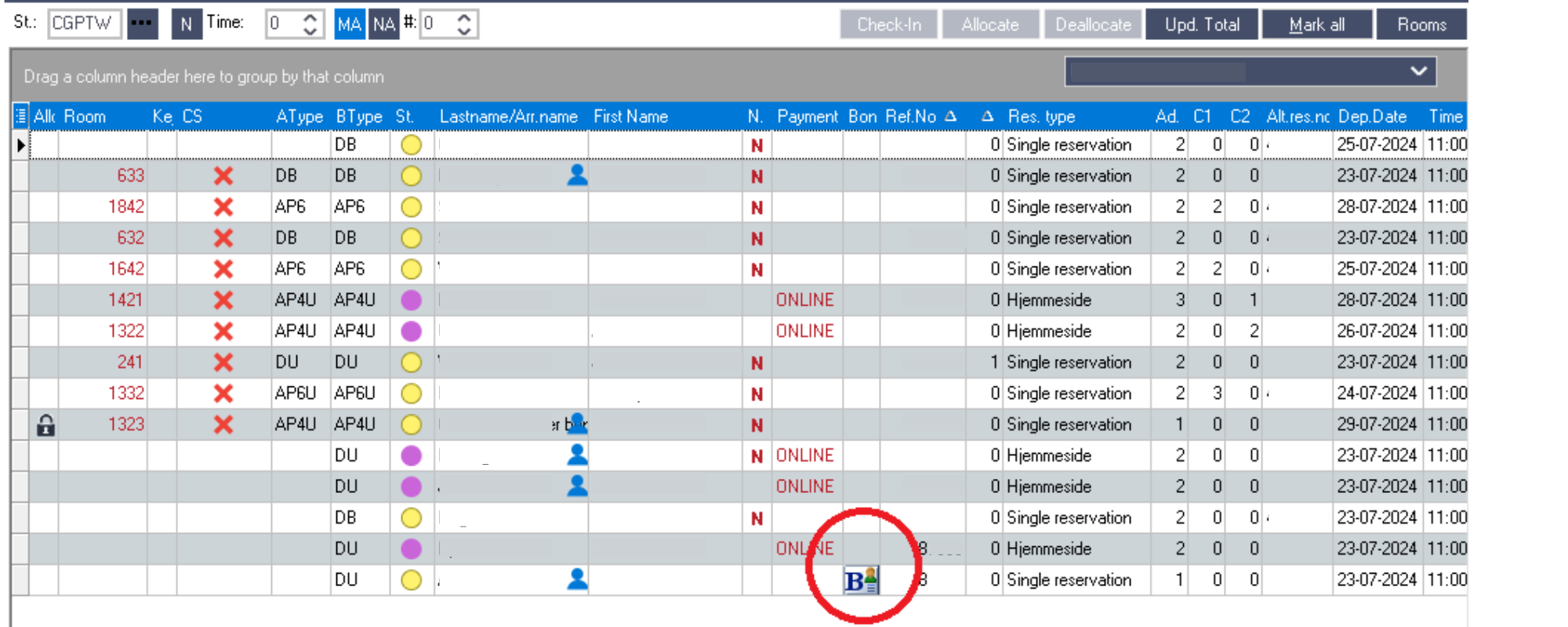
Open the Reservation Overview in Techotel Picasso. In the arrivals plan, you will see a Bonus row where members are marked with a Bonus Card icon. Click the Bonus Card icon to view the guest's current bonus balance.
**Booking view**
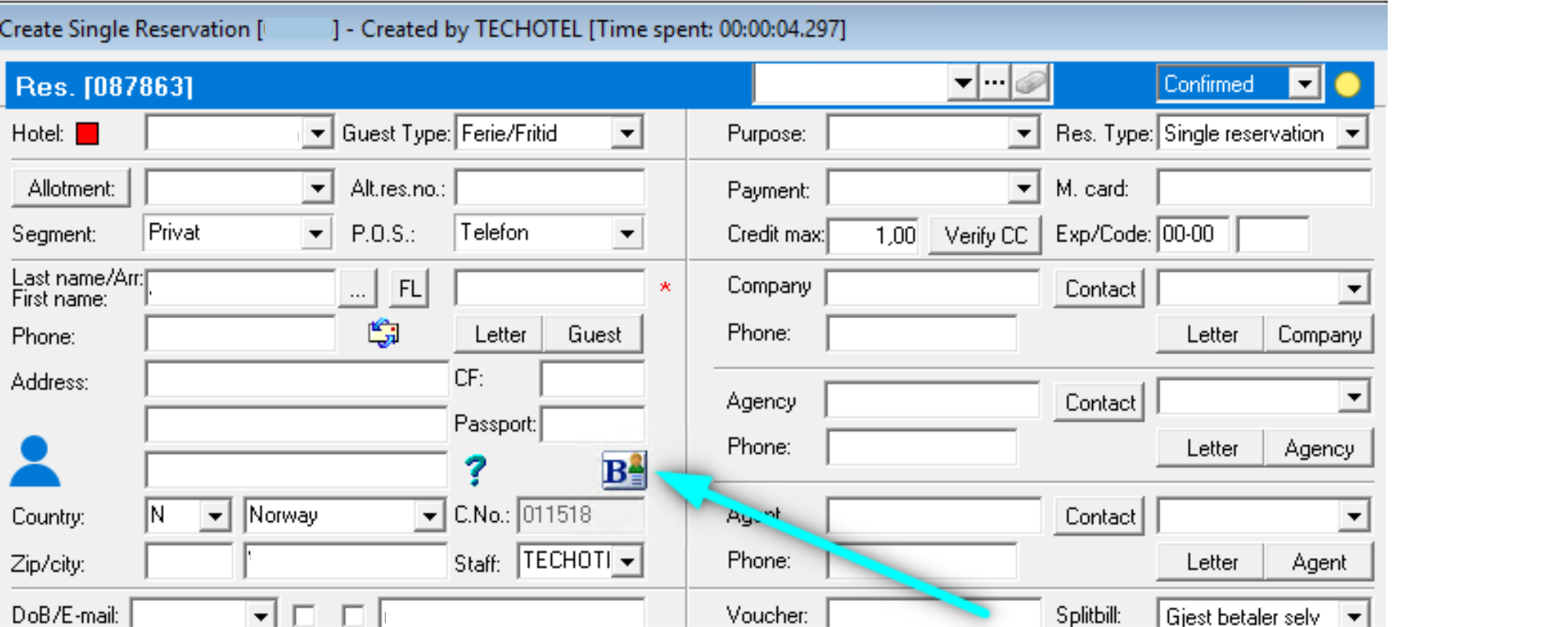
Open an individual booking in Picasso. If the guest is a member, the booking will be marked with the Bonus Card icon. Click the icon to view the guest's bonus balance directly from the booking.
**Customer profile**
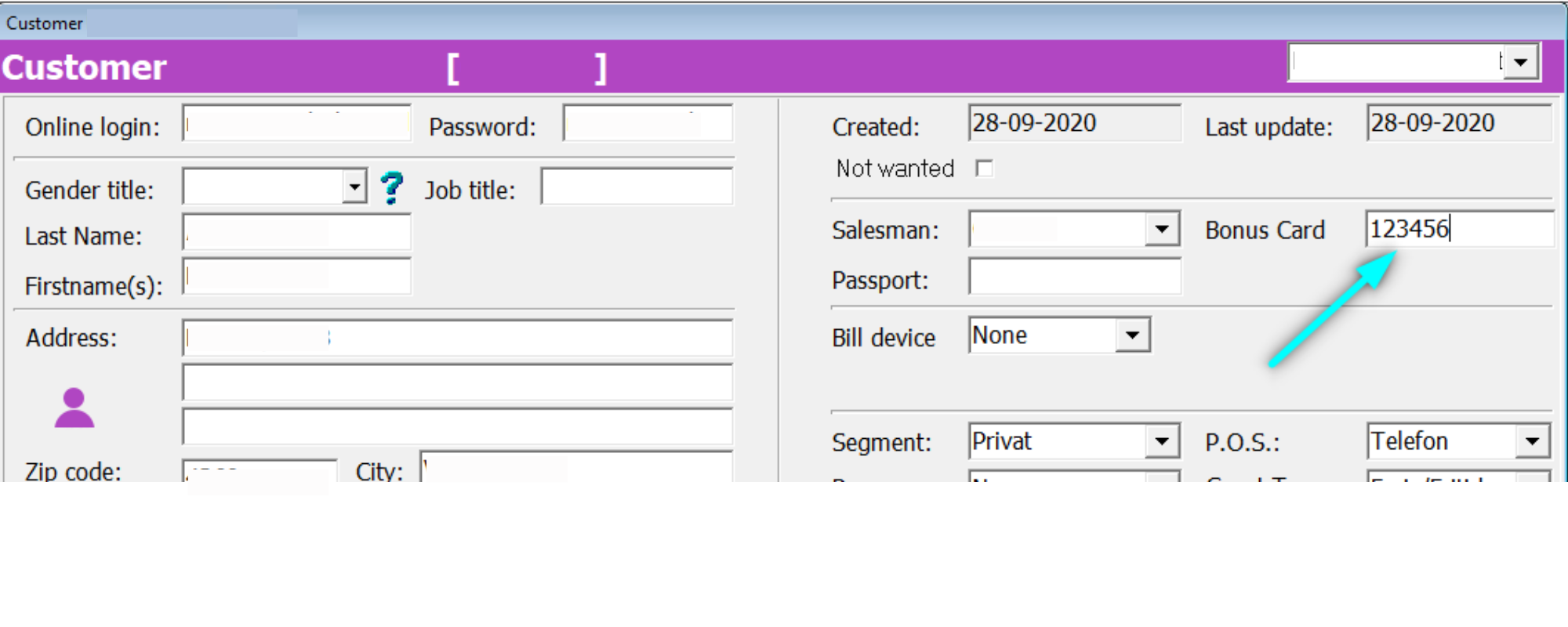
Open the guest's customer profile in Picasso. In the customer profile, the Bonus Card Number field indicates membership status. A filled Bonus Card Number confirms the guest is a member. An empty field means the guest is not yet registered in the loyalty programme.
[](https://loyco.io)
[mailto:support@Loyco.no](mailto:support@Loyco.no)