---
title: Reception view — redeeming bonus points in Techotel
description: reception view using loyco in techotel
---
[Skip to content](https://support.loyco.io/knowledgebase/reception-view-redeeming-bonus-points#main-content)
[](https://support.loyco.io/knowledgebase?hsLang=en)
- [Support](https://support.loyco.io/knowledgebase/contact-us)
Show submenu for Support
- [Book a meeting](https://support.loyco.io/knowledgebase/book-meeting)
- [Contact us](https://support.loyco.io/knowledgebase/contact-us)
- [Program settings](https://www.loyco.io/onboarding)
Open main navigation
Close main navigation
- [Support](https://support.loyco.io/knowledgebase/contact-us)
Show submenu for Support
- [Book a meeting](https://support.loyco.io/knowledgebase/book-meeting)
- [Contact us](https://support.loyco.io/knowledgebase/contact-us)
- [Program settings](https://www.loyco.io/onboarding)
- [Admin login](https://auth.loyco.io/Identity/Account/Login)
[Admin login](https://auth.loyco.io/Identity/Account/Login)
\_
- There are no suggestions because the search field is empty.
1. [Loyco](https://support.loyco.io/knowledgebase?hsLang=en)
2. [Techotel](https://support.loyco.io/knowledgebase/techotel?hsLang=en)
3. [Using Loyco in Techotel](https://support.loyco.io/knowledgebase/techotel?hsLang=en#using-loyco-in-techotel)
# Reception view — redeeming bonus points in Techotel
**Automated invitation from PMS**
When a booking is made in Techotel PMS, an automated invitation process is triggered. The system automatically sends targeted SMS messages to guests — including OTA bookings and direct bookings — informing them about the loyalty programme and inviting them to register as members.
This means reception does not need to manually invite guests in most cases. The auto-invite process handles new member recruitment in the background based on booking data.
**Redeeming bonus points on behalf of a guest**
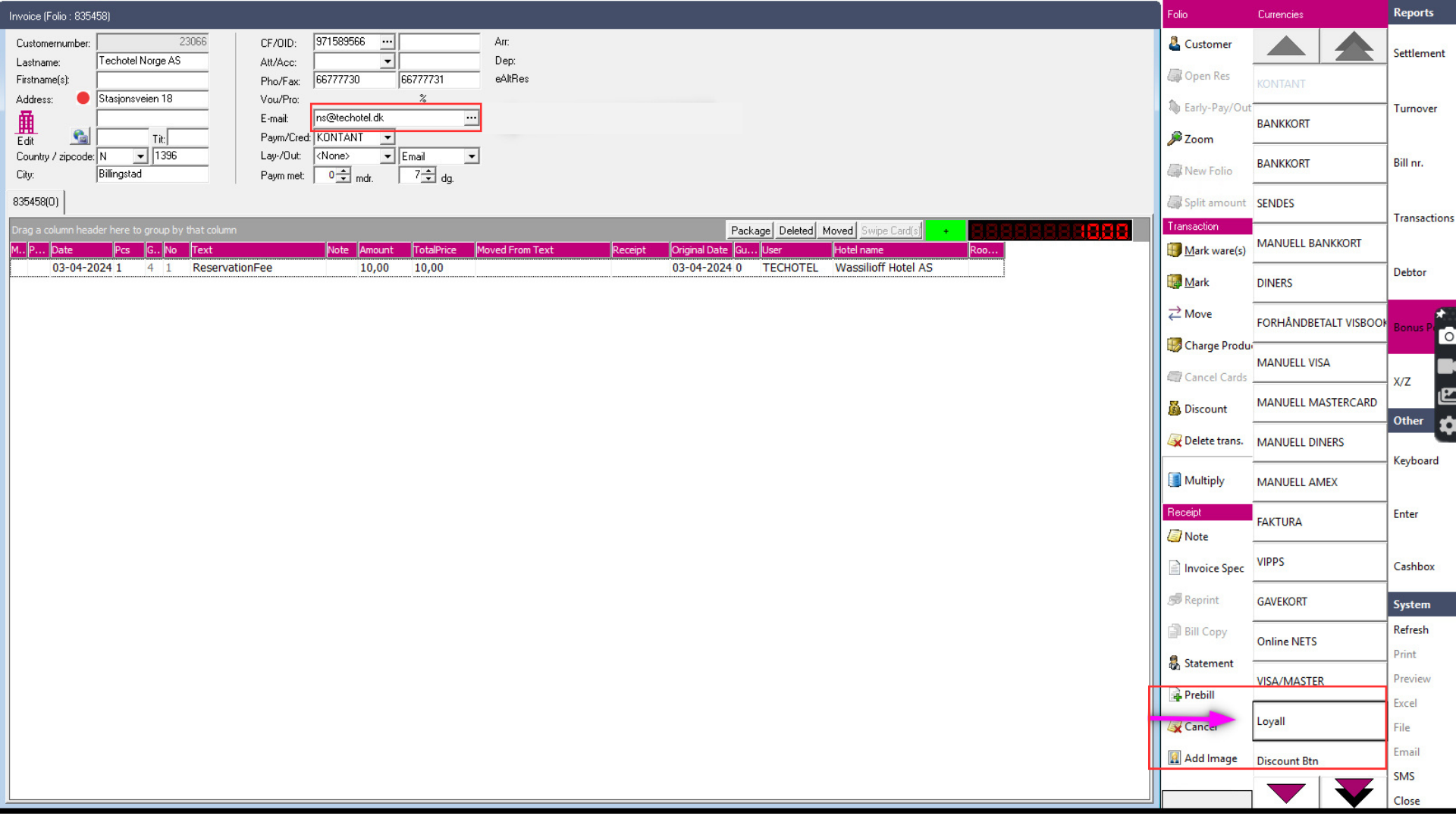
Reception can redeem bonus points on behalf of a guest directly from Techotel Picasso PMS. Follow these steps:
**Step 1 — Retrieve the member's bonus balance**
The system retrieves the member's bonus balance using the email field in the guest profile. Make sure the email address field is correctly populated with the guest's email address before proceeding.
**Step 2 — Enter Loyall in the ware field**
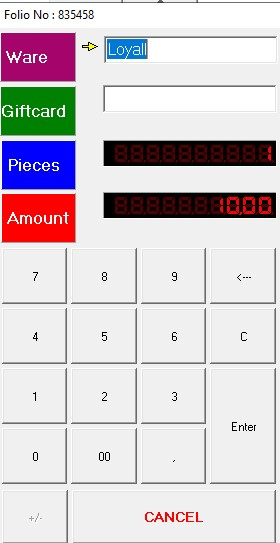
To apply a bonus redemption, enter Loyall into the ware field in Picasso and press Enter. This triggers the bonus redemption process and connects the discount to the guest's member profile.
**Step 3 — Verify the discount in the order summary**
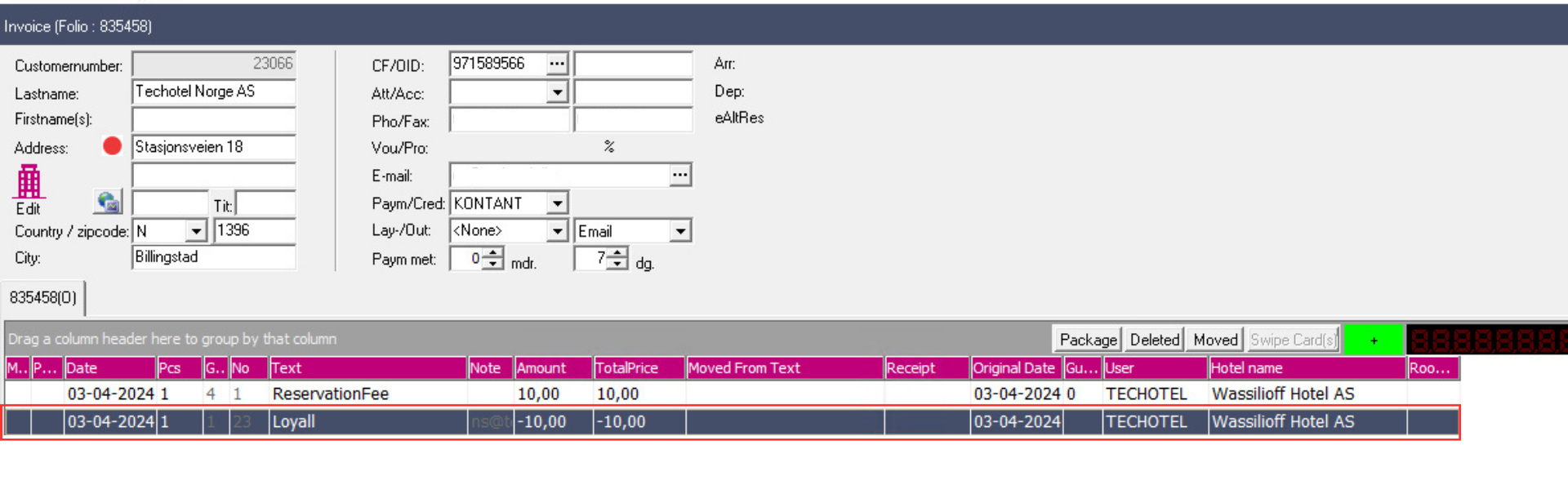
Once the bonus is applied, the discount is incorporated into the order summary automatically. The guest's total payment amount is reduced accordingly and the updated subtotal is visible in the order summary.
[](https://loyco.io)
[mailto:support@Loyco.no](mailto:support@Loyco.no)