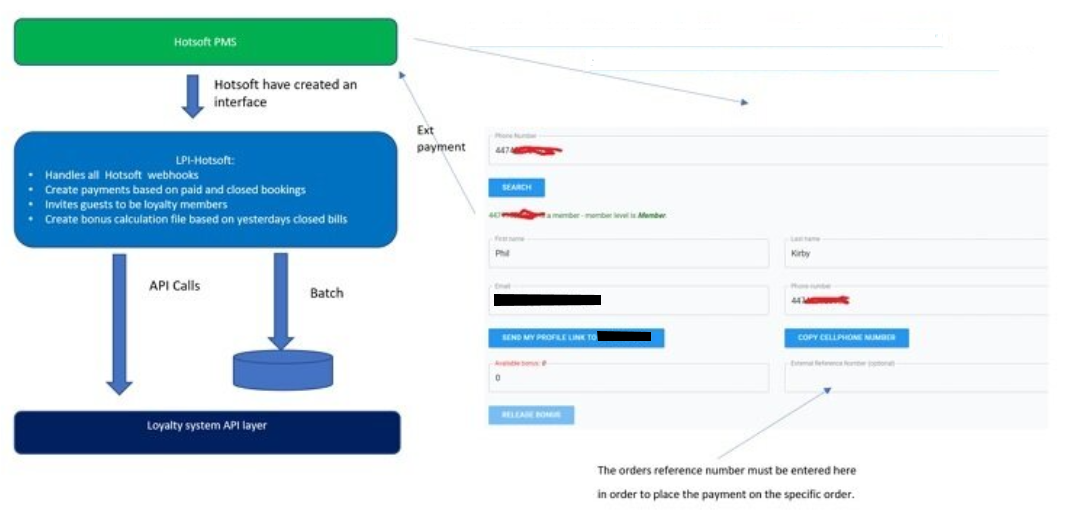
How it works
Guests automatically earn bonus points based on a configurable percentage of their paid amount (set per property). Points are assigned after checkout — this may take a short time to process — and can then be redeemed on future stays. Front desk staff redeem bonus points on behalf of the guest through Member Insight, and the amount is automatically posted as an external payment in HotSoft with the total price updated accordingly.
Step 1 — Open the guest reservation
Open the guest's reservation in HotSoft and confirm that the guest is a member. The Loyalty widget in the customer card should show an active membership status.
Step 2 — Open Member Insight
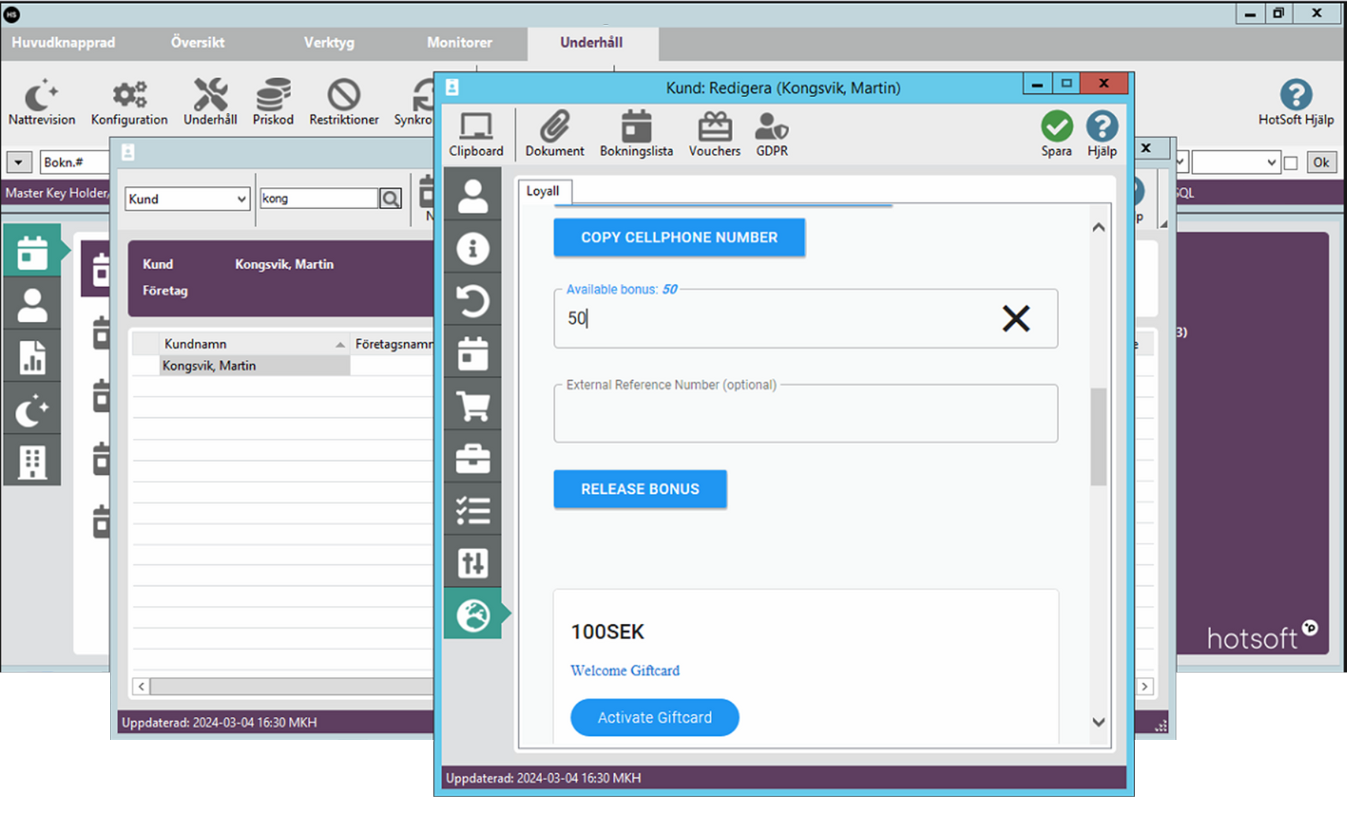
Click the world icon in the reservation, customer card, check-in page, or check-out page to open Member Insight. Member Insight automatically searches for the guest's phone number and displays their member profile, including their available bonus balance.
Step 3 — Enter the bonus amount to redeem
In Member Insight, locate the Available Bonus field. Enter the desired bonus amount the guest wishes to redeem. Ensure the amount does not exceed the guest's available bonus balance. Member Insight will display an error if the entered amount is too high.
Step 4 — Add the order number
In the External Reference Number field, enter the order number from the guest's reservation in HotSoft. This connects the bonus redemption to the correct booking and ensures the payment is posted to the right reservation.
Step 5 — Click Release Bonus
Click Release Bonus to confirm the redemption. The chosen bonus amount is automatically applied as an external payment in HotSoft, marked as Loyalty Bonus, and the guest's total price is discounted accordingly.
Step 6 — Verify in HotSoft
Return to the guest's reservation in HotSoft and verify that the bonus amount has been posted correctly as an external payment. The total is updated to reflect the redeemed amount. If the payment does not appear, refresh the reservation or contact support.