
How it works
Guests who have active gift cards on their member profile can redeem them directly from the booking page in VisBook. Reception handles the redemption on behalf of the guest without leaving the PMS. The gift card value is applied as a partial payment and deducted from the guest's total bill.
Before you start
Make sure the following is in place before attempting to redeem a gift card:
- The Loyco integration is active in VisBook
- Loyco is set up as a payment method in VisBook accounting settings
- The guest is confirmed as a member — the Loyall button in the booking is clickable and a member icon is visible
- The guest has an active gift card on their member profile
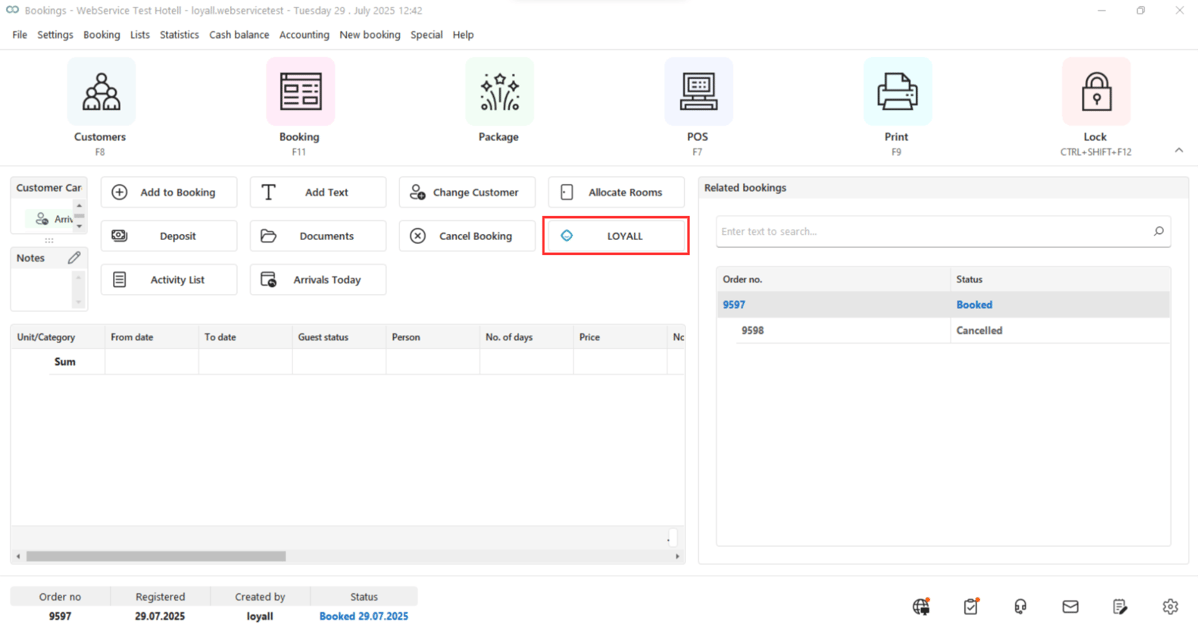
1. Click the "LOYALL" button to view member benfits and redeem Gift Cards
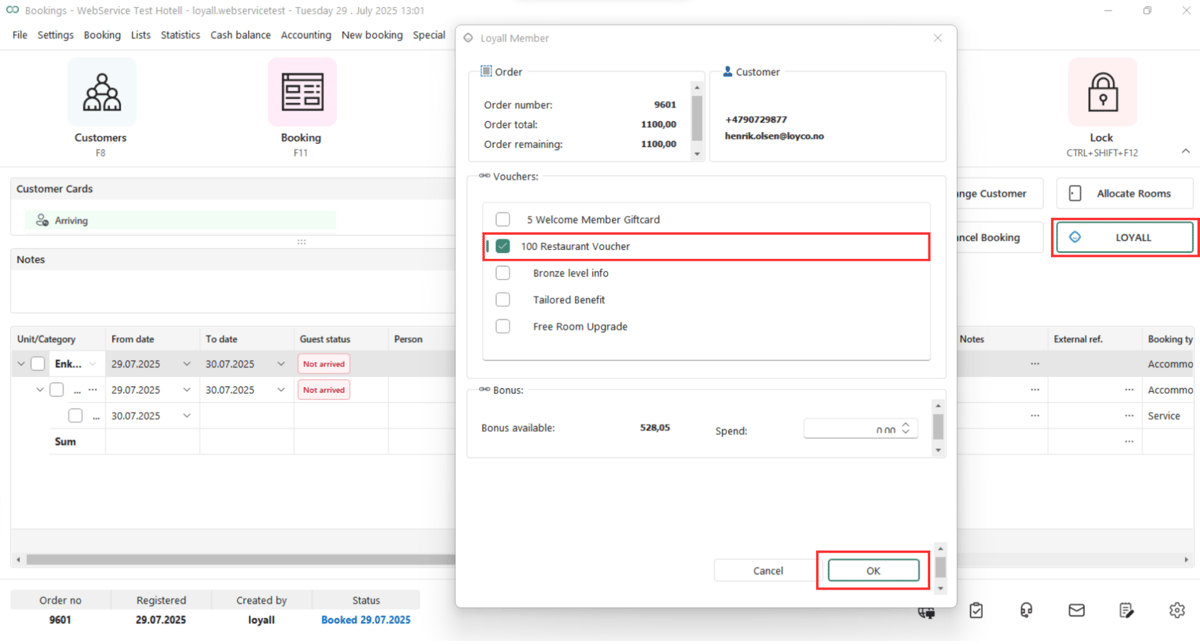
2. This opens a popup with the Loyall Member page, showing the guest's available benefits under "Vouchers" and tier bonus balance. Enter the Gift Card to redeem and click "OK".
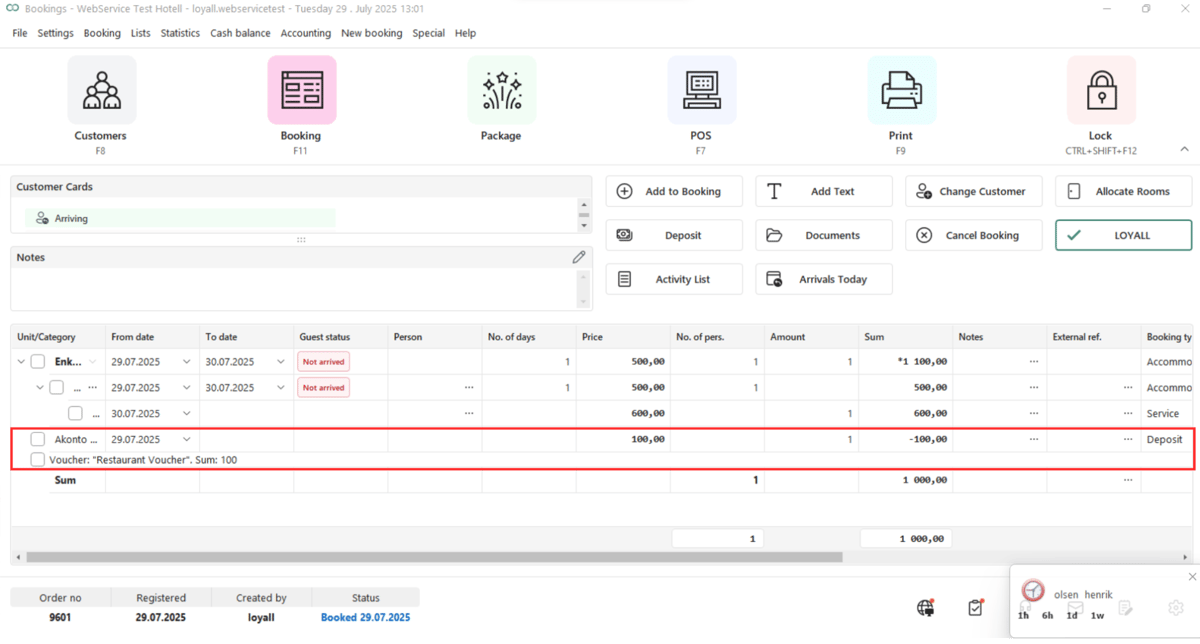
3. After clicking "OK", the Gift Card amount is sent to VisBook as a partial payment labeled "Akonto" and deducted from the guest's total.
Useful links
- Loyco Admin Portal: portal.loyco.io
- Loyco Help Center: support.loyco.io
- Book a meeting: support.loyco.io/knowledgebase/book-meeting