
How it works
Guests who have active offers on their member profile can redeem them directly from the booking page in VisBook. Unlike bonus points and gift cards, offers do not apply as a partial payment on the guest bill. Instead, the offer is recorded on the booking, and the receptionist manually applies the benefit — for example, a free room upgrade or late checkout.
Before you start
Make sure the following is in place before attempting to redeem an offer:
- The Loyco integration is active in VisBook
- The guest is confirmed as a member — the Loyall button in the booking is clickable and a member icon is visible
- The guest has an active offer on their member profile
1. Click the "LOYALL" button to view member benefits and redeem Gift cards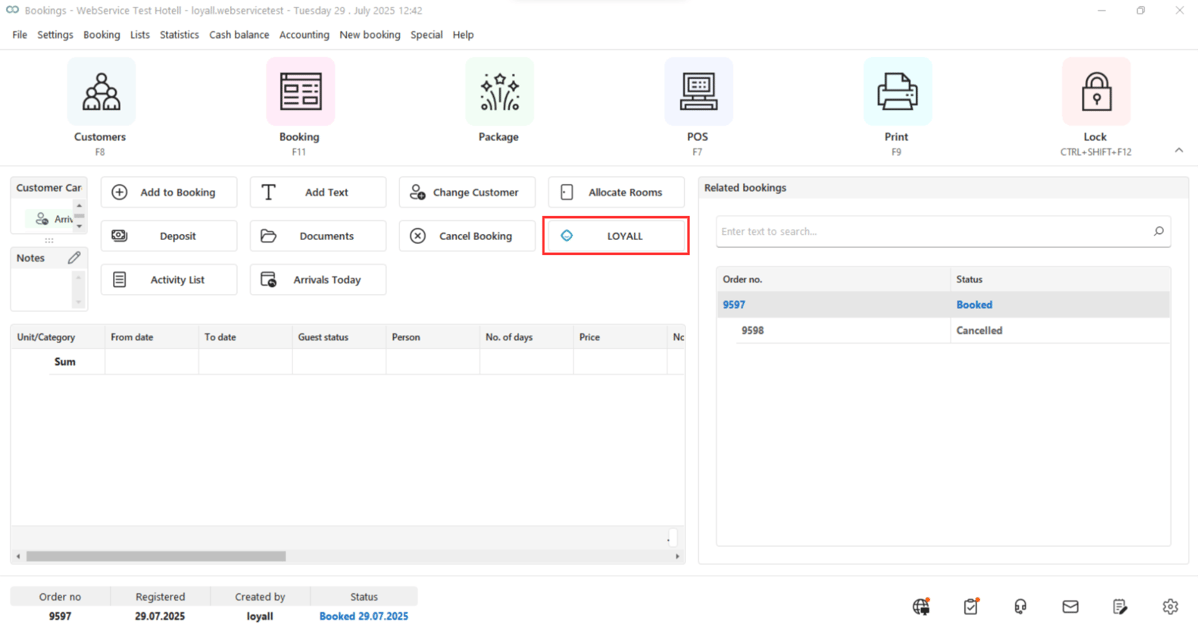
2. This opens a popup with the Loyall Member page, showing the guest's available benefits under "Vouchers" and their bonus balance. Click the offer to redeem and click OK. 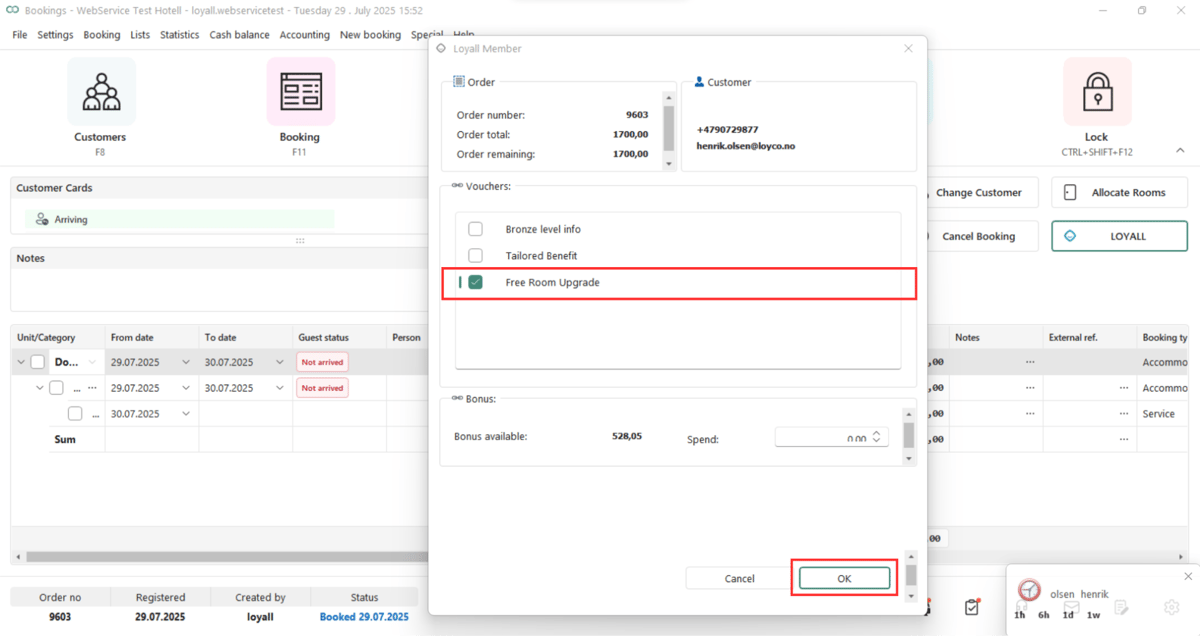
3. After clicking OK, the offer is recorded on the booking in VisBook as an Akonto (prepayment entry). The receptionist must then manually apply the relevant benefit — for example, a free room upgrade or late checkout. 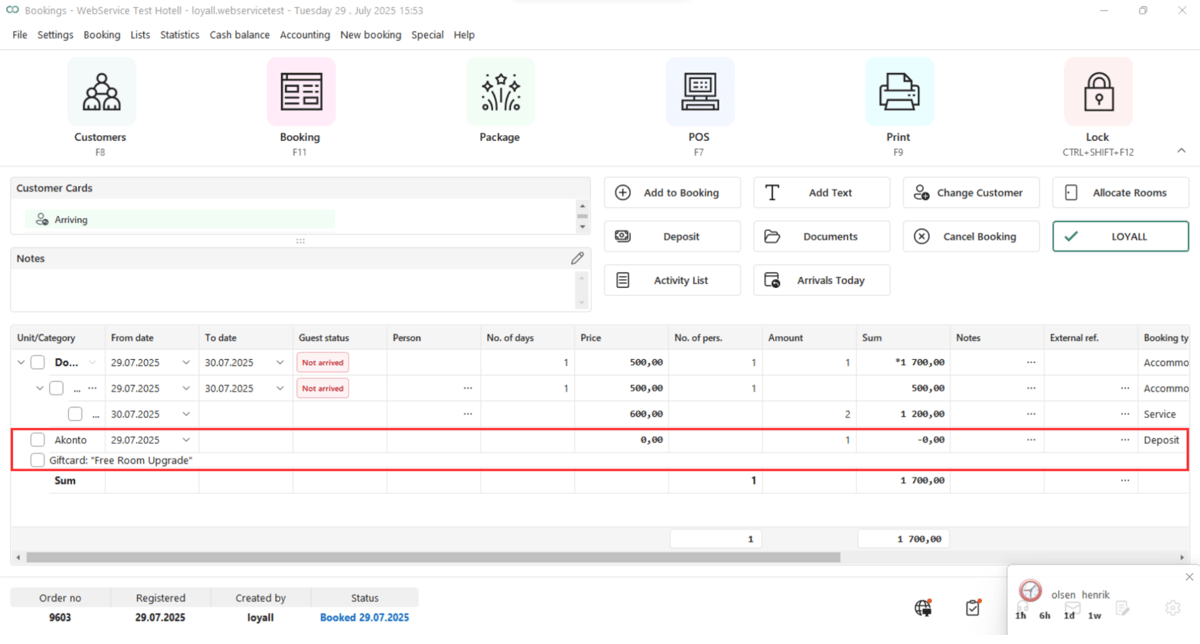
Useful links
- Loyco Admin Portal: portal.loyco.io
- Loyco Help Center: support.loyco.io
- Book a meeting: support.loyco.io/knowledgebase/book-meeting