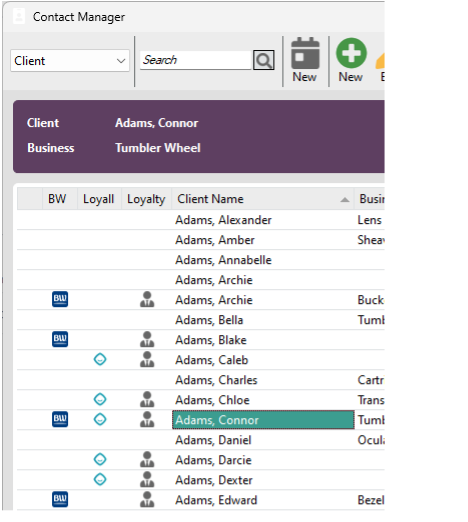
Loyalty members in contact manager:
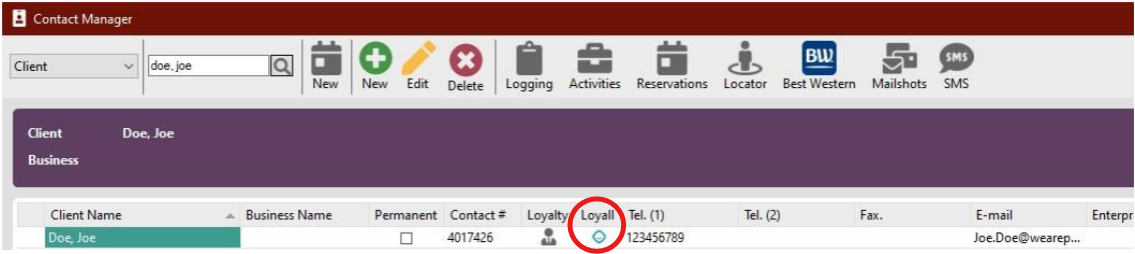
The Loyco/Loyall icon indicates that a guest is member.
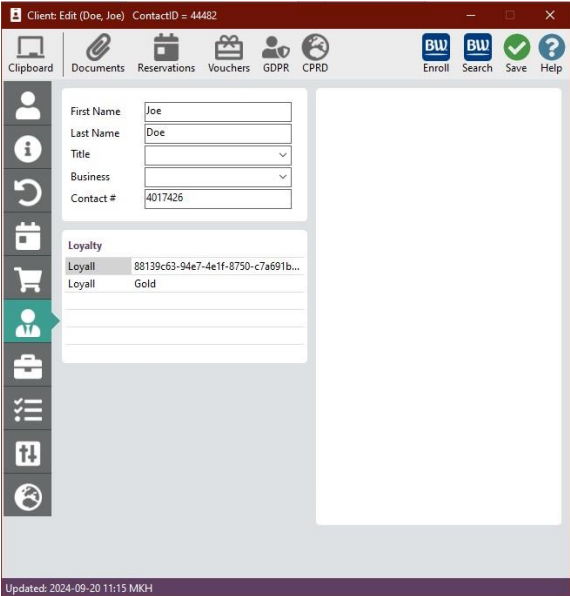
Details in client overview:
The Loyalty widget on the customer card displays the member and their membership status.
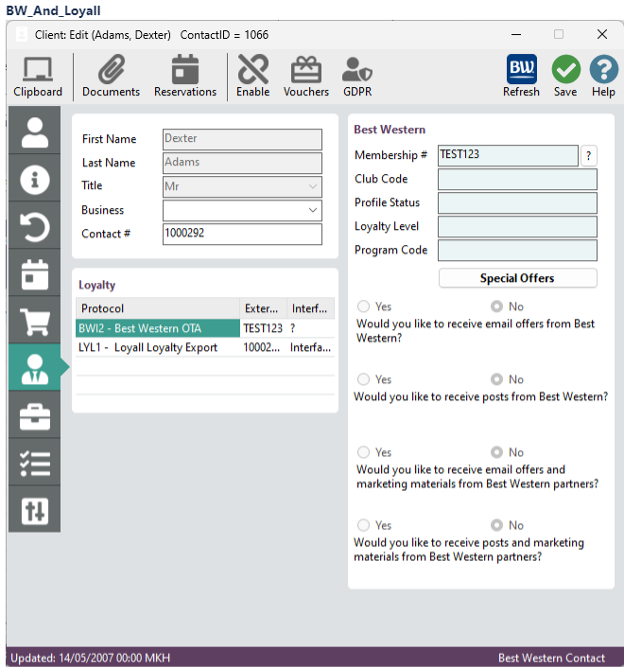
Hotels with multiple loyalty programs (e.g. Best Western Rewards and Loyco)
If the hotel is a Best Western and uses Loyco alongside Best Western Rewards, both membership views will be visible
Automation (recruitment):
Guest completes booking online or via third parties.
Guest enroll automatically into "Auto Invite" when a guest have a active reservation in HotSoft, where Loyco automatically send SMS based on different criteria to recruit guests to loyalty program.
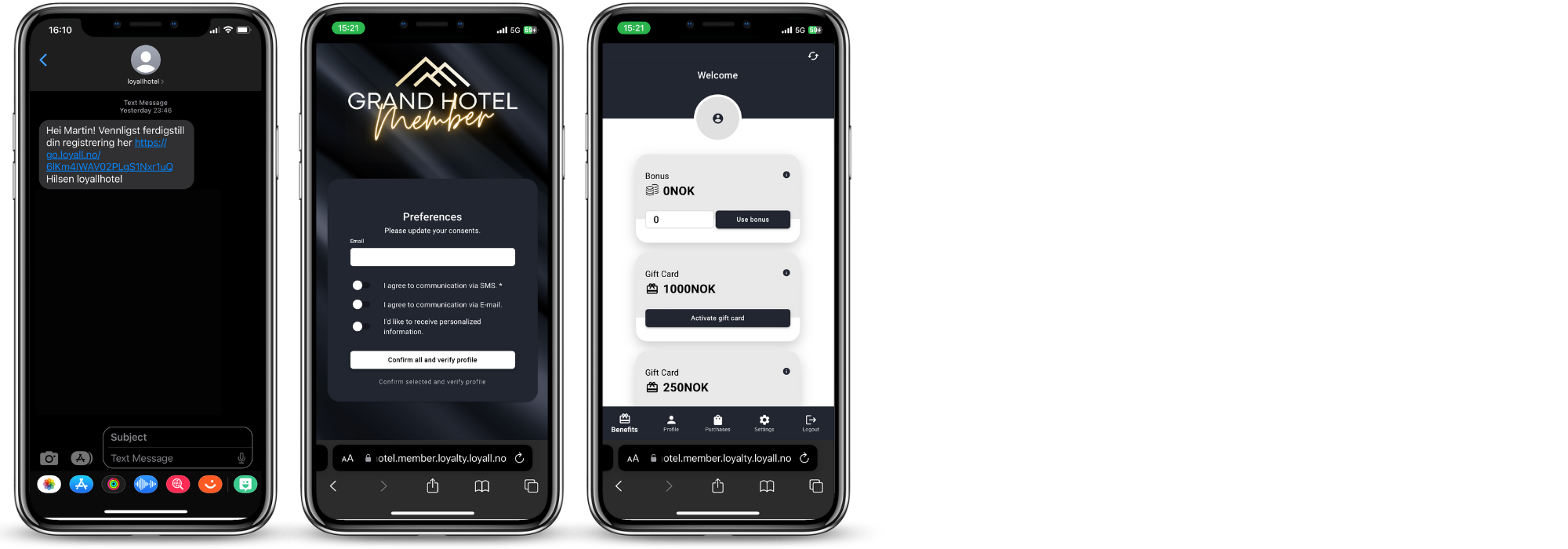
Member invitation SMS
Guest Registration: Following a guest's completion of their booking—whether through third-party platforms like booking.com or directly via the hotel's website—they are entered into the "customer card" in HotSoft.
Autoinvite Process: Utilizing the "tel" field, an automated invitation sends out tailored SMS messages (with varied text but a consistent registration flow). This process aims to convert guests from OTA bookings to members and then encourage direct bookings in the subsequent step. Alternatively, it recruits guests who booked directly as members, fostering loyalty.
Member Experience with Autoinvite: The sequence outlined below details the experience of a member upon receiving the autoinvite. They gain access to their member profile, which encompasses member benefits, profile information, and settings, culminating in the final step.
Sender name is the name of the loyalty program, for example "Grand Hotell Member".
The customer clicks on the link, chooses their consents, and verifies profile.
The customer lands on "Member profile".
Personal information entered into HotSoft is automatically transferred to the member profile. Members can view their profile, gift cards, offers, bonuses and membership benefits. As an administrator of the loyalty program, you can add your own background, logo and change the primary color of both the registration process and my profile.
 View existing members and invite new
A member's status is prominently displayed as a tag in contact manager and the customer card.
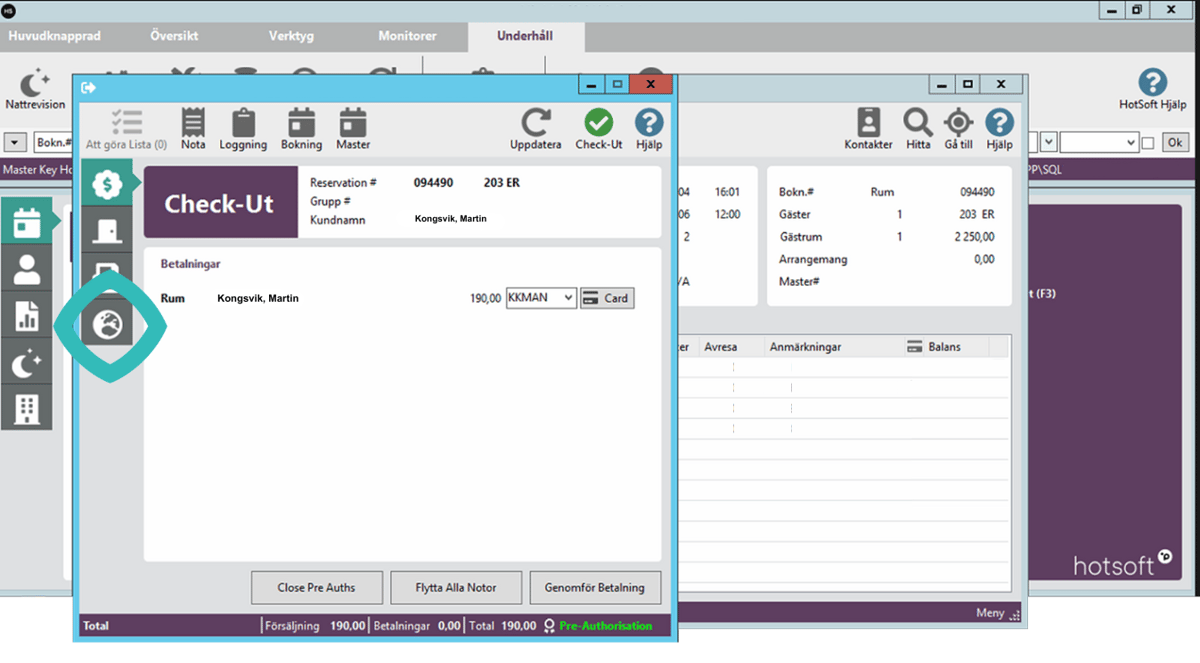
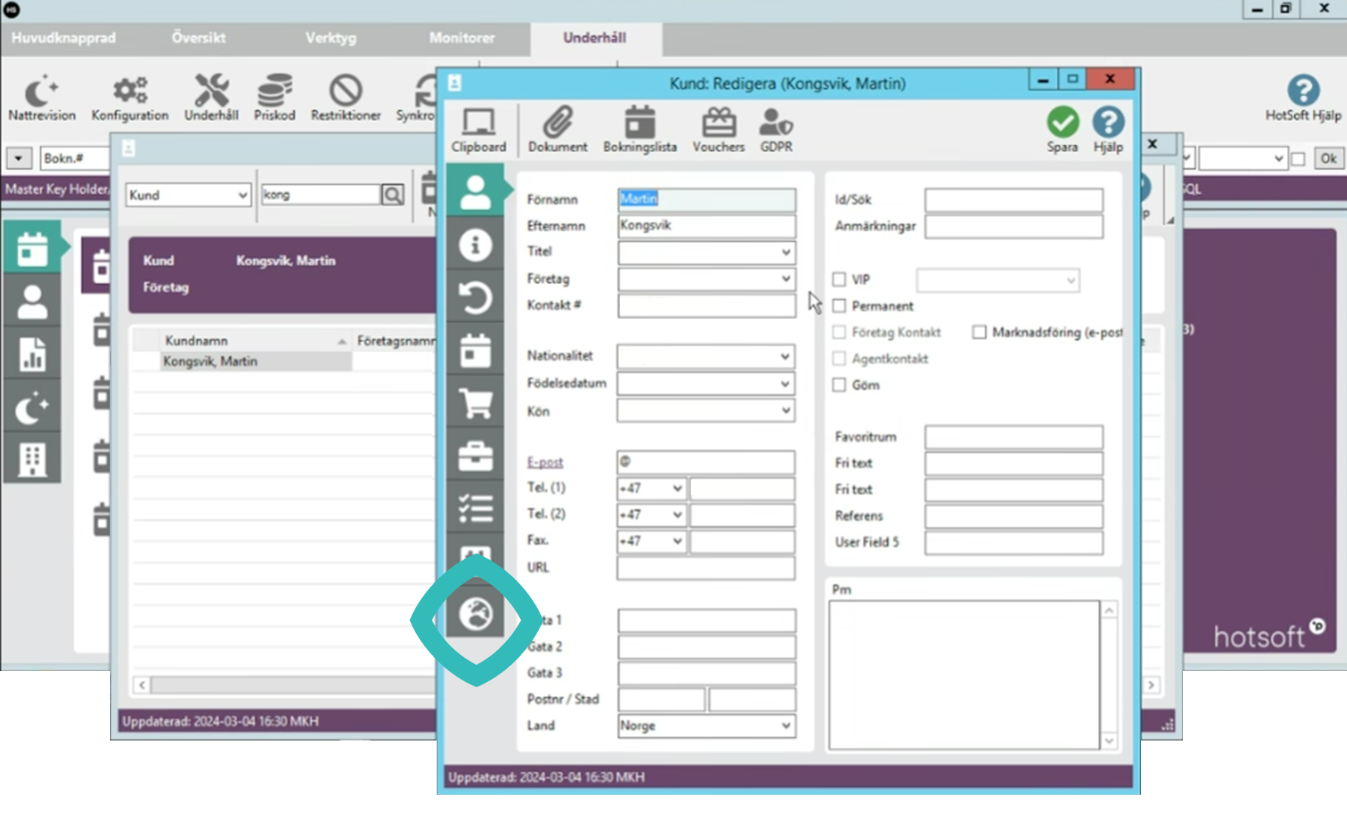
Receptionists can also swiftly verify a guest's membership status by selecting the "world icon" within the customer card.
The membership status is categorized into three primary phases: "Not a Member," "Membership needs confirmation," and "Member." These stages are further elaborated in the subsequent steps.
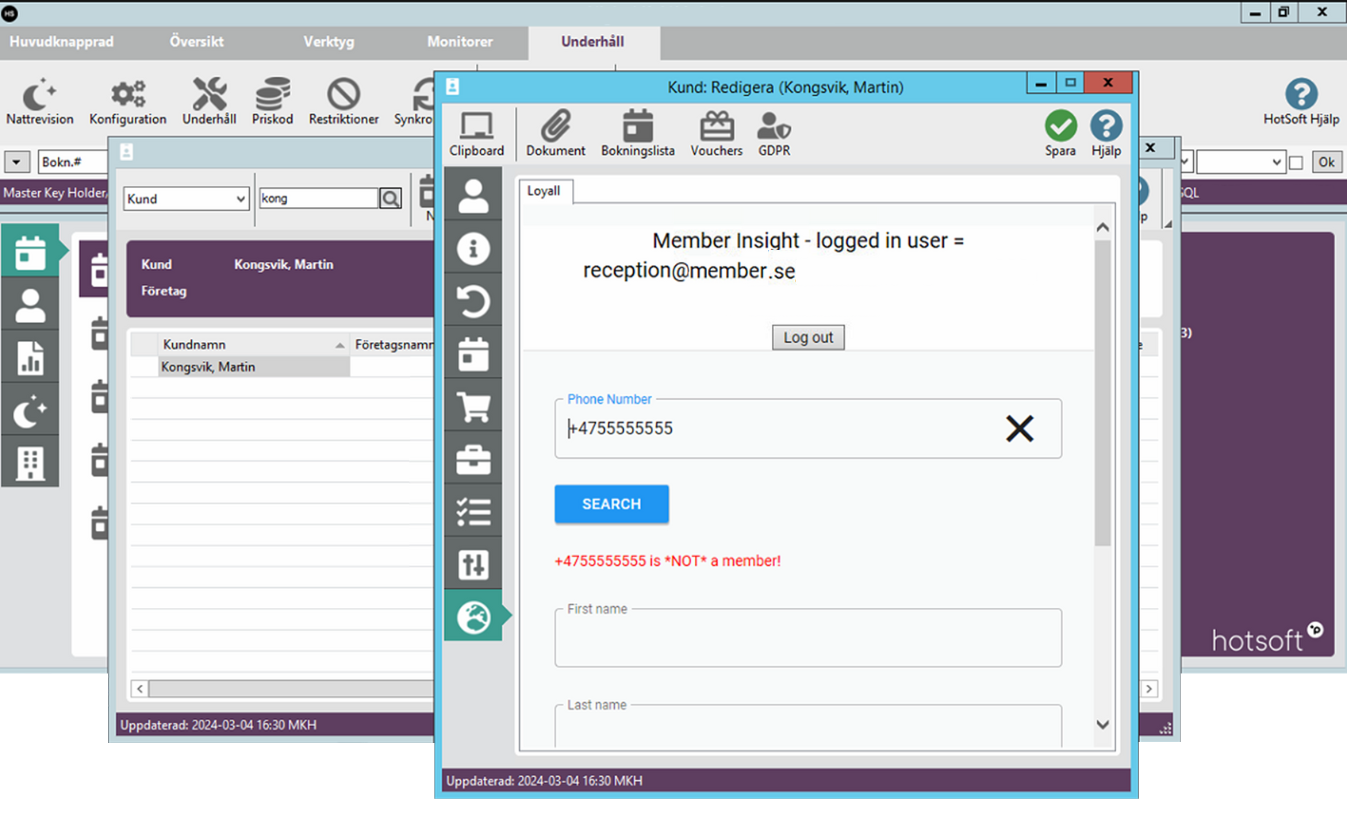
1. Member status: not member (1/3)
When receptionists click "world icon", the "member insight" will popup, automatically searching for the phone number on the customer card to check member status.
If a member is not a member, the receptionist can invite the guest to become a member.
 Member status: Membership needs confirmation (2/3)
When receptionists click "world icon", the "member insight" will popup, automatically searching for the phone number on the customer card to check member status.
If a member needs confirmation, this means that the guest has tried to become a member, but hasn't finalised the verification. Receptionists can send a SMS reminder to confirm.
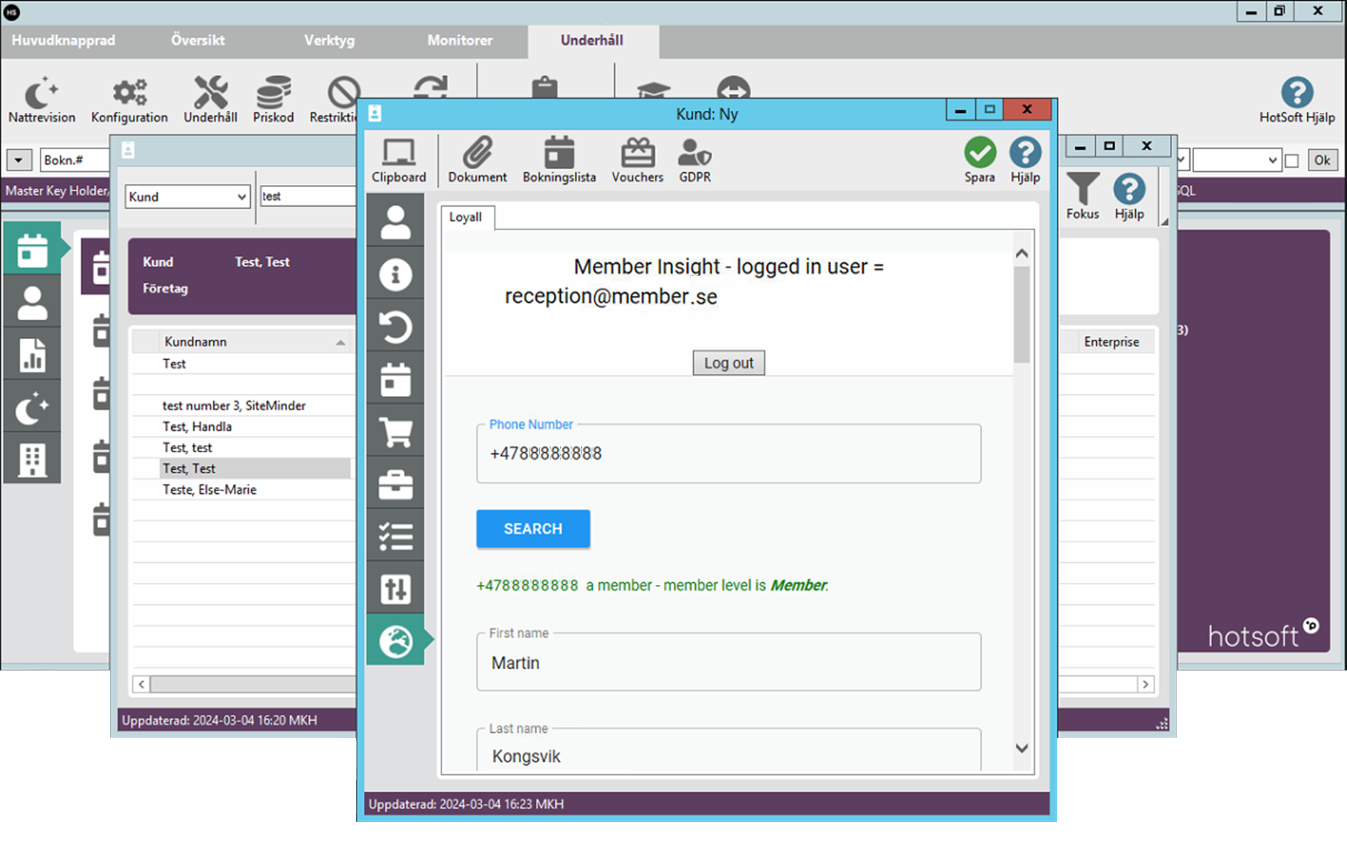
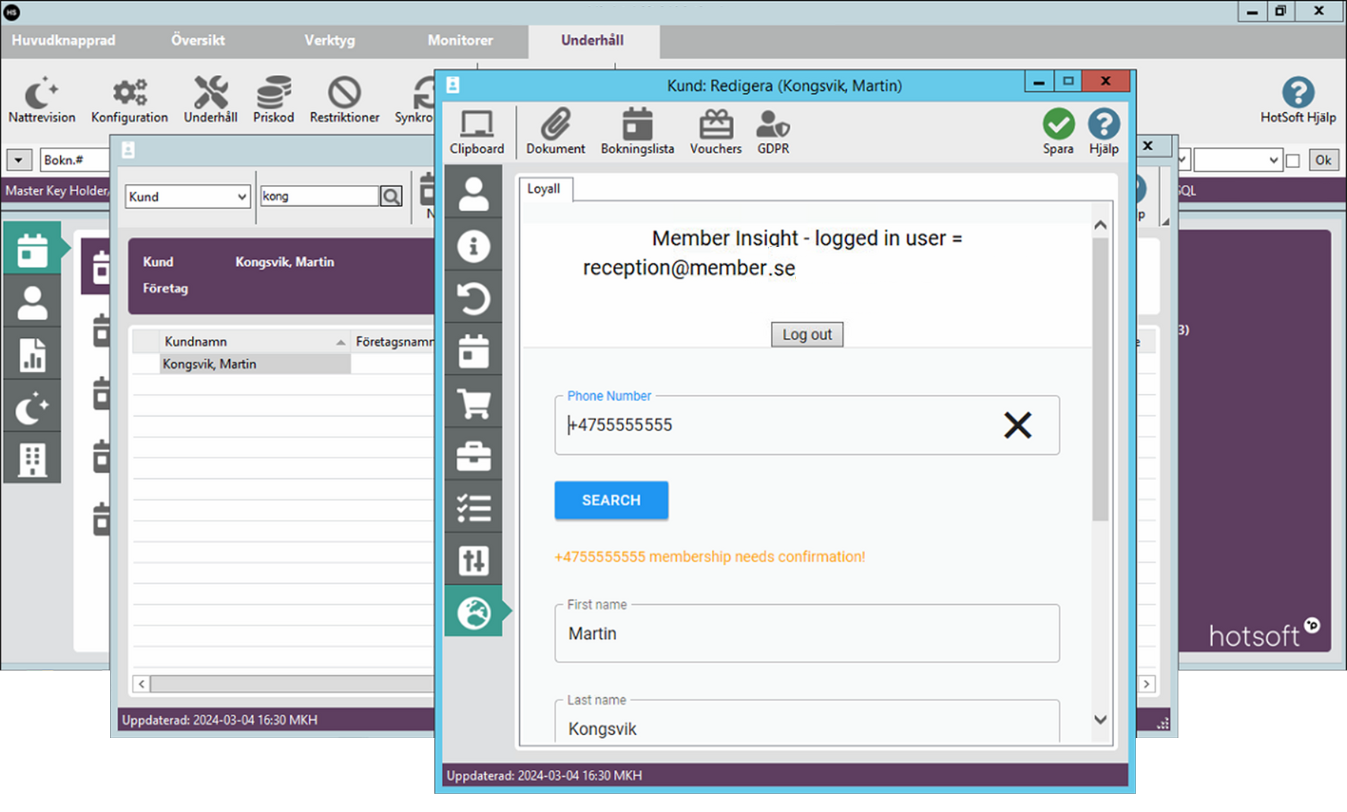 Member status: Member (3/3)
When receptionists click "world icon", the "member insight" will popup, automatically searching for the phone number on the customer card to check member status.
If a member is registered, it means that the member qualify for the member benefits.
Bonus: Receptionists can use bonus on behalf of the member (scroll down to see available member bonus). When clicking "use bonus", the chosen amount is sent as a external payment, marked as "Loyalty bonus", and the customers price is discounted accordingly.
Member benefits & Gift cards: Members benefits is shown while scrolling on member site. Receptinists can redeem benefits, such as "late check out", "free room upgrade" etc, directly from member insight. Remember to effectuate the benefit manually, since there isn't a direct connection to ex. "free room upgrade" and the guests customer card.
Loyalty Insight available from Check-in, Check-out and Guest Overview
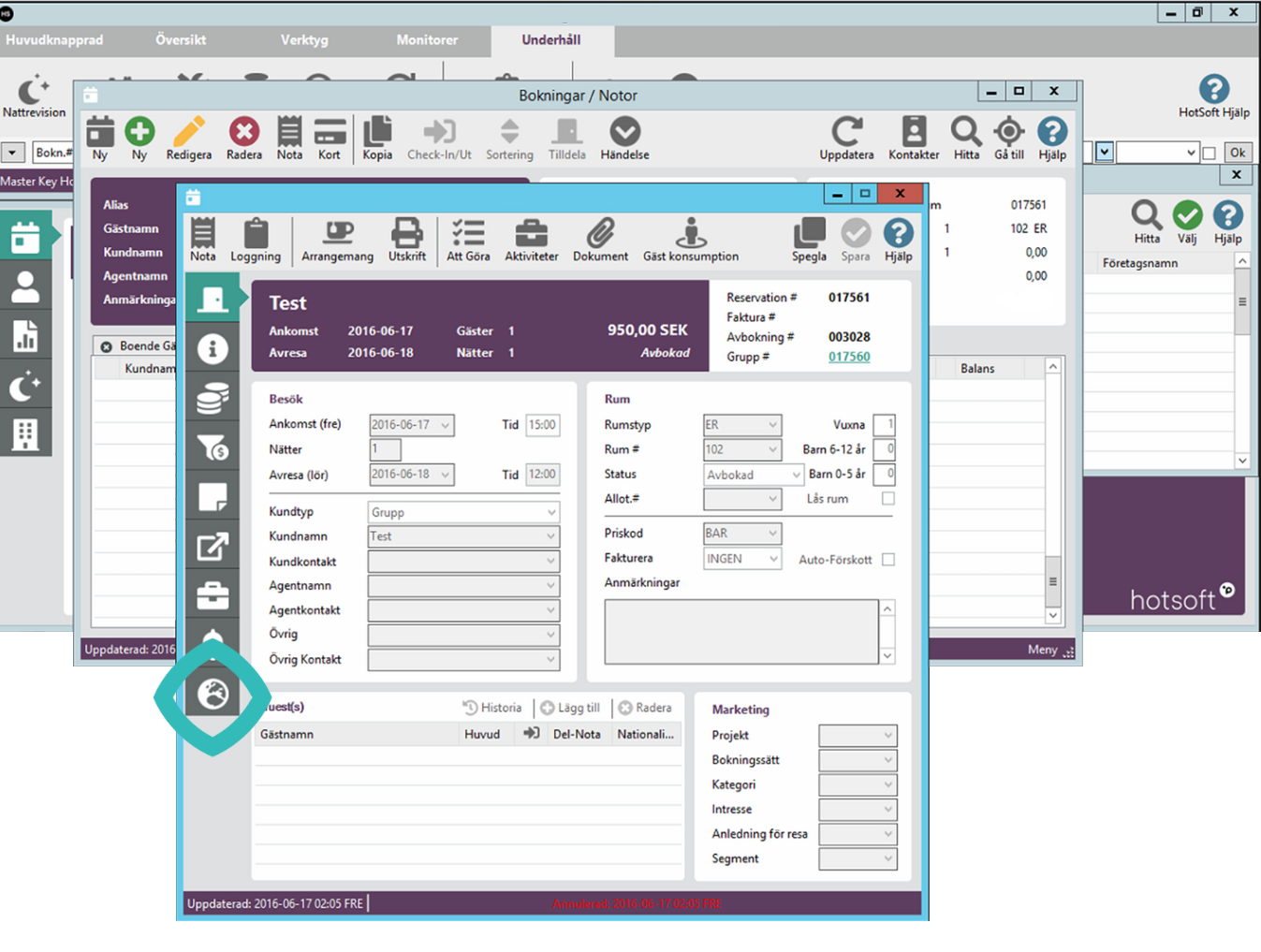
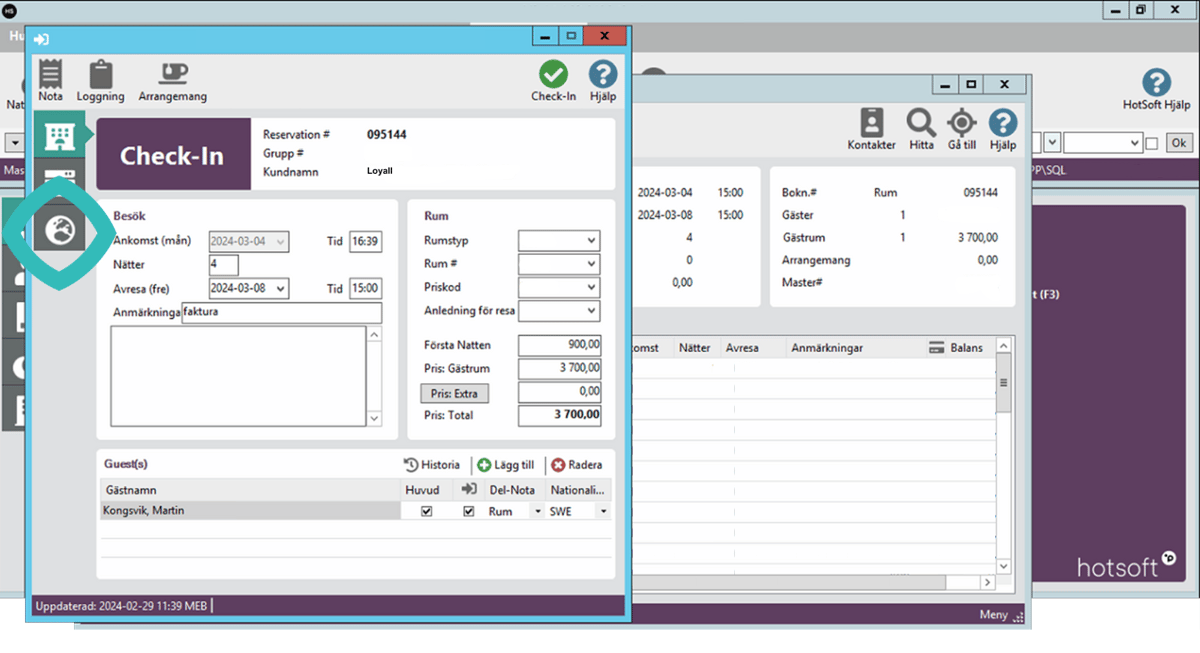
The Loyalty features is available multiple places in HotSoft, from the "world icon".
Booking page: (Loyalty feature available under "world icon").
 Check-in page: (Loyalty feature available under "world icon").
 Check-out page: (Loyalty feature available under "world icon").