How it works
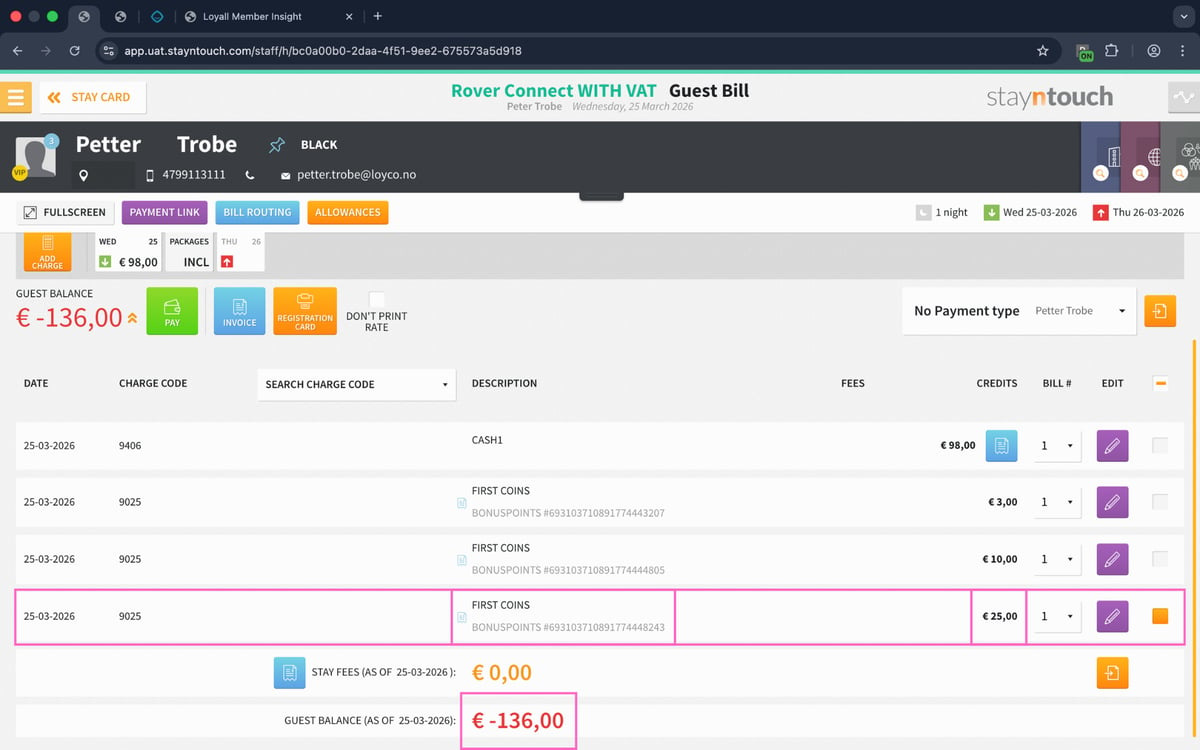
Guests automatically earn bonus coins based on a percentage of their paid amount. Coins are assigned after checkout and can then be redeemed on future stays. Reception redeems bonus coins on behalf of the guest through the Loyco Member Insight browser extension, and the redeemed amount is automatically posted as a line item on the reservation in Stayntouch.
Before you start
Make sure the following is in place before attempting to redeem bonus coins:
- The Loyco integration is active in Stayntouch
- The Loyco Member Insight browser extension is installed in the browser used by reception
- The guest is confirmed as a member — the VIP icon and membership level are visible in the Stay Card
support@loyco.no to request installation support. If the extension is not yet installed, contact Loyco support to request installation support (refer to Loyco's official documentation or your account contact for the current support address). Do not proceed with the steps below until all prerequisites are met.
1. Start from the guest profile in Stayntouch.
Open the guest's Stay Card and confirm that the guest is a member (VIP icon and membership level are shown at the top). 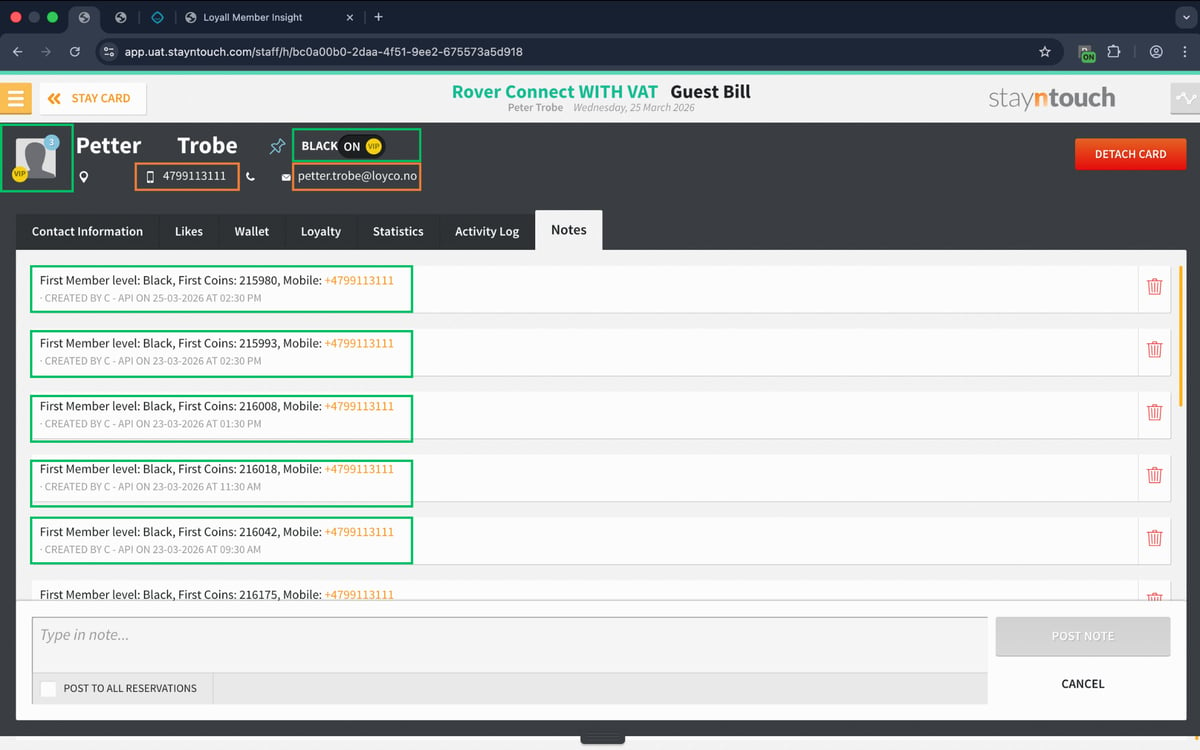
2. Right-click the phone number in Stayntouch
Right-click the guest's phone number and select Open in Loyco Member Insight to open the member directly in Member Insight. 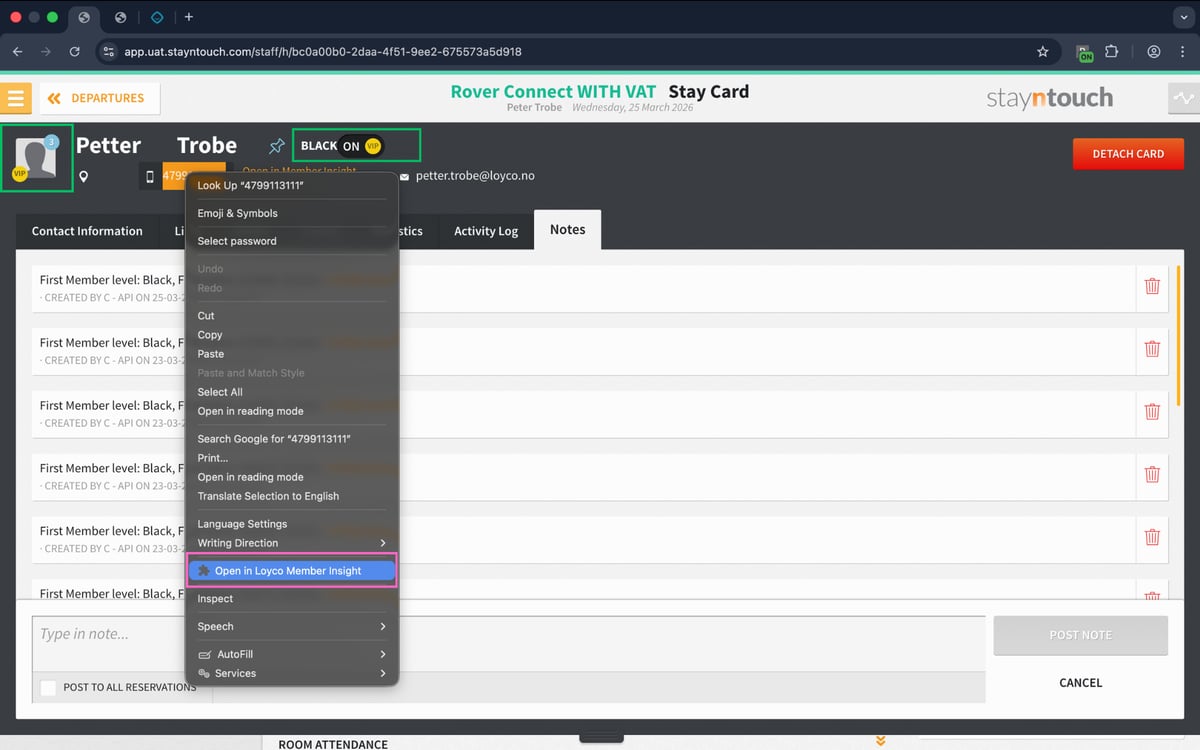
3. Member Insight opens with the member pre-filled.
The phone number is already entered, and the member is displayed with the membership status and level. 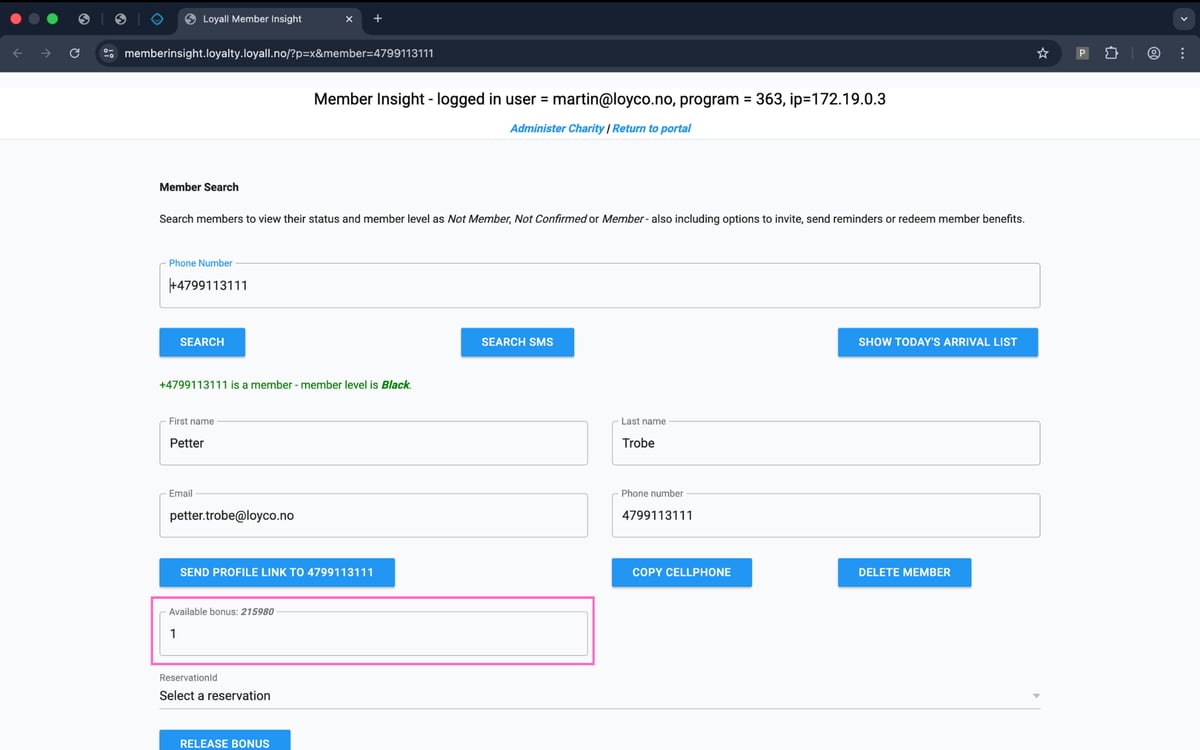
4. Enter the number of coins to redeem.
Enter the number of coins to redeem in the available bonus field. Only enter an amount that does not exceed the guest's available coin balance. The amount entered is what will be posted to the reservation.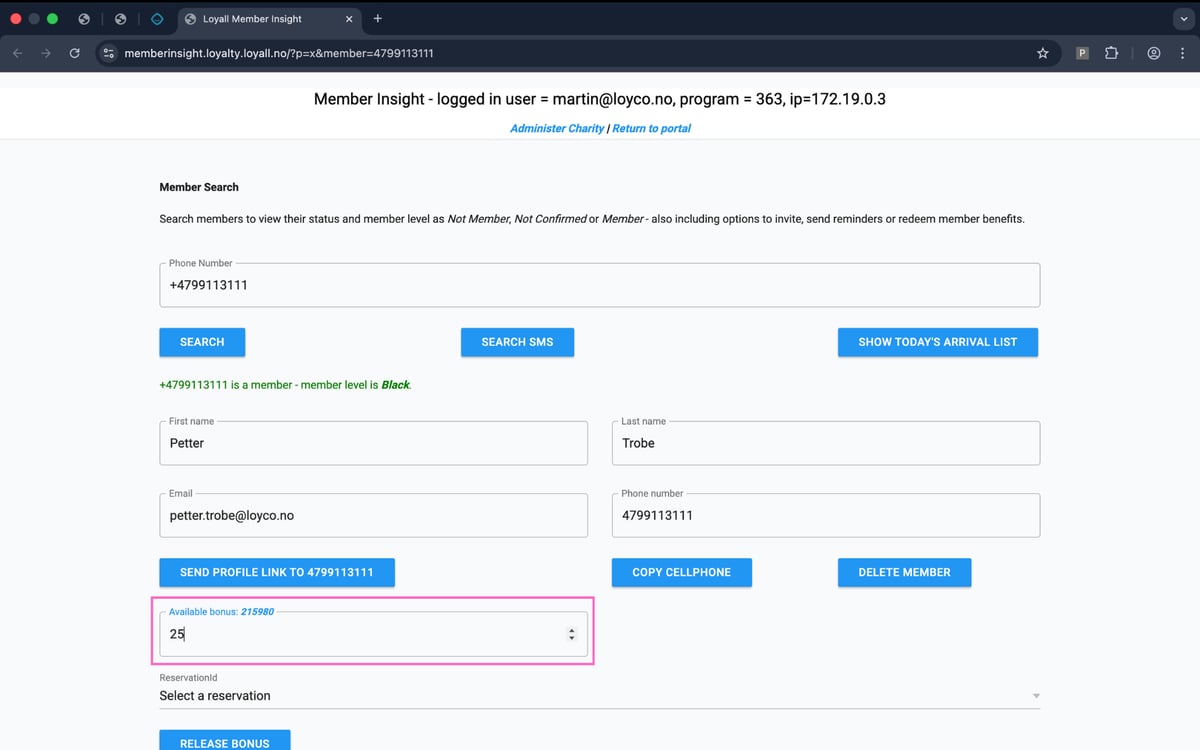
5. Select reservation and redeem bonus.
Select the correct reservation under ReservationId, then click Release Bonus to redeem the coins and send the bonus usage to Stayntouch. Member Insight will display a confirmation that the bonus has been released. Verify this confirmation before returning to Stayntouch — if no confirmation appears, do not proceed and contact Loyco support. ReservationId, then click Release Bonus to redeem the coins and send the bonus usage to Stayntouch.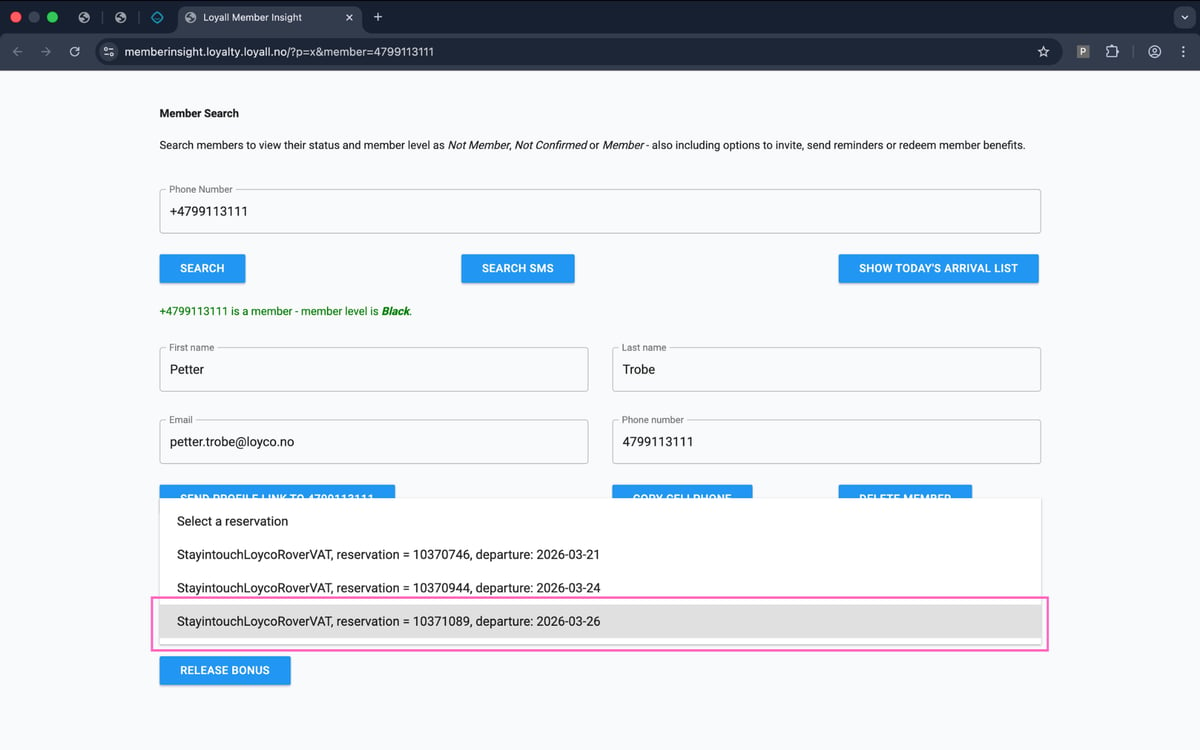
6. Open Bill & Charges in Stayntouch
Return to the reservation in Stayntouch and open Bill & Charges to view the posting on the guest's bill.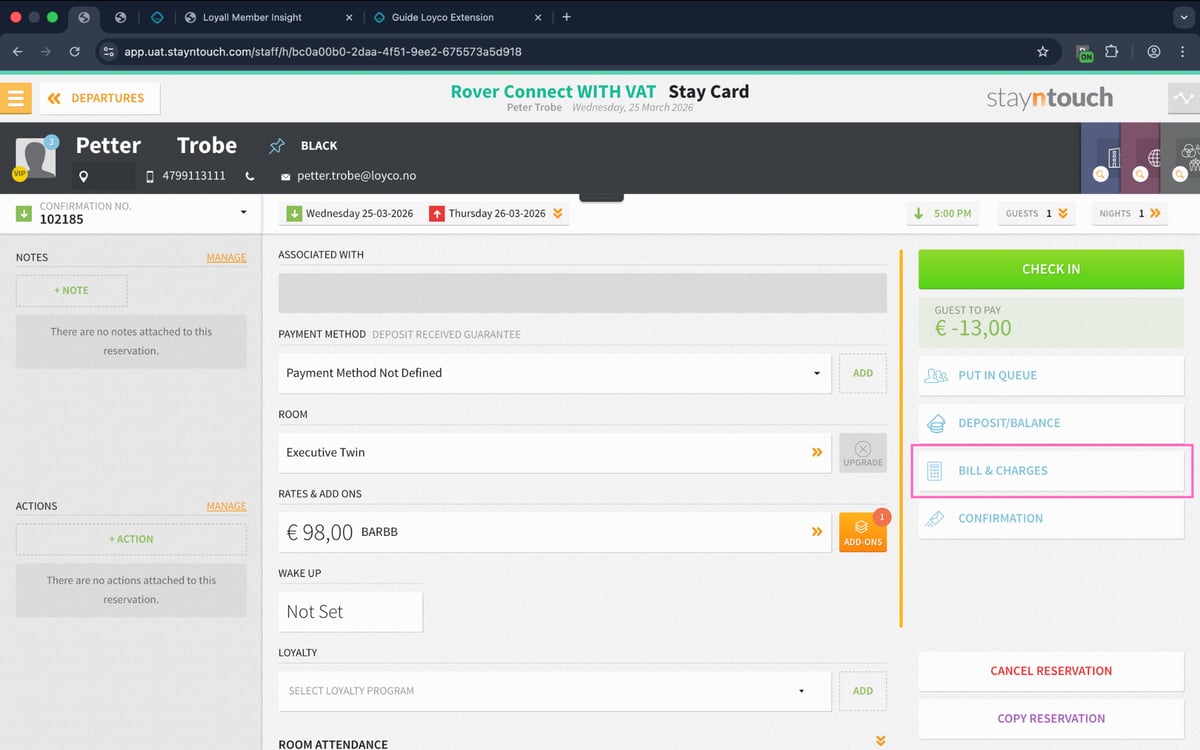
7. The bonus is automatically posted in Stayntouch
The redeemed amount is automatically added as a line item on the reservation, and the guest balance is updated accordingly.