---
title: "Your Overview: bonus points and bookings"
description: "Your Overview: bonus points and bookings"
---
[Skip to content](https://support.loyco.io/knowledgebase/your-overview-bonus-points-and-bookings#main-content)
[](https://support.loyco.io/knowledgebase?hsLang=en)
- [Support](https://support.loyco.io/knowledgebase/contact-us)
Show submenu for Support
- [Book a meeting](https://support.loyco.io/knowledgebase/book-meeting)
- [Contact us](https://support.loyco.io/knowledgebase/contact-us)
- [Program settings](https://www.loyco.io/onboarding)
Open main navigation
Close main navigation
- [Support](https://support.loyco.io/knowledgebase/contact-us)
Show submenu for Support
- [Book a meeting](https://support.loyco.io/knowledgebase/book-meeting)
- [Contact us](https://support.loyco.io/knowledgebase/contact-us)
- [Program settings](https://www.loyco.io/onboarding)
- [Admin login](https://auth.loyco.io/Identity/Account/Login)
[Admin login](https://auth.loyco.io/Identity/Account/Login)
\_
- There are no suggestions because the search field is empty.
1. [Loyco](https://support.loyco.io/knowledgebase?hsLang=en)
2. [Member Portal](https://support.loyco.io/knowledgebase/member-portal?hsLang=en)
3. [Using the Member Portal](https://support.loyco.io/knowledgebase/member-portal?hsLang=en#using-the-member-portal)
# Your Overview: bonus points and bookings
## Steps for a member to read their points balance, follow their bookings, and pay with bonus points.
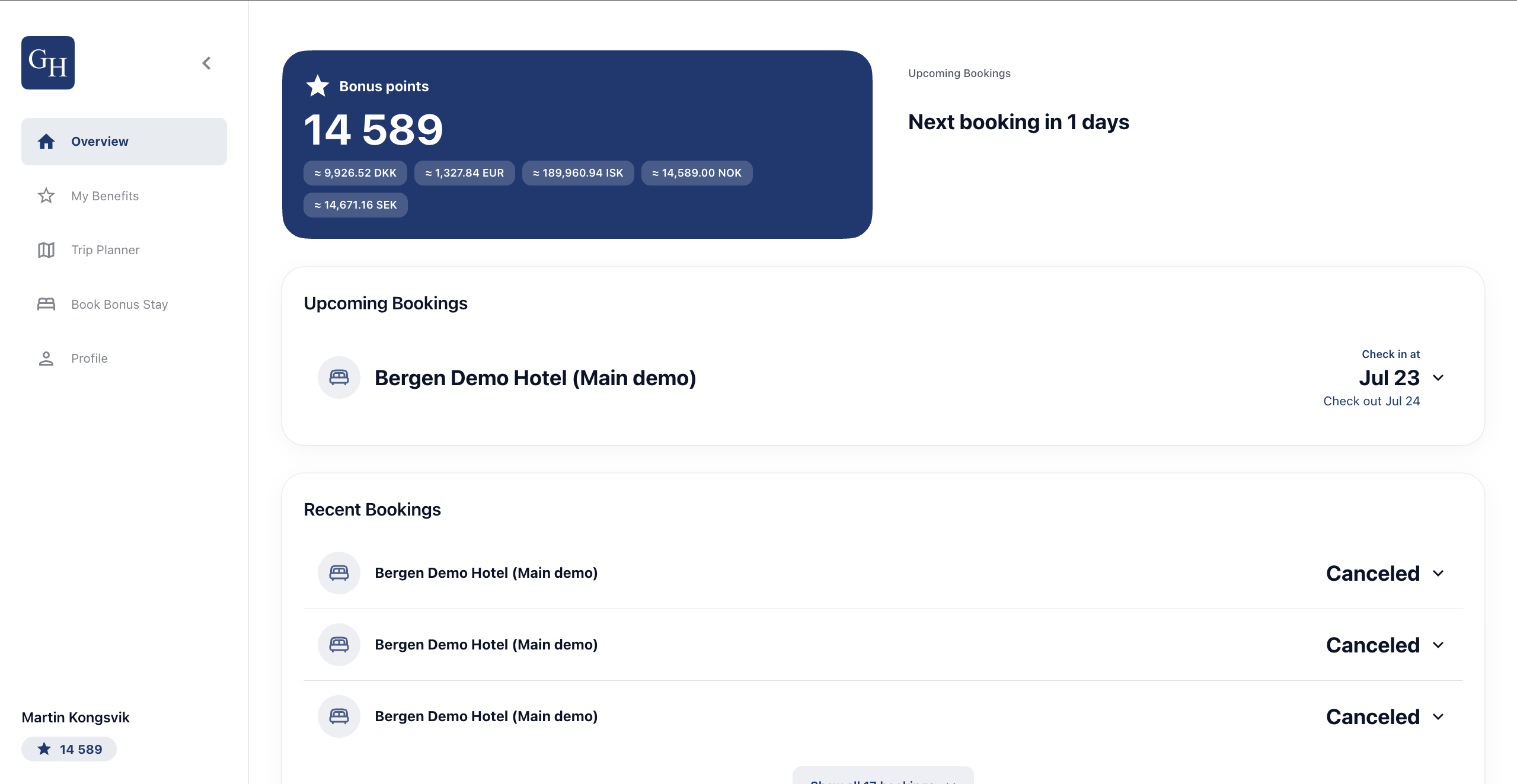
The **Overview** tab is the first screen after login. It brings together the member's bonus points balance, upcoming and past bookings, and the option to settle a booking with points. Everything updates automatically, so it stays current without any action from the member.
Bonus points balance
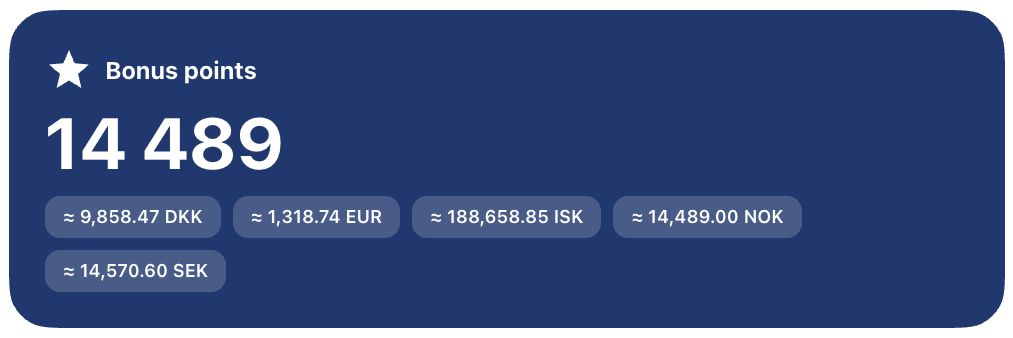
The **Bonus points** card shows the member's total balance. Points are pegged to the program currency, so one point equals one unit of that currency (for example, 1 point = NOK 1.00).
The card also shows the same balance converted into several currencies, for example DKK, EUR, ISK, NOK, and SEK. The conversion happens automatically at current rates, so a member who has earned points across different currencies always sees one combined, up-to-date value rather than separate balances to add up themselves.
Upcoming and recent bookings
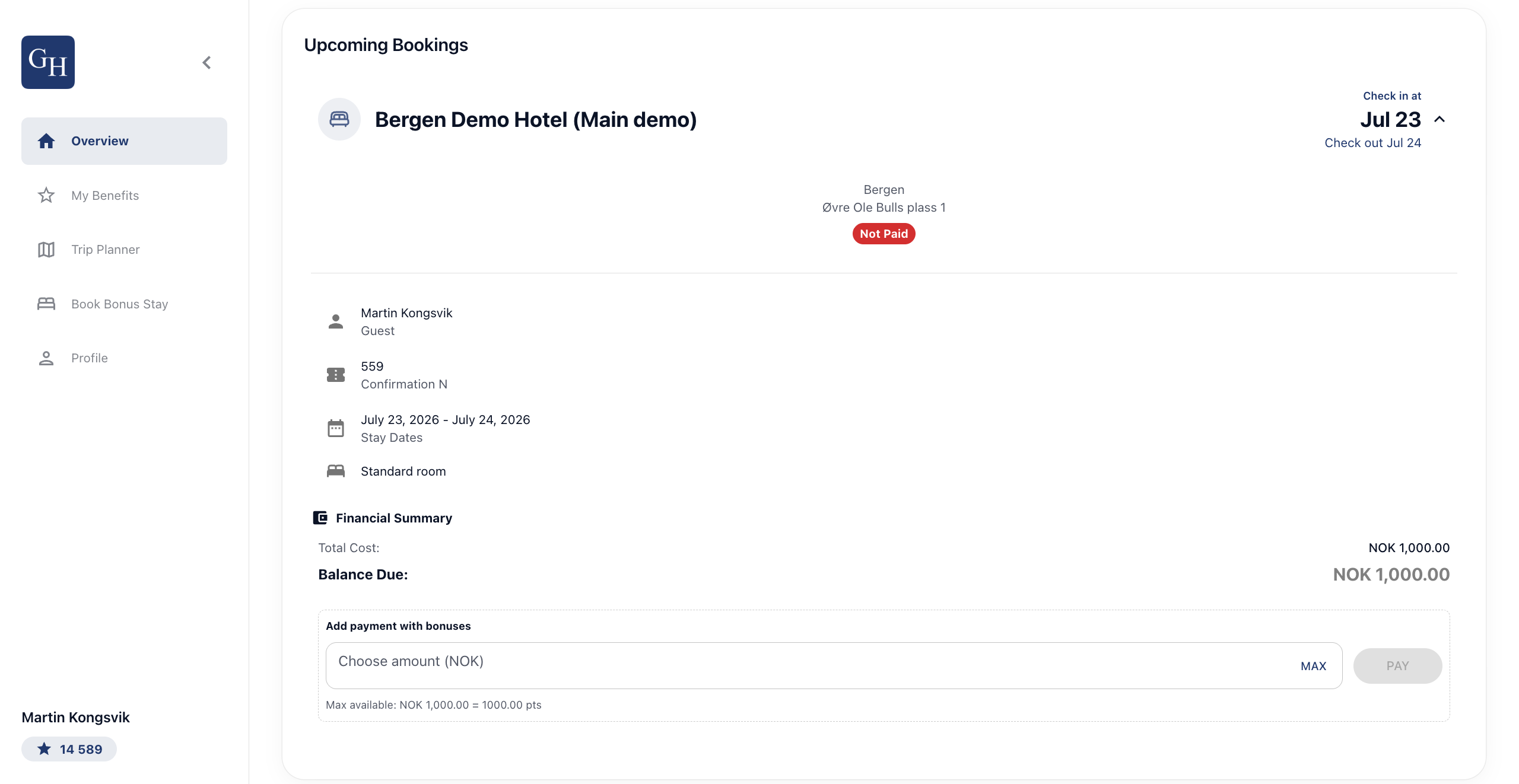
**Upcoming Bookings** shows the member's next stay, with a countdown such as "Next booking in 1 days", the hotel name, and the check-in and check-out dates. Selecting a booking expands it to show the hotel address, payment status, guest name, confirmation number, stay dates, room type, and a **Financial Summary** with the total cost and balance due.
**Recent Bookings** lists past stays and their status, for example a cancelled booking, so the member has a full history in one place.
Bookings sync automatically from any channel, whether booked direct, by phone, or through an OTA, as long as the phone number on the reservation matches the member's profile. That match is what links a stay to the member, so no manual entry is needed for the booking to appear.
Paying with bonus points
A member can settle all or part of an unpaid booking with their points. In the expanded booking's **Financial Summary**, under **Add payment with bonuses**:
1. Enter an amount in the **Choose amount (NOK)** field, or select **MAX** to apply the full available balance.
2. Select **PAY** to apply the points to the balance.
The helper text shows the maximum available and the equivalent in points, for example "Max available: NOK 1,000.00 = 1000.00 pts". Because payment can be partial, the member can cover some of the stay with points and settle the rest another way.
*\[Screenshot: Financial Summary with the Add payment with bonuses field, MAX, and PAY button\]*
Good to know
- **Points equal your currency.** One point is worth one unit of the program currency, so the value is easy to read at a glance.
- **Multiple currencies convert automatically.** Points earned in different currencies are exchanged and combined into a single balance at current rates.
- **Bookings need a phone number match.** A stay appears in the portal only when the reservation's phone number matches the member profile. If an expected booking is missing, check that the number on the reservation is the member's registered number.
- **Payment can be partial.** Members are not required to cover the full balance with points. Any remaining balance is paid separately.
- **Cancelled bookings stay visible.** Past and cancelled stays remain under Recent Bookings for reference.
- **Branding varies by hotel.** Each portal carries its own logo, background image, colours, and configuration, so the screens will look different from one hotel to the next. The features work the same way.
[](https://loyco.io)
[mailto:support@Loyco.no](mailto:support@Loyco.no)